
Penelope by Athena Software vs Case Management Hub: Which Is the Better Choice in 2026?
Choosing the right case management software is a critical decision for organizations managing client services, compliance, and outcomes. Whether you’re a nonprofit, healthcare provider, or social services agency, the platform you choose directly impacts efficiency, reporting, and team productivity.
If you’re comparing Penelope by Athena Software vs Case Management Hub, or searching for the best alternative to Penelope by Athena Software, this guide provides a clear, in-depth breakdown to help you make the right decision.
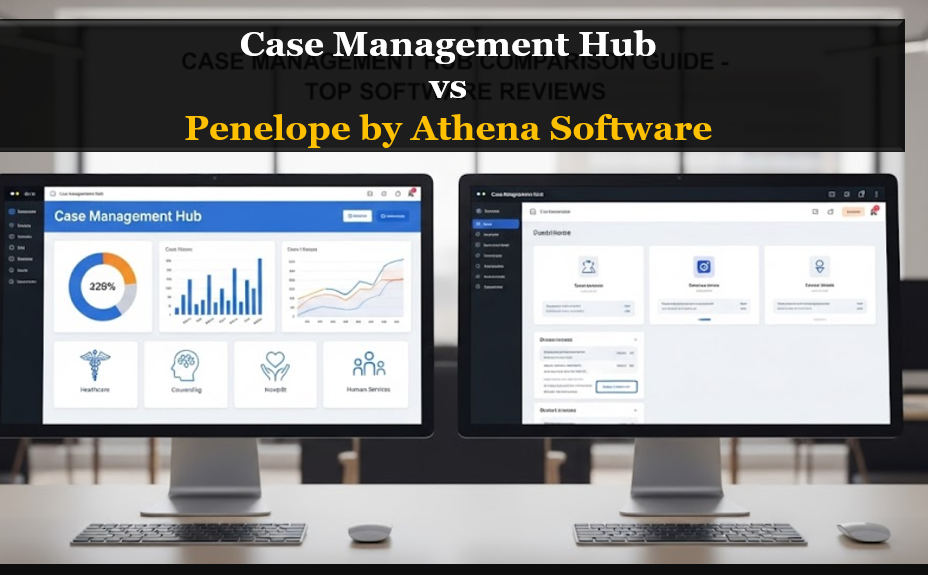
Quick Comparison: Penelope by Athena Software vs Case Management Hub
| Feature | Penelope by Athena Software | Case Management Hub |
|---|---|---|
| Ease of Use | Moderate to complex | Simple and intuitive |
| Setup Time | Weeks in many cases | Same-day or immediate |
| Customization | Advanced but complex | Flexible and easy to configure |
| Reporting | Standard reporting tools | Advanced, customizable reporting |
| Data Management | Can feel segmented | Fully centralized platform |
| Pricing | Higher cost, enterprise-focused | Affordable and flexible |
| Best For | Large orgs with IT resources | Organizations of all sizes seeking simplicity |
Bottom Line: Organizations looking for a centralized, easy-to-use case management system better than Penelope are increasingly choosing Case Management Hub.
All-in-One Case Management Software
Sign Up Today, Free. No credit card needed!
|
Do You Have a Team? |
||
What Is Penelope by Athena Software?
Penelope by Athena Software is a well-established case management system widely used across social services, behavioral health, and nonprofit sectors. It offers a robust set of features designed to handle complex workflows and data tracking.
Strengths of Penelope
- Comprehensive functionality
- Long-standing presence in the market
- Suitable for large organizations with structured processes
However, when organizations search for terms like Penelope by Athena Software review, review of Penelope case management software, or is Penelope by Athena legit and safe, they are often evaluating whether the platform still meets modern expectations for usability and efficiency.
What Is Case Management Hub?
Case Management Hub is a modern, all-in-one case management platform built specifically for organizations that want to simplify workflows, centralize data, and improve outcomes.
It brings together everything needed to manage cases effectively, including:
- Client intake and forms
- Case notes and documentation
- Reporting and analytics
- Scheduling and communication tools
Unlike legacy systems, Case Management Hub is designed for speed, usability, and flexibility, making it a strong alternative to Penelope by Athena Software.
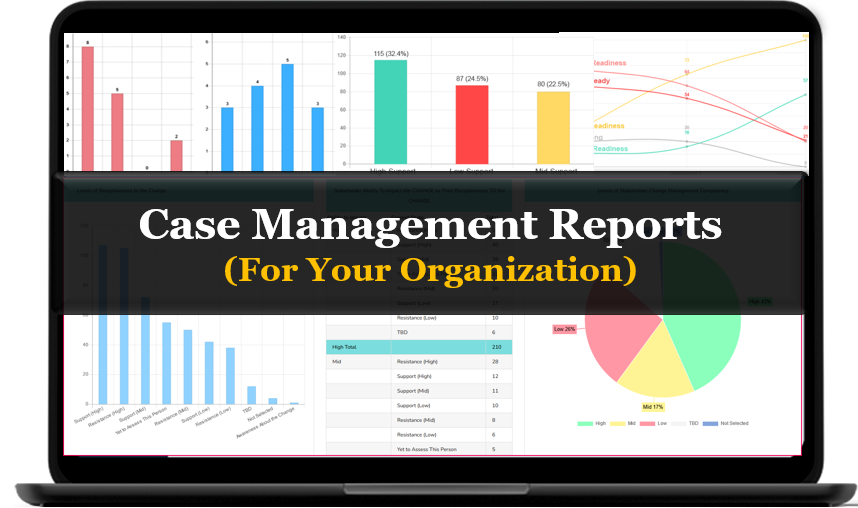
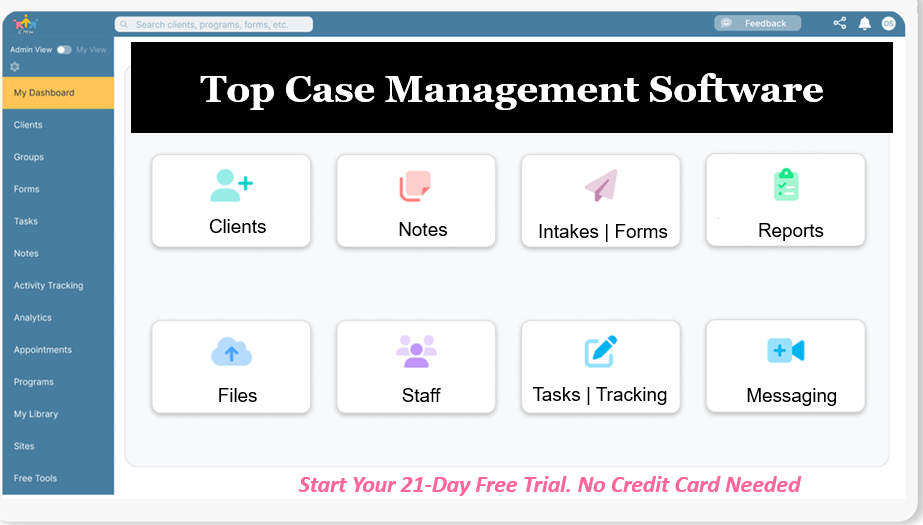
Create an Account Now - Add Your Team to Try Case Management Hub for Free
Get your entire team to try out Case Management Hub for free in minutes. Work smarter, not harder - free for 21 days. No credit card needed. If you decide to move forward is when you can subscribe.Follow These 5 Simple Steps:
Step 1: Create your free trial account here: Create Account.
Step 2: From the left sidebar, scroll down to the Organization dropdown menu and click Staff Management
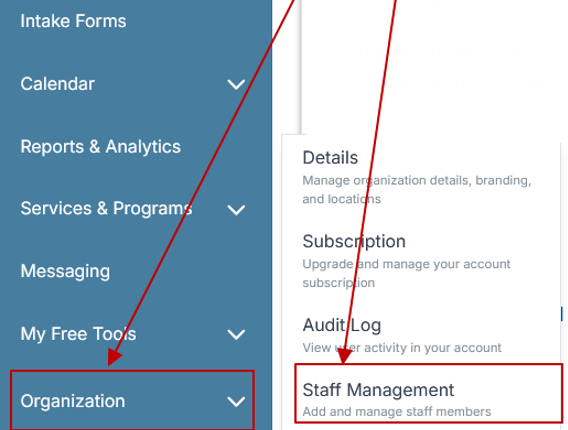
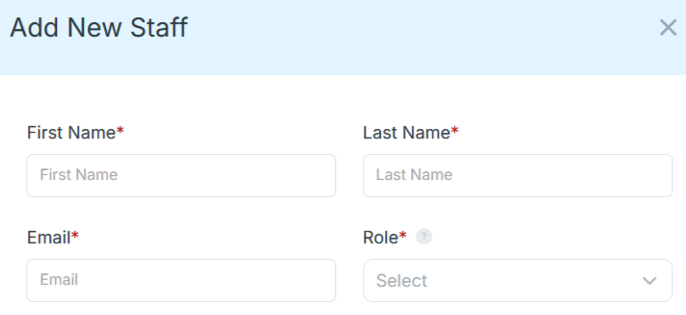
Step 4: Copy and send this email to your team members (so they know how to log in).
⚠️ Important: Ask your team members not to create new accounts. They should log in using the details you create for them.
Email Template to Send Your Team
Subject: You’ve been added to our new All-in-One Case Management tool!
Hi Team,
I've set up a free trial account for our team with the Case Management Hub software, an all-in-one case management software. I've already added you to the account, so you can start exploring immediately.
Please don't create a new account. Instead, use the login details I've shared with you to access the platform here: https://app.casemanagementhub.org/
This platform centralizes and improves everything we do, from case management, standardized assessment forms, client care, scheduling & appointments, reporting & analytics, and more all in one secure, collaborative tool. We have 21 days to test it out for free and see how it fits our needs.
Learn more about the platform here: Explore Features
Looking forward to exploring this together.
Best,
[Your Name/Signature]
Step 5: Request a customized discounted quote.
Key Feature Comparison: Penelope vs Case Management Hub
Ease of Use and User Experience
One of the most common challenges organizations face is usability.
- Penelope: Offers powerful capabilities but often requires training and onboarding due to its complexity
- Case Management Hub: Designed to be intuitive, allowing teams to get started quickly without a steep learning curve
For organizations searching for case management software easier than Penelope, this is a major differentiator.
Setup and Onboarding
Implementation time can significantly delay operations.
- Penelope: Setup and onboarding can take weeks, often involving multiple steps and consultations
- Case Management Hub: Fast deployment with the ability to start using the system almost immediately
Organizations frustrated with Penelope Athena slow setup and onboarding issues often prioritize faster alternatives.
Customization and Flexibility
Customization is essential, but it should not come at the cost of complexity.
- Penelope: Highly customizable but can require technical expertise
- Case Management Hub: Offers flexible customization for forms, fields, and workflows without added complexity
This makes it ideal for organizations that need adaptability without IT dependency.
Reporting and Outcomes Tracking
Data-driven decision-making is critical for funding, compliance, and program success.
- Penelope: Provides reporting tools but may require additional setup
- Case Management Hub: Delivers powerful, customizable reports tied directly to outcomes and performance metrics
Organizations comparing Penelope software pricing and features often find reporting capabilities a key deciding factor.
Centralized Data Management
Fragmented systems can slow down teams and create inefficiencies.
- Penelope: Depending on configuration, data may feel distributed across modules
- Case Management Hub: Fully centralized system where all client data, notes, and documents live in one place
This is especially valuable for organizations moving away from spreadsheets or disconnected tools.
Pricing and Affordability
Budget constraints are a major consideration.
- Penelope: Often positioned as a higher-cost, enterprise solution
- Case Management Hub: Affordable and scalable, making it accessible to nonprofits and growing organizations
For those searching affordable case management software vs Penelope Athena, Case Management Hub stands out.
All-in-One Case Management Software
Sign Up Today, Free. No credit card needed!
|
Do You Have a Team? |
||
Common Problems with Penelope by Athena Software
When organizations search for Penelope software issues and user complaints or problems with Penelope by Athena Software, several recurring challenges appear:
- Complex and time-consuming onboarding
- Steep learning curve for staff
- Higher overall cost
- Slower workflows due to system complexity
- Difficulty adapting quickly to evolving program needs
These challenges often lead organizations to explore Penelope alternatives that offer a more streamlined experience.
Why Organizations Are Switching to Case Management Hub
Many organizations evaluating top Penelope alternatives for nonprofits and social services are making the switch for several key reasons:
1. Faster Implementation
Organizations can get started immediately without long onboarding timelines.
2. Simpler Workflows
Teams can manage cases, notes, and reporting without navigating complex systems.
3. Fully Centralized Platform
Everything is managed in one place, eliminating the need for spreadsheets and disconnected tools.
4. Better Reporting for Outcomes
Custom reports help organizations track impact, funding requirements, and program success.
5. Scalable and Cost-Effective
Case Management Hub grows with your organization without the high costs typically associated with legacy platforms.
Real-World Scenarios Where Case Management Hub Excels
Organizations often transition to Case Management Hub in situations such as:
- Replacing spreadsheets with a structured system
- Managing large caseloads more efficiently
- Improving reporting for grants and compliance
- Simplifying documentation and case notes
- Supporting multi-program operations with centralized data
For organizations searching easy to use case management software instead of Penelope, these real-world benefits are compelling.
Who Should Choose Penelope vs Case Management Hub?
Choose Penelope by Athena Software if:
- You need a highly complex, legacy system
- You have internal resources for training and implementation
- Your workflows require deep configuration
Choose Case Management Hub if:
- You want a modern, intuitive platform
- You need fast setup and immediate usability
- You want powerful reporting without complexity
- You are looking for a best alternative to Penelope by Athena Software
- You want a system your team will actually use consistently
Final Verdict: Case Management Hub vs Penelope
Both platforms offer strong capabilities, but they serve different needs.
- Penelope by Athena Software is powerful but often complex and resource-intensive
- Case Management Hub delivers a streamlined, modern experience with all the essential features organizations need
For most organizations today, the priority is clear:
speed, simplicity, scalability, and outcomes
That’s why Case Management Hub is increasingly recognized as the top alternative to Penelope by Athena Software.
Ready to Move Beyond Penelope?
If your organization is experiencing challenges like complexity, slow onboarding, or high costs, it may be time to consider a better solution.
Case Management Hub offers:
- Immediate setup
- Intuitive workflows
- Centralized case management
- Powerful reporting tools
Make the transition to a platform designed for how organizations operate today—and position your team for greater efficiency and impact.
Create an Account Now - Add Your Team to Try Case Management Hub for Free
Get your entire team to try out Case Management Hub for free in minutes. Work smarter, not harder - free for 21 days. No credit card needed. If you decide to move forward is when you can subscribe.Follow These 5 Simple Steps:
Step 1: Create your free trial account here: Create Account.
Step 2: From the left sidebar, scroll down to the Organization dropdown menu and click Staff Management
Step 4: Copy and send this email to your team members (so they know how to log in).
⚠️ Important: Ask your team members not to create new accounts. They should log in using the details you create for them.
Email Template to Send Your Team
Subject: You’ve been added to our new All-in-One Case Management tool!
Hi Team,
I've set up a free trial account for our team with the Case Management Hub software, an all-in-one case management software. I've already added you to the account, so you can start exploring immediately.
Please don't create a new account. Instead, use the login details I've shared with you to access the platform here: https://app.casemanagementhub.org/
This platform centralizes and improves everything we do, from case management, standardized assessment forms, client care, scheduling & appointments, reporting & analytics, and more all in one secure, collaborative tool. We have 21 days to test it out for free and see how it fits our needs.
Learn more about the platform here: Explore Features
Looking forward to exploring this together.
Best,
[Your Name/Signature]
Step 5: Request a customized discounted quote.
FAQ: Penelope by Athena Software vs Case Management Hub
What is the best alternative to Penelope by Athena Software?
Case Management Hub is widely considered one of the best alternatives to Penelope by Athena Software because it offers a simpler, more intuitive platform with faster setup, centralized data management, and powerful reporting without the complexity of legacy systems.
What are common problems with Penelope by Athena Software?
Common problems with Penelope by Athena Software include complex onboarding, a steep learning curve, higher costs, and slower workflows. Many organizations look for easier and more affordable case management software when these challenges impact efficiency.
How does Case Management Hub compare to Penelope software?
Case Management Hub vs Penelope software comparisons show that Case Management Hub is easier to use, faster to implement, and more flexible. It provides a fully centralized system for managing clients, notes, and reports, making it a strong modern alternative.
Is Penelope by Athena Software legit and safe?
Yes, Penelope by Athena Software is a legitimate and secure case management system used by many organizations. However, some organizations still explore alternatives due to usability concerns, cost, and implementation complexity.
Why are organizations switching from Penelope to Case Management Hub?
Organizations are switching from Penelope to Case Management Hub for faster onboarding, simpler workflows, better reporting, and a more affordable solution. The ability to manage all case data in one centralized platform makes it a more efficient choice for many teams.
Find the Right Case Management Solution for Your Organization: All-in-One Case Management Resource Center.
Note: Content on this casemanagementhub.org site is copyrighted and protected under applicable copyright laws. Read Terms of Use.
Disclaimer: Case Management Hub is an educational resource and software provider site. Our content is not medical advice. Use of this site does not create a provider-patient relationship. Read our full disclaimer here: Case Management Hub Disclaimer.