
How to Choose the Best Case Management Software – 2026 Guide for Organizations
Choosing the best case management software is one of the most important operational decisions an organization can make. The right platform can centralize client records, improve documentation, strengthen reporting, support compliance, and help teams work more efficiently across programs and locations.
The wrong platform can create frustration, slow adoption, and leave your staff stuck in manual processes. This guide explains how to choose case management software with a practical, step-by-step approach so organizations can evaluate options clearly, compare features with confidence, and select a solution that supports both daily workflows and long-term growth.
Why the Right Case Management Platform Matters
Many organizations begin with paper files, spreadsheets, shared drives, email threads, or a mix of disconnected tools. While this may work temporarily, it often becomes difficult to maintain consistency, visibility, and accountability as teams grow. A strong case management system creates a single source of truth for client data, service history, forms, tasks, goals, referrals, and reporting.
For organizations comparing case management systems, the most valuable platforms are not just digital filing cabinets. They are operational systems that support better coordination, stronger data quality, and more efficient service delivery. This is especially important for nonprofits, healthcare providers, social services agencies, behavioral health teams, educational programs, housing organizations, and human services organizations that must track outcomes while protecting sensitive information.
- Centralizes client data and case records
- Improves staff collaboration and communication
- Reduces time spent on manual data entry and reporting
- Strengthens compliance and documentation practices
- Makes it easier to measure outcomes and program impact
💡All-in-one Case Management Software.
Everything in one place: clients, notes, forms, appointments, reports, and outcomes.
👉 Try it Free - No credit card needed
Start With Your Organization’s Real Needs
A common mistake in the case management software selection process is starting with vendor demos before defining internal requirements. Before looking at any platform, your organization should map out its workflows, reporting needs, service models, staff roles, and technical priorities. This makes it easier to separate essential functionality from nice-to-have features.
Questions to answer before evaluating software
- What types of services, cases, or programs are you managing?
- How many users, departments, or locations need access?
- Do you need custom forms, note templates, assessments, or workflows?
- What reporting requirements do funders, leadership, or regulators expect?
- Do staff need mobile access for field work, outreach, or community visits?
- What systems or files need to be imported from spreadsheets or legacy tools?
- What permissions are required for staff, supervisors, volunteers, or contractors?
Organizations that define these requirements early are far more likely to choose the right case management platform. This step also improves vendor conversations because your team can ask more precise questions about implementation, customization, and reporting capabilities.
Features to Look for in Case Management Software
When reviewing platforms, focus on features that support both daily efficiency and long-term performance. The best case management software for nonprofits, healthcare providers, and social services agencies usually includes a combination of client management, documentation, reporting, workflow, and security functionality.
Core capabilities that matter most
- Client profiles with customizable fields and structured records
- Case management software with client tracking and notes
- Digital intake forms, assessments, and e-signature support
- Task management, reminders, and recurring follow-up workflows
- Referral tracking and program assignment tools
- Customizable case management software with workflows
- Cloud-based case management system with reporting and dashboards
- Export options for Excel, PDF, and external analysis
- Role-based permissions and audit visibility
- Secure file storage, uploads, and document management
Features that often improve adoption
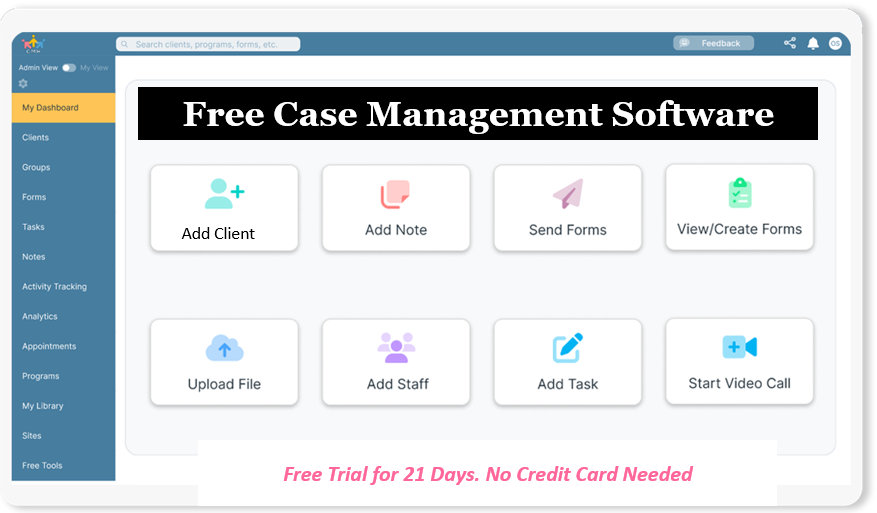
Practical usability features can make a major difference in staff adoption. Easy-to-use case management software for small teams often performs better than more complicated systems because staff can learn it quickly and use it consistently. Look for an intuitive interface, clear navigation, fast search, responsive mobile access, and simple workflows for adding notes, sending forms, assigning tasks, and running reports.
👉 Try it Free - Free Case Management System
Comparison Table for Evaluating Case Management Systems
A structured comparison table helps organizations evaluate case management systems on the criteria that matter most. Rather than comparing software only by price or surface-level features, focus on usability, customization, reporting, security, and scalability.
| Evaluation Area | What to Look For | Why It Matters | Warning Signs |
|---|---|---|---|
| Client Management | Custom profiles, case history, searchable records, notes, goals, referrals | Keeps all case information centralized and accessible | Rigid records, weak search, missing documentation tools |
| Reporting and Analytics | Custom reports, filters, export options, dashboards, date range reporting | Supports funder reporting, oversight, and decision-making | Manual reporting, limited exports, weak filters |
| Usability | Simple navigation, clean layout, easy onboarding, mobile-friendly access | Improves staff adoption and reduces training time | Steep learning curve, confusing screens, complex workflows |
| Security and Compliance | Role permissions, audit visibility, encrypted storage, HIPAA compliant case management software | Protects sensitive data and supports compliance obligations | Weak permission controls, unclear security standards, limited oversight |
This comparison approach gives organizations a more disciplined way to evaluate vendors and prioritize what will matter most after implementation.
🔥Still using spreadsheets for case management?
Switch to an all-in-one case management platform.
👉 Try it Free - No credit card needed
How to Evaluate Case Management Systems by Industry Fit
Not every case management platform is designed for every use case. A system that works for a small private practice may not be suitable for a multi-site nonprofit, government agency, school-based team, or behavioral health organization. One of the most effective ways to narrow your shortlist is to assess industry fit.
Case management software for healthcare providers
Healthcare organizations often need secure documentation, appointment management, clinical notes, treatment tracking, reporting, and strong privacy controls. Platforms should also support care coordination and structured client or patient records.
Case management software for social services agencies
Social services organizations typically need flexible intake workflows, referrals, service tracking, document uploads, case notes, task reminders, and outcome reporting. Multi-program visibility and configurable permissions are especially important.
Behavioral health case management software features
Behavioral health teams often benefit from assessments, treatment plans, progress notes, goals, follow-ups, secure communication, and compliance support. Ease of documentation is especially valuable for reducing staff burden.
Nonprofit case management software solutions
Nonprofits commonly need grant reporting, service tracking, program reporting, client history, outcome measurement, and flexible workflows that can adapt to changing funder requirements. Affordability matters, but long-term value matters more.
Usability, Adoption, and Team Efficiency
One of the biggest reasons implementations fail is not missing features. It is low adoption. If staff members find the platform difficult to use, they may revert to spreadsheets, paper notes, or informal workarounds. That weakens data quality and reduces the value of the software investment.
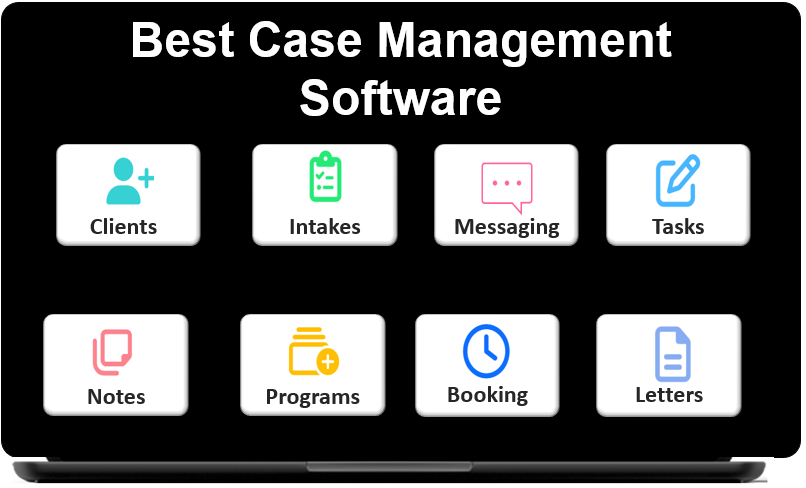
When choosing the right case management platform, ask whether staff can complete common tasks quickly. This includes adding a new client, writing a note, uploading a document, assigning a task, sending a form, tracking a referral, and generating a report. If those actions require too many steps, training and consistency will suffer.
Signs a platform is easy to use
- Clear navigation and logical page structure
- Fast access to common actions and records
- Minimal clicks for notes, forms, and tasks
- Responsive design for phones and tablets
- Straightforward onboarding for new staff
Easy-to-use case management software for small teams can also benefit larger organizations because it helps improve consistency across departments, programs, and user experience levels.
 👉 Try it free today - No credit card needed
Reporting, Outcomes, and Data Visibility
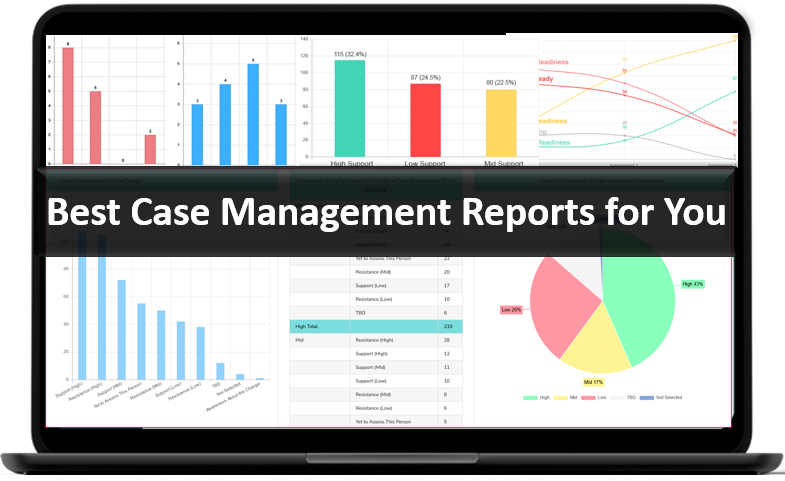
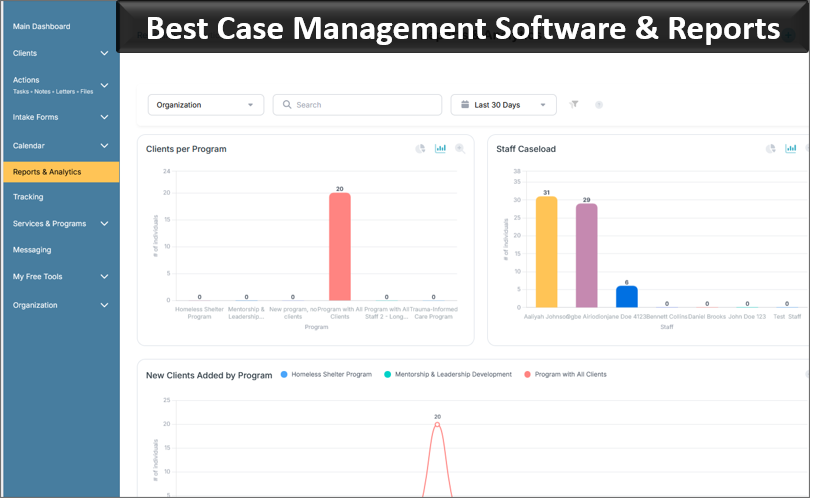
Reporting is one of the strongest indicators of whether a case management system will create long-term value. Many organizations do not just need to store data. They need to turn it into usable insight. That includes tracking client progress, monitoring services delivered, measuring outcomes, reviewing caseloads, and exporting reports for funders or leadership.
A cloud-based case management system with reporting should make it easy to filter data by program, location, staff member, date range, service type, referral source, or outcome category. It should also help teams identify gaps, delays, and trends that affect client support and organizational performance.
Reporting capabilities worth prioritizing
- Custom reports based on your own fields and workflows
- Dashboards for quick visibility into activity and outcomes
- Exports to Excel or PDF for external analysis and sharing
- Date range filtering for grant, monthly, or quarterly reviews
- Ability to track goals, steps, tasks, referrals, and service activity
Organizations that prioritize reporting early in the software selection process usually make better decisions because they can see whether the platform supports oversight, accountability, and future growth.
Security, Compliance, and Permissions
Any organization handling sensitive client data should carefully examine security and privacy standards. This is especially important for healthcare providers, behavioral health teams, social service agencies, schools, legal services organizations, and nonprofits that manage protected or confidential information.
HIPAA compliant case management software is essential for many organizations, but compliance should not be the only security consideration. Strong platforms also support encryption, secure access controls, permissions by role, audit visibility, and reliable backup processes.
Security questions to ask vendors
- Can permissions be restricted by staff role, program, or client assignment?
- Does the system protect data in storage and in transit?
- Is audit history available for changes, access, or updates?
- What backup and recovery processes are in place?
- How are user accounts and password requirements managed?
Strong security controls do more than reduce risk. They also create trust with staff, leadership, partner organizations, and the people your organization serves.
👉 Try it Free today - No credit card needed
Implementation, Support, and Long-Term Scalability
The best software choice is not only about features. It is also about how well the platform can be implemented, adopted, and expanded over time. Some systems appear capable during a demo but become difficult to manage once real workflows, training needs, and reporting expectations take effect.
When evaluating case management software, ask how quickly your team can get started, what onboarding support is included, how data imports are handled, and whether the system can scale as your organization grows. This matters for organizations transitioning from spreadsheets, upgrading from outdated systems, or launching new programs that need a strong operational foundation.
What scalable software should support
- Additional users, locations, and programs without major disruption
- Importing data from spreadsheets or legacy systems
- Custom fields, forms, notes, and reports as needs evolve
- Reliable technical support and practical onboarding assistance
- Flexible configuration rather than expensive redevelopment
A case management software buying guide should always include support and scalability because the cost of a poor implementation can be much higher than the cost of the software itself.
Common Mistakes to Avoid When Choosing Case Management Software
Even experienced teams can make avoidable mistakes during software selection. Recognizing these issues early can save time, budget, and frustration.
- Choosing based only on price instead of overall value
- Ignoring user adoption and ease of use
- Overlooking reporting, exports, and dashboard needs
- Selecting a platform without strong industry fit
- Failing to assess permissions and security requirements
- Not planning for future growth, multiple programs, or added staff
- Skipping a structured comparison process
Organizations that take a disciplined approach to case management software comparison are more likely to choose a system that supports service quality, operational efficiency, and long-term performance.
👉 Try it free today - No credit card needed
Final Thoughts on Choosing the Best Case Management Software
If your organization is asking, what is the best case management software for my organization, the answer starts with clarity. The best platform is the one that aligns with your workflows, supports your staff, protects your data, and gives you the reporting visibility needed to improve outcomes. It should be practical enough for daily use, flexible enough for your programs, and scalable enough for future growth.
Knowing how to choose case management software means looking beyond a feature checklist. It requires understanding your operational needs, evaluating industry fit, comparing usability, assessing reporting strength, and confirming security and support. For organizations choosing the right case management platform, a thoughtful decision now can create better coordination, stronger accountability, and a more efficient path to delivering meaningful results.
FAQ: How to Choose the Best Case Management Software
How do I choose the best case management software for my organization?
To choose the best case management software, start by identifying your organization’s workflow, reporting, compliance, and user needs. Then compare platforms based on ease of use, customization, security, scalability, and reporting capabilities.
What features should organizations look for in case management software?
Organizations should look for client tracking, case notes, customizable forms, workflow automation, reporting dashboards, secure file storage, and role-based permissions. The right case management platform should also be easy to use and flexible enough to support changing needs.
What is the best case management software for nonprofits and social services agencies?
The best case management software for nonprofits and social services agencies is one that supports client management, service tracking, referrals, outcome reporting, and multi-program coordination. A strong platform should also be affordable, scalable, and simple for staff to adopt.
Why is reporting important when comparing case management systems?
Reporting is important because it helps organizations track outcomes, monitor services, measure program impact, and generate data for leadership or funders. A cloud-based case management system with reporting makes it easier to turn daily activity into actionable insight.
Why does ease of use matter when choosing the right case management platform?
Ease of use matters because staff adoption directly affects data quality, efficiency, and long-term success. Easy-to-use case management software helps teams document faster, reduce manual work, and stay consistent across programs and locations.
Find the Right Case Management Solution for Your Organization: All-in-One Case Management Resource Center.
Note: Content on this casemanagementhub.org site is copyrighted and protected under applicable copyright laws. Read Terms of Use.
Disclaimer: Case Management Hub is an educational resource and software provider site. Our content is not medical advice. Use of this site does not create a provider-patient relationship. Read our full disclaimer here: Case Management Hub Disclaimer.