
How to Choose the Best Case Management Software
Choosing the best case management software is no longer a simple technology decision. For many organizations, it directly affects service quality, staff productivity, reporting accuracy, compliance, and long-term growth.
Whether you are replacing spreadsheets, moving away from paper-based workflows, or comparing a cloud-based case management software comparison across several vendors, the right platform should help your team work faster, stay organized, and deliver better outcomes.
A strong case management software buying guide should go beyond feature lists. Organizations need a practical way to evaluate usability, security, reporting, customization, onboarding, and scalability.
The goal is not just to find software that looks impressive in a demo. The goal is to choose a secure case management software with data protection that fits your real workflows today and can support your programs as needs expand over time.
💡All-in-one Case Management Software.
Everything in one place: clients, notes, forms, appointments, reports, and outcomes.
👉 Try it Free - No credit card needed
Why Choosing the Right Case Management System Matters
The wrong platform can create the same problems organizations are trying to solve. Staff may continue relying on side spreadsheets, duplicate documentation, disconnected files, and manual reporting. A weak system can slow down intake, make follow-ups harder to track, and reduce visibility into client progress. In contrast, an all-in-one case management platform helps centralize records, improve accountability, and reduce administrative friction.
This matters across industries. Top case management systems for social workers need to support notes, assessments, goals, referrals, and outcomes. Case management software for healthcare providers often needs scheduling, documentation, billing support, and compliance tools. Case management software for behavioral health may require customizable forms, progress tracking, and collaborative care coordination. The best system is one that aligns with how your organization actually delivers services.
- It reduces time lost to manual data entry and duplicate records.
- It improves consistency across staff, locations, and programs.
- It strengthens reporting for grants, leadership, and compliance.
- It supports better client tracking, communication, and follow-through.
Start With Your Organization’s Real Needs
Before reviewing vendors, define what success looks like for your team. Many organizations start by searching for the best case management software for nonprofits or the best software to replace spreadsheets for case management, but broad searches are only the beginning. The more specific your requirements are, the easier it becomes to compare platforms effectively.
Start by mapping your current workflow from intake to service delivery to reporting. Identify what data your team collects, where delays happen, how documents are stored, how referrals are tracked, and what reporting leadership needs each month or quarter. This step helps you focus on must-have capabilities instead of getting distracted by features that look useful but do not solve core challenges.
Questions to Answer First
- Do you need client intake forms, assessments, notes, task tracking, referrals, and reporting in one system?
- Will staff work from one location, multiple sites, or in the field?
- Do you need support for healthcare, legal, education, housing, nonprofit, or behavioral health workflows?
- What reporting and analytics do funders, administrators, or supervisors require?
- How much customization do you need for forms, notes, fields, and program tracking?
- What level of onboarding, support, and implementation guidance will your team need?
This process often reveals whether you need a scalable case management system for growing teams or a simpler platform designed for a smaller staff. It also helps clarify whether you are evaluating affordable case management software solutions or investing in a platform that can support multiple departments and long-term expansion.
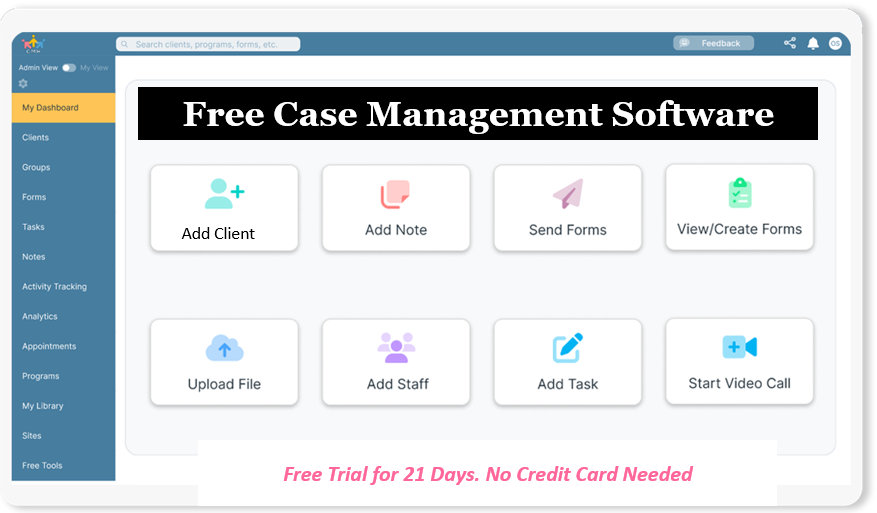
👉 Try it Free - Free Case Management System
Features to Look for in Case Management Software
One of the most important parts of learning how to choose case management software is understanding which features matter most. The best platform should support your daily operations without forcing your team into awkward workarounds. When reviewing features to look for in case management software, focus on function, not just volume.
Core Workflow Features
- Digital intake forms and assessments
- Client profiles with customizable fields
- Progress notes and case documentation
- Goals, care plans, and milestone tracking
- Task assignment, reminders, and recurring follow-ups
- Referral tracking and external collaboration
- Calendar, appointments, and notifications
Data and Reporting Features
- Case management software with reporting and analytics
- Date range filtering and program-level reporting
- Export options for Excel, PDF, and CSV
- Custom reports for funders, leadership, and compliance
- Client tracking tools that show status, progress, and service history
Administrative and Growth Features
- Role-based permissions and access controls
- Import tools for spreadsheets and legacy records
- File uploads, document storage, and signatures
- Mobile responsiveness for field-based staff
- Customization for forms, templates, and workflows
Organizations evaluating customizable case management software features should look for flexibility that supports growth without making the system harder to use. The best platforms combine structure with adaptability so teams can standardize processes while still supporting different programs, service lines, or locations.
Comparison Table: What to Evaluate Before You Choose
A structured evaluation process helps organizations compare software more effectively. The table below highlights the most important areas to review when selecting a case management system.
| Evaluation Area | What to Look For | Why It Matters | Red Flags |
|---|---|---|---|
| Usability | Simple navigation, quick training, intuitive daily workflows | Improves adoption and reduces staff frustration | Complex menus, steep learning curve, too many clicks |
| Customization | Editable forms, notes, fields, reports, and workflows | Allows the platform to fit your programs instead of forcing workarounds | Rigid templates, limited field control, expensive changes |
| Reporting | Dashboards, exports, filters, date ranges, and custom reporting | Supports compliance, leadership decisions, and funding requirements | Basic reports only, poor export options, no analytics flexibility |
| Security | HIPAA-compliant case management software, encryption, permissions, audit logs | Protects sensitive records and supports regulatory obligations | Vague compliance claims, weak access controls, no audit history |
| Scalability | Supports more users, multiple sites, programs, and larger caseloads | Prevents costly software changes as your organization grows | Limited user support, hard caps, weak multi-program structure |
| Support and Onboarding | Responsive support, implementation help, training resources | Accelerates adoption and reduces transition risk | Slow setup, limited help, unclear implementation process |
🔥Still using spreadsheets for case management?
Switch to an all-in-one case management platform.
👉 Try it Free - No credit card needed
Usability Should Be a Priority, Not an Afterthought
Many organizations underestimate the importance of usability. A platform may check every feature box but still fail if staff avoid using it. Case managers, clinicians, coordinators, and administrative teams need software that supports fast, repeatable work. If the system feels difficult, people will find side solutions, and data quality will decline.
During evaluation, ask staff to test real tasks. Have them create a client record, complete an intake, add a note, assign a task, run a report, and export results. This is one of the fastest ways to identify the top case management system for your team. A good platform should feel clear and efficient, not overwhelming.
- Can staff learn the basics quickly?
- Can supervisors monitor progress without extra manual work?
- Can field teams use the platform on mobile devices?
- Can your organization operate without constantly contacting support?
Ease of use is especially important when selecting case management software for small organizations, volunteer-based programs, and multidisciplinary teams that need a simple system with strong structure.
Reporting, Analytics, and Visibility Into Outcomes
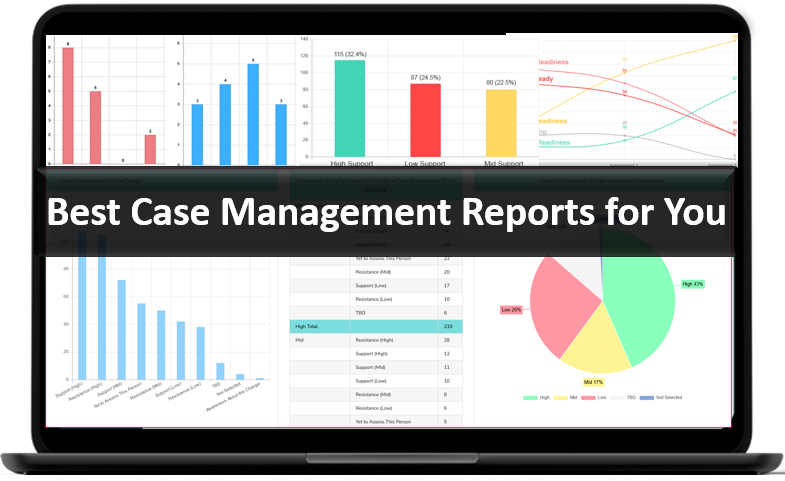
Organizations should never treat reporting as an optional add-on. Strong reporting is central to accountability, funding, program evaluation, and leadership decision-making. The best case management software should not just collect data. It should make that data usable.
Look for case management software with reporting and analytics that allows your team to filter by program, staff member, service type, date range, location, referral source, discharge reason, and custom fields. This matters for organizations that need to demonstrate outcomes, report on grant activity, track service volume, or identify bottlenecks in the client journey.
Reporting Capabilities That Add Real Value
- Custom reports based on organization-specific fields
- Exportable data for presentations, compliance, and external analysis
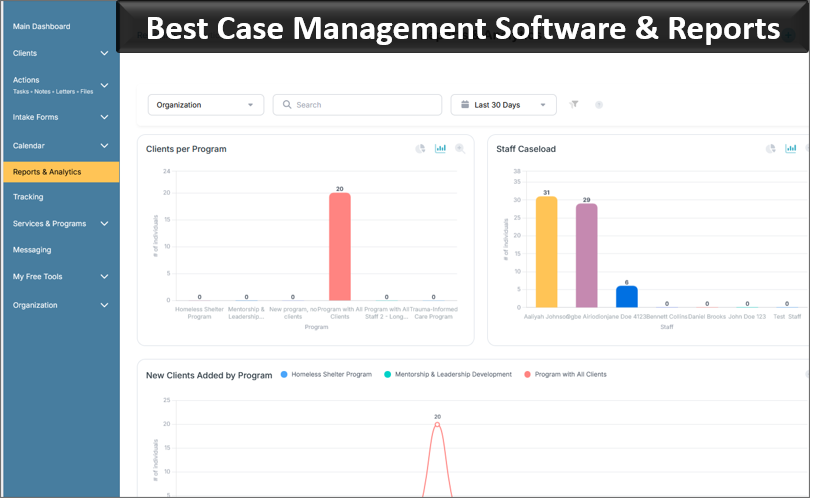
- Visual dashboards for program performance and staff activity
- Outcome tracking tied to goals, services, or milestone completion
For organizations comparing case management vs CRM for nonprofits, this is one of the biggest differences. A CRM may help organize contacts and communications, but dedicated case management software is designed to support service delivery, client documentation, outcomes tracking, and operational reporting in far greater depth.
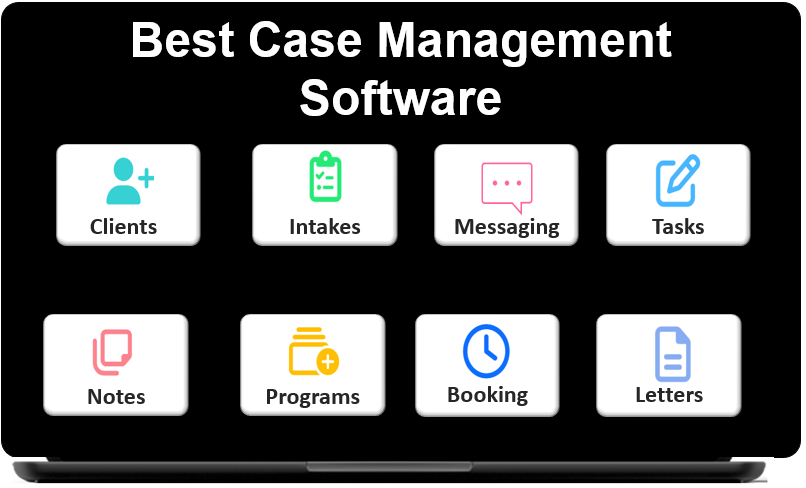 👉 Try it free today - No credit card needed
Security, Privacy, and Compliance Requirements
Organizations handling sensitive information need more than a convenient platform. They need secure case management software with data protection built into the foundation of the system. If your team manages health information, legal records, housing data, school-based support, or behavioral health documentation, security should be a non-negotiable part of the decision.
HIPAA-compliant case management software is especially important for healthcare, behavioral health, and many human services organizations. Beyond HIPAA, your review should also cover encryption, user authentication, permissions, audit trails, secure document handling, and data access controls.
Security Checklist
- Confirm the platform uses encryption for data in transit and at rest.
- Review permission settings for admins, supervisors, employees, and support staff.
- Ask whether audit logging is available for key actions and record updates.
- Verify how backups, recovery, and incident response are handled.
- Make sure clients or external users cannot access unauthorized records.
Organizations should also review how easily data can be exported if they ever need to migrate, archive, or share information with approved external systems. Strong security should not come at the cost of operational flexibility.
Look for a Platform That Can Replace Spreadsheets and Manual Processes
Many teams begin their search because spreadsheets, email threads, and paper forms are no longer sustainable. What starts as a workable process often becomes fragmented, slow, and risky as caseloads increase. This is why one of the highest-intent searches today is best software to replace spreadsheets for case management.
A modern all-in-one case management platform should help your organization centralize records, reduce duplication, standardize forms, and improve visibility. It should also support imports from spreadsheets so your team does not need to rebuild every record manually during implementation.
- Replace scattered notes with structured documentation.
- Replace paper intake with digital forms and signatures.
- Replace manual follow-ups with reminders and recurring tasks.
- Replace disconnected data with centralized client tracking tools.
This transition is especially valuable for nonprofits, clinics, schools, advocacy organizations, and social service teams that need a reliable system without adding unnecessary complexity.
👉 Try it Free today - No credit card needed
Consider Industry Fit and Use Case Alignment
Not every platform is designed for the same kind of work. A system that works for a private practice may not suit a multi-program nonprofit. A platform built for basic contact management may not be strong enough for legal services, behavioral health, or high-volume case coordination. That is why industry fit matters.
When reviewing options, look for evidence that the software supports your environment. The best case management software for nonprofits often emphasizes program reporting, grant-related data, and team collaboration. Case management software for healthcare providers may focus on compliance, scheduling, and clinical documentation. Top case management systems for social workers usually prioritize notes, referrals, assessments, goal tracking, and mobile accessibility.
Examples of Strong Use Case Alignment
- Behavioral health teams that need assessments, progress notes, and goal tracking
- Nonprofits that need outcome reports, referral workflows, and custom forms
- Legal and advocacy teams that need structured case tracking and follow-up management
- Educational and youth-serving organizations that need staff collaboration and secure documentation
The stronger the fit between the platform and your day-to-day workflows, the easier adoption, reporting, and long-term success will be.
Pricing, Implementation, and Long-Term Value
Cost matters, but value matters more. Some organizations focus only on price and later discover they selected software that cannot scale, cannot report properly, or requires too many manual workarounds. The better approach is to compare affordable case management software solutions based on total operational value.
A platform that saves hours each week, improves reporting accuracy, and reduces missed follow-ups may create far greater value than a cheaper system that causes ongoing inefficiencies. During review, ask about setup time, onboarding, implementation support, storage limits, user costs, and what features are included at each plan level.
What to Evaluate Beyond Price
- How quickly can your team get started?
- Does onboarding include real workflow guidance?
- Can you import existing data from spreadsheets or other tools?
- Will the system still work well as your team, programs, and caseloads grow?
- Is technical support accessible when your team needs help?
These questions are essential when evaluating a scalable case management system for growing teams. Long-term value comes from a platform that performs well under real operational pressure, not just during the sales process.
👉 Try it free today - No credit card needed
Case Management Software Implementation Checklist
Once you narrow your options, use a structured case management software implementation checklist to move from evaluation to decision. This helps ensure the final choice supports both immediate needs and future growth.
- Document your must-have workflows, data fields, reports, and compliance requirements.
- Create a shortlist based on industry fit, usability, reporting, and security.
- Run live demos using your real scenarios, not generic examples.
- Test the platform with staff who will actually use it daily.
- Review implementation timelines, onboarding, and support access.
- Confirm export capabilities, import tools, and long-term scalability.
- Choose the platform that best supports outcomes, not just the one with the longest feature list.
This checklist helps organizations choose with confidence and avoid expensive mistakes that can slow adoption or force another software search later.
Final Thoughts
If you are deciding how to choose case management software, focus on the essentials: usability, customization, reporting, security, support, and scalability. The best case management software should help your organization streamline operations, strengthen documentation, improve client tracking, and produce better visibility into outcomes.
For organizations comparing case management vs practice management software, the fastest way to make the right decision is to evaluate how each platform supports your actual service delivery model. Look for software that fits your team, your clients, your compliance needs, and your long-term goals. When those pieces align, the result is not just a better system. It is a stronger foundation for better care, better coordination, and better organizational performance.
💡All-in-one Case Management Software.
Everything in one place: clients, notes, forms, appointments, reports, and outcomes.
👉 Try it Free - No credit card needed
FAQ: How to Choose the Best Case Management Software
How do you choose the best case management software for your organization?
To choose the best case management software, start by identifying your organization’s workflow, reporting needs, security requirements, and growth plans. The right platform should be easy to use, customizable, secure, and able to support client tracking, documentation, and reporting in one system.
What features should organizations look for in case management software?
Organizations should look for digital intake forms, customizable client profiles, progress notes, task management, referral tracking, reporting tools, and strong security controls. The best case management software should also support mobile access, data exports, and flexible workflows.
Why is cloud-based case management software important?
Cloud-based case management software gives organizations secure access to client data from anywhere while improving collaboration across teams and locations. It also makes it easier to centralize records, reduce paper-based work, and support staff who work remotely or in the field.
What is the difference between case management software and a CRM for nonprofits?
Case management software is designed to track client services, case notes, goals, referrals, and outcomes, while a CRM for nonprofits is typically focused on donor, contact, and relationship management. Organizations that provide direct services usually need a dedicated case management system for daily operations.
Why is reporting important in a case management system?
Reporting is important because it helps organizations measure outcomes, monitor services, track staff activity, and meet compliance or funding requirements. Case management software with reporting and analytics gives teams better visibility into performance and helps leaders make informed decisions.
Find the Right Case Management Solution for Your Organization: All-in-One Case Management Resource Center.
Note: Content on this casemanagementhub.org site is copyrighted and protected under applicable copyright laws. Read Terms of Use.
Disclaimer: Case Management Hub is an educational resource and software provider site. Our content is not medical advice. Use of this site does not create a provider-patient relationship. Read our full disclaimer here: Case Management Hub Disclaimer.