
Excel vs Case Management Hub: Which Is the Best Alternative to Spreadsheets for Case Management?
If you are still using Excel for case management, you are not alone. Many organizations begin with spreadsheets because they are familiar, flexible, and easy to access. But as your caseload grows, your team expands, and your reporting needs become more complex, Excel often creates more problems than it solves.
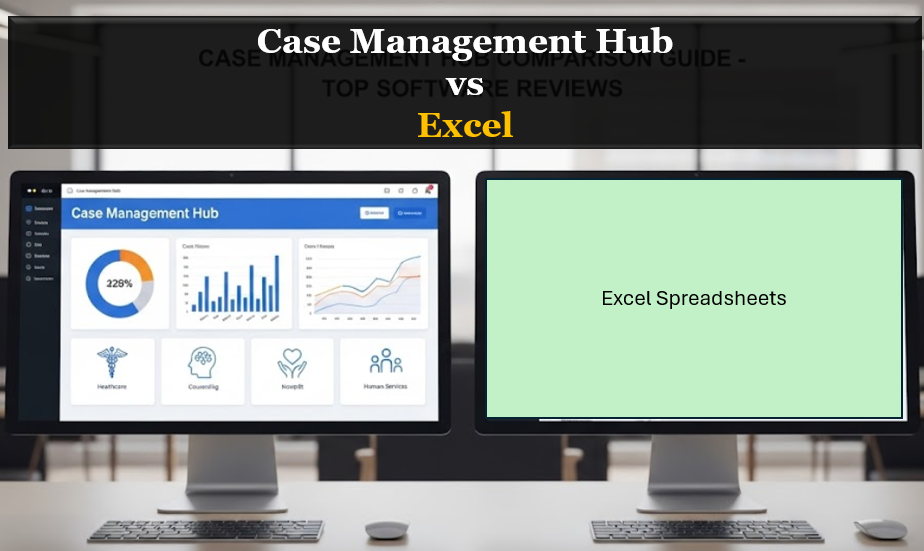
This guide explores Excel vs Case Management Hub, explains the biggest limitations of spreadsheets for case management, and shows why a purpose-built platform is the better long-term solution for managing clients, notes, workflows, and outcomes.
Why Excel Falls Short for Case Management
Excel can appear to be a practical starting point for client tracking, case notes, and basic reporting. However, it was not built to support the day-to-day realities of case management. What starts as a simple spreadsheet often turns into a disconnected, manual system that is hard to maintain and even harder to scale.
For organizations managing sensitive client information, multiple team members, and ongoing follow-ups, spreadsheets introduce inefficiencies that can affect both service delivery and team performance. This is why many teams begin searching for the best alternative to Excel for case management.
- Spreadsheets become too wide and hard to manage
- Manual updates increase the risk of mistakes
- Important information gets scattered across files, tabs, and emails
- Reporting takes too much time and effort
Quick Answer: Excel vs Case Management Hub
If you are comparing case management software vs spreadsheets, the difference is straightforward. Excel is a general-purpose spreadsheet tool that requires manual work, custom workarounds, and constant maintenance. Case Management Hub is a purpose-built case management platform designed to centralize client data, streamline workflows, improve reporting, and support growing teams.
For very small or temporary setups, Excel may seem workable. But for any team that needs secure client tracking, collaboration, automation, and better visibility into outcomes, Case Management Hub is the stronger and more scalable solution.
All-in-One Case Management Software
Sign Up Today, Free. No credit card needed!
|
Do You Have a Team? |
||
What Excel Is Commonly Used for in Case Management
Many teams start with Excel because it can be adapted for basic administrative tasks. It is commonly used to manage client lists, track appointments, record case notes, and build simple reports. In the early stages, this can feel manageable. Over time, however, these same spreadsheets become difficult to organize and even more difficult to trust.
- Tracking client names and contact details
- Logging notes and service interactions
- Recording intake information
- Monitoring tasks and deadlines manually
- Creating basic reports for internal use
The issue is not that Excel cannot hold data. The issue is that it does not provide the structure, automation, security, and workflow support that modern case management teams need.
The Biggest Problems with Using Excel for Case Management
Organizations searching for an alternative to Excel often do so because the pain points become too significant to ignore. The following issues are among the most common reasons teams decide to move away from spreadsheets.
Data Errors and Version Confusion
One of the most common Excel issues for nonprofits and social workers is version control. When multiple staff members work from different files or save updated versions in different places, errors are inevitable. Duplicate records, overwritten entries, and missing information can all undermine confidence in your data.
No Built-In Automation
Excel does not provide automated reminders, recurring tasks, or workflow triggers out of the box. This means staff must manually update rows, create personal reminders, and rely on memory or separate systems to stay on track. That makes it easier for follow-ups and deadlines to slip through the cracks.
Fragmented Client Information
Many teams using spreadsheets also rely on Word documents, shared folders, email chains, and paper notes. The result is a fragmented case management process where information is spread across multiple tools. This creates delays, confusion, and a lack of visibility into the full client history.
Security and Compliance Concerns
A common question is whether Excel is safe for client data. While spreadsheets can be password-protected, they are not designed to serve as a secure, compliance-ready case management system. Organizations that handle sensitive client information need stronger controls, better permissions, and a platform built with privacy and data protection in mind.
Reporting Is Manual and Time-Consuming
Excel can generate reports, but doing so often requires formulas, filters, pivots, and manual cleanup. For teams that need ongoing visibility into services, outcomes, funding, or caseload activity, this is a major limitation. Real-time reporting is difficult to achieve in a spreadsheet-driven workflow.
What Makes Case Management Hub a Better Alternative
Case Management Hub is built specifically for case managers, nonprofits, healthcare teams, social service providers, and other organizations that need a more structured way to manage cases and client data. Instead of forcing staff to create manual workarounds, it gives them a centralized platform designed for real-world case management workflows.
This makes Case Management Hub a better alternative to spreadsheets for case management because it helps teams work more efficiently, stay organized, and support better outcomes without the constant limitations of Excel.
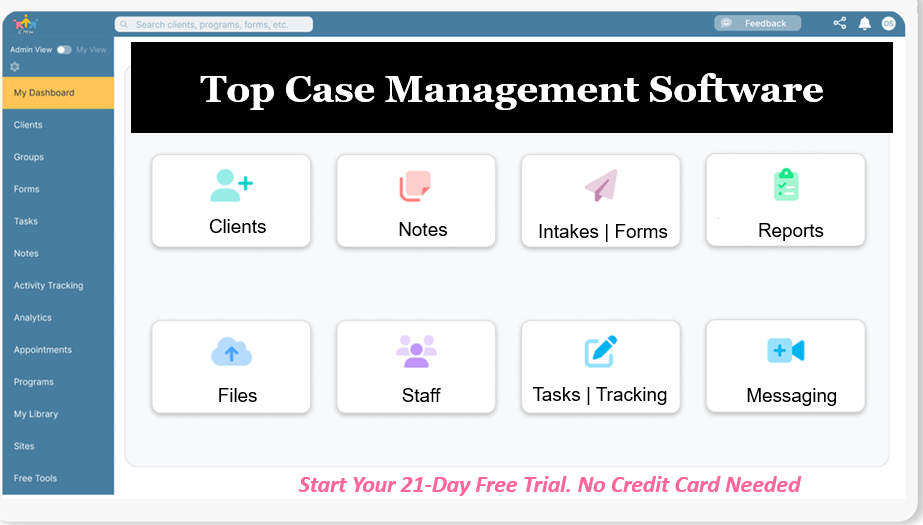
- Centralized client records in one secure system
- Custom forms, notes, templates, and tracking tools
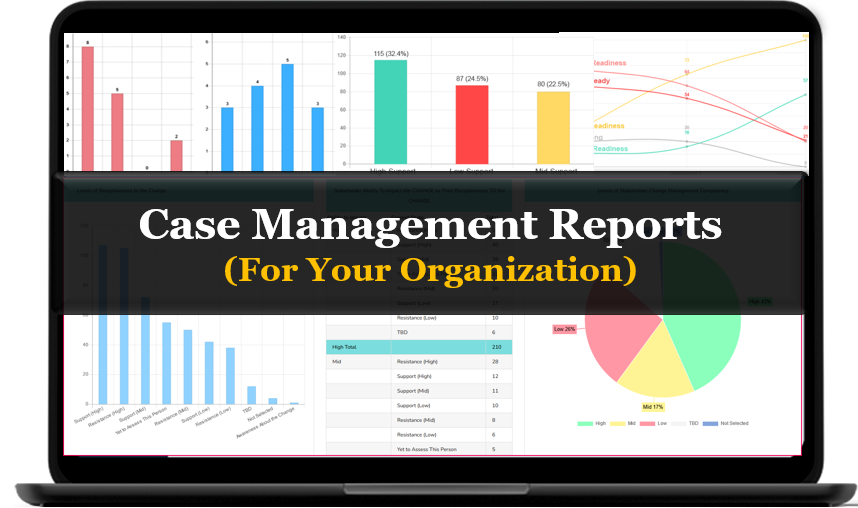
- Built-in reporting and analytics
- Task management, reminders, and workflow support
- Better collaboration across staff and locations
Create an Account Now - Add Your Team to Try Case Management Hub for Free
Get your entire team to try out Case Management Hub for free in minutes. Work smarter, not harder - free for 21 days. No credit card needed. If you decide to move forward is when you can subscribe.Follow These 5 Simple Steps:
Step 1: Create your free trial account here: Create Account.
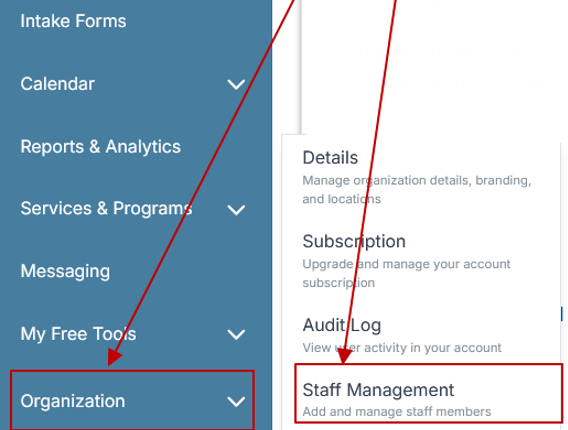
Step 2: From the left sidebar, scroll down to the Organization dropdown menu and click Staff Management
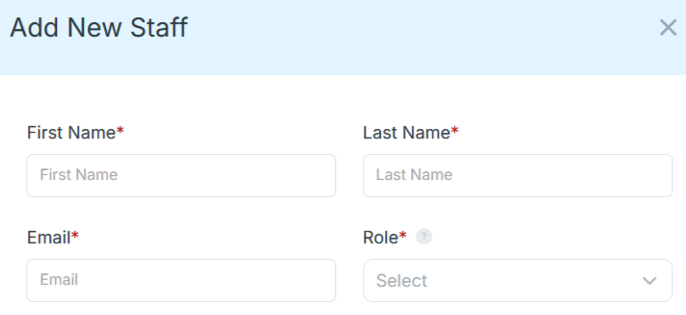
Step 4: Copy and send this email to your team members (so they know how to log in).
⚠️ Important: Ask your team members not to create new accounts. They should log in using the details you create for them.
Email Template to Send Your Team
Subject: You’ve been added to our new All-in-One Case Management tool!
Hi Team,
I've set up a free trial account for our team with the Case Management Hub software, an all-in-one case management software. I've already added you to the account, so you can start exploring immediately.
Please don't create a new account. Instead, use the login details I've shared with you to access the platform here: https://app.casemanagementhub.org/
This platform centralizes and improves everything we do, from case management, standardized assessment forms, client care, scheduling & appointments, reporting & analytics, and more all in one secure, collaborative tool. We have 21 days to test it out for free and see how it fits our needs.
Learn more about the platform here: Explore Features
Looking forward to exploring this together.
Best,
[Your Name/Signature]
Step 5: Request a customized discounted quote.
Comparison Table: Excel vs Case Management Hub
The table below highlights the key differences between Excel and Case Management Hub for organizations evaluating the best alternative to spreadsheets for case management.
| Feature | Excel | Case Management Hub |
|---|---|---|
| Client Tracking | Manual and difficult to standardize | Structured, centralized, and easier to manage |
| Team Collaboration | Limited and prone to version conflicts | Designed for shared access and collaboration |
| Automation | Requires manual tracking | Supports reminders, tasks, and workflow efficiency |
| Reporting | Time-consuming and heavily manual | Built-in reporting and easier analysis |
| Security | Basic file-level controls | Better suited for secure client data management |
| Scalability | Becomes harder to manage as you grow | Built to support growing teams and programs |
| Ease of Use Over Time | Can become cluttered and confusing | More intuitive for long-term case management |
How Case Management Hub Improves Day-to-Day Work
The advantage of Case Management Hub is not only that it replaces spreadsheets. It also improves the entire process of managing cases, services, documentation, and follow-up. Teams can stop patching together multiple tools and start working from one organized system.
Better Organization
Client profiles, forms, notes, files, and reporting can all live in one place. This gives staff faster access to the information they need and reduces the confusion that comes with scattered records.
More Efficient Workflows
Teams can manage tasks, track services, send forms, document progress, and run reports without constantly jumping between systems. This reduces administrative burden and helps staff spend more time on client support.
Stronger Collaboration
When teams work in a centralized case management system, everyone has clearer visibility into shared records, updates, and next steps. This improves alignment across programs, locations, and staff roles.
All-in-One Case Management Software
Sign Up Today, Free. No credit card needed!
|
Do You Have a Team? |
||
When It Is Time to Replace Excel
Many organizations continue using spreadsheets longer than they should because Excel feels familiar. But familiarity is not the same as fit. If your current setup is causing delays, confusion, or unnecessary manual work, it may be time to move to a dedicated case management platform.
- You are managing more clients than your spreadsheet can comfortably support
- Your team needs shared access to accurate, current data
- You need better reporting, visibility, or outcome tracking
- You are worried about data security or compliance risks
- Manual follow-ups and reminders are causing things to be missed
If any of these apply, continuing with spreadsheets may cost more in lost time and inefficiency than switching to a better system.
Why More Teams Are Looking for Excel Alternatives
Searches for Excel alternatives for nonprofits, social workers, and case management teams continue to grow because organizations want systems that can do more than store rows of data. They want software that improves operations, reduces administrative effort, and supports better service delivery.
Case Management Hub stands out because it addresses the exact pain points that push teams away from spreadsheets. It offers a more practical path forward for organizations that are ready to replace manual case management with a system designed for real use.
- Less time spent on manual admin work
- Better visibility into client activity and progress
- Improved consistency across staff and programs
- A stronger foundation for growth and reporting
Final Verdict: Is Case Management Hub Better Than Excel?
Yes. For organizations that need more than a basic spreadsheet, Case Management Hub is a better alternative to Excel for case management. Excel may be useful as a temporary tool, but it is not built to support secure, scalable, and collaborative case management workflows.
Case Management Hub gives teams a more organized, efficient, and practical way to manage clients, notes, forms, reporting, and follow-ups in one place. If your organization is serious about improving workflows, reducing manual work, and supporting better outcomes, moving beyond spreadsheets is the next logical step.
Ready to Move Beyond Spreadsheets?
If Excel is slowing your team down, it may be time to switch to a case management system built for the way you actually work. Case Management Hub helps organizations centralize client data, simplify documentation, strengthen reporting, and create a more efficient process from intake to follow-up.
Choosing the right alternative to Excel is not just about replacing a spreadsheet. It is about giving your team the tools to work smarter, stay organized, and support clients more effectively.
Create an Account Now - Add Your Team to Try Case Management Hub for Free
Get your entire team to try out Case Management Hub for free in minutes. Work smarter, not harder - free for 21 days. No credit card needed. If you decide to move forward is when you can subscribe.Follow These 5 Simple Steps:
Step 1: Create your free trial account here: Create Account.
Step 2: From the left sidebar, scroll down to the Organization dropdown menu and click Staff Management
Step 4: Copy and send this email to your team members (so they know how to log in).
⚠️ Important: Ask your team members not to create new accounts. They should log in using the details you create for them.
Email Template to Send Your Team
Subject: You’ve been added to our new All-in-One Case Management tool!
Hi Team,
I've set up a free trial account for our team with the Case Management Hub software, an all-in-one case management software. I've already added you to the account, so you can start exploring immediately.
Please don't create a new account. Instead, use the login details I've shared with you to access the platform here: https://app.casemanagementhub.org/
This platform centralizes and improves everything we do, from case management, standardized assessment forms, client care, scheduling & appointments, reporting & analytics, and more all in one secure, collaborative tool. We have 21 days to test it out for free and see how it fits our needs.
Learn more about the platform here: Explore Features
Looking forward to exploring this together.
Best,
[Your Name/Signature]
Step 5: Request a customized discounted quote.
FAQ: Excel vs Case Management Hub
Is Case Management Hub a better alternative to Excel for case management?
Yes, Case Management Hub is a better alternative to Excel for case management because it centralizes client records, streamlines documentation, improves reporting, and reduces the manual work that often slows teams down in spreadsheets.
Why is Excel not ideal for case management?
Excel is not ideal for case management because it requires manual data entry, lacks built-in workflows, makes collaboration harder, and can become difficult to manage as caseloads and reporting needs grow.
What are the biggest problems with using spreadsheets for case management?
The biggest problems with using spreadsheets for case management include data errors, version confusion, limited security, scattered client information, and time-consuming reporting that makes it harder to manage cases efficiently.
What features should the best Excel alternative for case management include?
The best Excel alternative for case management should include centralized client profiles, case notes, custom forms, reporting tools, task tracking, reminders, secure document storage, and support for team collaboration.
Who should switch from Excel to Case Management Hub?
Teams should switch from Excel to Case Management Hub when they need a more organized, scalable, and secure way to manage clients, track services, improve reporting, and support staff across one or multiple programs.
Find the Right Case Management Solution for Your Organization: All-in-One Case Management Resource Center.
Note: Content on this casemanagementhub.org site is copyrighted and protected under applicable copyright laws. Read Terms of Use.
Disclaimer: Case Management Hub is an educational resource and software provider site. Our content is not medical advice. Use of this site does not create a provider-patient relationship. Read our full disclaimer here: Case Management Hub Disclaimer.