
Best Case Management Software for Nonprofits Supporting Seriously Ill and Disabled Clients
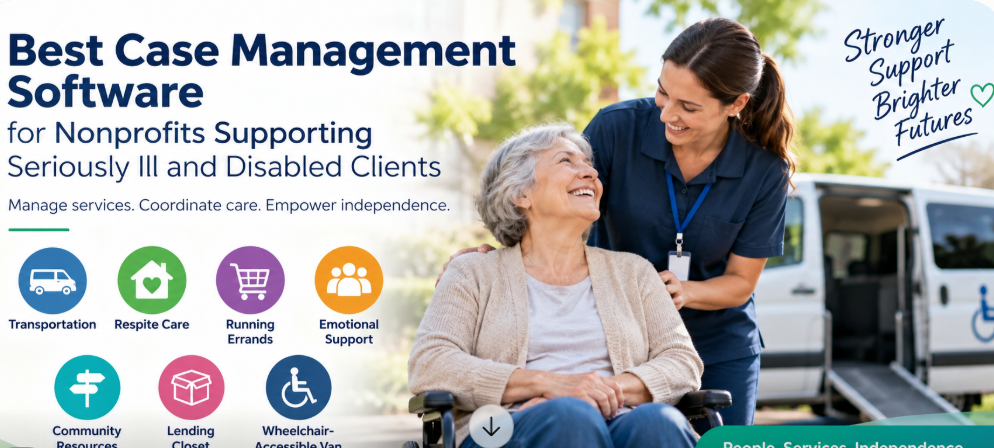
Organizations that help people living with serious illnesses or disabilities often provide a mix of services that don’t fit neatly into a traditional medical record. One client may need transportation to an appointment, another may need respite care, and another may need a wheelchair-accessible van, help with errands, emotional support, or a referral to a community resource.
Managing that work requires more than a database of names and contact information. Staff need to know what each person needs, which services have already been provided, what still needs to happen, who is responsible for the next step, and whether the organization can demonstrate the impact of its programs.
For nonprofits and community organizations doing this work, Case Management Hub is one of the best case management software options to consider. The platform combines client management, service tracking, referrals, notes, forms, tasks, goals, reporting, document management, program management, and other case management tools in one centralized system. Its flexibility is particularly useful for organizations that provide several different types of support rather than a single clinical service.
Why This Type of Organization Needs a Different Kind of Case Management Software
There is an important distinction between managing medical treatment and managing the practical support surrounding someone’s illness or disability.
A hospital may need software centered on diagnoses, medications, clinical encounters, and billing. A nonprofit helping seriously ill or disabled people maintain their independence has a different operational problem. Its team may be coordinating transportation on Monday, arranging respite support on Tuesday, helping a family locate community resources on Wednesday, and providing mobility equipment later that week.
That is why organizations in this space should be cautious about selecting software simply because it is marketed as healthcare software. The better fit is often a flexible nonprofit case management system that can organize clients while also tracking the individual services, referrals, activities, resources, and outcomes associated with them.
The software should accommodate the organization’s service model rather than forcing every interaction into a clinical workflow.
Best Case Management Software for Nonprofits Providing Disability and Patient Support Services
Case Management Hub is a strong fit for nonprofits, community-based organizations, human services agencies, disability service providers, healthcare support programs, care coordinators, case managers, social workers, and other teams responsible for coordinating services around a client.
The main advantage for this type of organization is flexibility. Case Management Hub isn’t limited to recording traditional case notes. Organizations can manage clients across multiple programs, document services, create custom forms and fields, track referrals, assign tasks, maintain files, monitor goals, record activities and costs, and build reports around the information their programs actually collect.
That matters when an organization’s service menu looks something like this:
- Transportation assistance
- Respite care
- Running errands for clients or families
- Emotional and practical support
- Community resource coordination
- Lending closet or equipment assistance
- Wheelchair-accessible transportation
These aren’t interchangeable activities. A useful case management platform should let the organization distinguish among them while still maintaining a complete client record.
Track Every Service Provided to Each Client
Service tracking should be near the top of the requirements list for an organization providing several types of assistance at no cost to patients or families.
Case Management Hub allows organizations to track services associated with clients. Activities can be categorized and filtered so teams can see what assistance has been delivered and use that information for reporting.
For example, an organization could establish service categories that reflect its actual programs, such as Transportation, Respite Care, Errand Assistance, Emotional Support, Community Resource Assistance, Lending Closet, or Wheelchair-Accessible Transportation.
The practical value is straightforward. Staff shouldn’t have to read months of narrative notes just to determine whether a client received transportation assistance last month. Structured service tracking makes that information easier to retrieve and report.
Separate Programs From Individual Services
Case Management Hub distinguishes between programs and services. Programs can group clients around shared activities, goals, or initiatives, while services represent the individual types of assistance delivered to a client.
That distinction is useful for multi-service nonprofits. A client might participate in one broader support program while receiving several individual services within it. The organization doesn’t have to create an entirely separate client record every time that person’s needs change.
Manage Transportation and Wheelchair-Accessible Van Services
Transportation can quickly become difficult to manage if requests are scattered among emails, spreadsheets, calendars, and staff notes.
A case management system can provide a more structured approach. Transportation can be recorded as a service or activity associated with the client, while appointments and related events can be managed through the calendar. Staff can document transportation-related interactions and use tracking information for reporting.
For organizations operating a wheelchair-accessible van, custom fields and tracking categories can also be used to capture information relevant to their own workflow. The exact structure should reflect what the organization actually needs to know rather than collecting data simply because the software provides a field for it.
A practical transportation workflow might capture:
- The client receiving transportation assistance
- The transportation service provided
- The date of the service or scheduled appointment
- The staff member responsible for the activity
- Relevant notes or follow-up requirements
- Associated time or costs when the organization needs to track them
Coordinate Respite Care and Ongoing Support
Respite services involve more than recording that assistance occurred. Teams may need to document requests, assign responsibilities, record service delivery, schedule follow-ups, and maintain notes about changing circumstances.
Case Management Hub provides several tools that can support this workflow. Staff can maintain client records, create custom forms, add notes, assign tasks, schedule recurring reminders, and track services provided.
Recurring tasks are particularly useful for clients who require regular check-ins. Instead of relying on an individual staff member to remember that a follow-up is due in 30, 45, or 90 days, the activity can be incorporated into the organization’s case management process.
The same approach can be used for other ongoing support, including errands and non-clinical assistance. The goal isn’t to over-document ordinary activities. It is to create enough structure that the next person working with the client can understand what has happened and what still needs attention.
Manage Community Resources and Referrals in One Place
Seriously ill and disabled clients often need assistance beyond what one nonprofit can provide. That makes referral management a core case management function rather than an optional feature.
Case Management Hub includes referral tracking for incoming and outgoing referrals. Organizations can maintain information about referral partners and service providers, connect referrals to client profiles, and report on referral sources.
This can help a support organization manage relationships with community resources such as other nonprofits, healthcare providers, social service organizations, transportation providers, disability resources, housing services, and other organizations involved in a client’s support network.
The ability to control what information is shared with referral partners is also useful. Not every outside organization needs the client’s entire record. A sound referral workflow should make it possible to share the information required for the referral without treating unrestricted access as the default.
Build Client Records Around the Information Your Program Actually Needs
One of the most common mistakes organizations make when choosing disability case management software is accepting a rigid client record designed around someone else’s program.
Case Management Hub allows organizations to create custom client fields and customize forms. Information collected through forms can also be mapped to client profile fields, reducing the need to repeatedly enter the same information.
For a nonprofit supporting people with serious illnesses and disabilities, custom information might include service needs, disability-related categories relevant to the program, household information, transportation needs, program participation, unmet needs, referral information, or other details the organization legitimately needs to provide and report on services.
Customization needs some discipline. More fields aren’t automatically better. Each field should have a reason to exist, whether that is coordinating services, determining eligibility, supporting follow-up, measuring outcomes, or satisfying a legitimate reporting requirement.
Track Lending Closet and Equipment Assistance
A lending closet introduces an operational requirement that many generic client databases aren’t designed to handle. The organization may need to know what assistance was provided, which client received it, when the activity occurred, and other program-specific details.
Case Management Hub includes flexible tracking functionality that organizations can configure for different types of items, activities, and associated costs. Custom fields and tags can also help categorize information for filtering and reporting.
This makes it possible to incorporate lending closet activities into the broader client record instead of maintaining a completely disconnected spreadsheet. Organizations with detailed inventory-control requirements should still evaluate those requirements during a software demonstration to confirm that the proposed configuration matches the level of inventory management they need.
Document Emotional Support Without Losing the Bigger Client Picture
Emotional support may be less transactional than transportation or equipment assistance, but it still forms part of the service history for many community support organizations.
Case Management Hub supports standard and custom note types. Organizations can create documentation structures that fit their programs, attach notes to client records, control permissions, filter notes, and export them when necessary.
The benefit of custom note formats is consistency. Staff can document the information the organization actually needs without being forced into a note template intended for an unrelated clinical specialty.
Permissions matter here as well. Sensitive information should be available to the people who need it, not automatically exposed to every user simply because they have an account.
Use Tasks and Reminders So Follow-Ups Don’t Depend on Memory
Community support work produces a steady stream of small commitments: call the family, confirm transportation, follow up on a referral, check whether equipment is still needed, send a form, or reconnect with a client after a set period.
Those commitments are exactly where spreadsheets and informal systems tend to break down.
Case Management Hub allows tasks to be created, assigned, given due dates, and tracked through completion. Recurring tasks and reminders can support ongoing follow-ups, and staff members receive notifications for assigned work.
Tasks can also be assigned to clients through the client portal where appropriate. That can be useful for workflows in which the client needs to complete a form, provide information, or take another defined action.
Measure Services and Outcomes for Funders and Leadership
For a nonprofit that doesn’t charge patients or families, reporting deserves particular attention during software selection. The organization still has to fund the services it provides, and leadership may need reliable information about program activity, clients served, services delivered, referrals, outcomes, funding allocations, or other measures.
Case Management Hub includes standard and custom reporting capabilities. Reports can use custom client fields and date ranges, and data can be exported to Excel for further analysis. The system can also report on programs, services, goals, referrals, and other information maintained in the platform.
This is one area where organizations should think ahead. Don’t choose fields and service categories solely around what staff need today. Identify the questions leadership, boards, grant funders, and program managers routinely ask, then make sure the case management system captures the underlying data in a reportable format.
Examples of Useful Program Questions
- How many unique clients did we serve during this reporting period?
- Which services were provided most frequently?
- How many clients received transportation assistance?
- Which programs are clients participating in?
- What community referrals are being made?
- Which client needs remain unmet?
- What progress are clients making toward tracked goals?
Protect Sensitive Information With Role-Based Access
Organizations serving seriously ill and disabled people may handle sensitive personal and health-related information. Security therefore needs to be evaluated alongside features and usability.
Case Management Hub is cloud based and includes encryption, role-based permissions, audit logging, secure authentication, backups, and HIPAA-compliant data protections. The platform is also designed to support privacy requirements including GDPR and PIPEDA.
Role-based access is particularly useful for organizations with a mixture of administrators, case managers, support staff, interns, or volunteers. Employee access can be limited to assigned clients, while administrators can have broader organizational visibility.
A nonprofit shouldn’t solve its security problem by making the software so restrictive that staff can’t do their jobs. The better approach is to give each role the access required for its responsibilities while limiting unnecessary exposure to sensitive client information.
Support Staff Working in the Office and in the Community
Disability and patient support services don’t always happen behind a desk. Staff may be visiting clients, coordinating transportation, attending community appointments, or working from several locations.
Case Management Hub is cloud based and mobile responsive, allowing staff to access the system through smartphones, tablets, laptops, and desktop computers. Quick Actions can also be used to add notes without navigating through multiple screens.
For organizations evaluating mobile case management software, the practical test should be simple: have the people who will actually use the system try common field tasks during the trial. Ask them to locate a client, add a note, complete a form, check a task, and find the information they would need during a client interaction.
Replace Spreadsheets, Paper Forms, and Disconnected Client Records
Many smaller nonprofits don’t begin with dedicated case management software. They build a workable process using spreadsheets, Word documents, paper forms, email, shared drives, and staff knowledge.
That can work at a small scale. The problems become more obvious as caseloads, programs, locations, reporting requirements, and staff numbers increase. One spreadsheet contains demographics. Another tracks transportation. Case notes are somewhere else. Referral information sits in an inbox. Someone maintains a separate list of follow-ups.
Case Management Hub is designed to centralize client profiles, notes, files, forms, services, tasks, referrals, and reporting. Existing spreadsheet data can also be imported, which gives organizations a path away from manual tracking without necessarily starting every client record from scratch.
What to Look for in Disability and Nonprofit Case Management Software
The best case management software for a nonprofit supporting seriously ill or disabled clients is the system that matches the organization’s real service model. A long feature list is less useful than being able to execute the workflows staff perform every week.
During a software evaluation, prioritize these capabilities:
- Client management: Maintain a centralized record for each person receiving support.
- Service tracking: Record transportation, respite care, errands, emotional support, equipment assistance, and other services separately.
- Custom fields and forms: Capture information specific to your programs rather than adapting your program to rigid software fields.
- Referral management: Track community resources, service providers, incoming referrals, and outgoing referrals.
- Task management: Assign responsibility and keep follow-ups from falling through the cracks.
- Program management: Allow one client to participate in multiple programs where necessary.
- Reporting: Turn service and client information into useful program, leadership, and funding reports.
- Security: Protect sensitive information with encryption, permissions, authentication, and audit controls.
- Mobile access: Give authorized staff practical access while working away from the office.
- Data portability: Make sure organizational data and reports can be exported when needed.
- Ease of use: Staff, volunteers, and administrators need to be able to learn the system without unnecessary complexity.
Why Case Management Hub Is a Strong Fit for Multi-Service Nonprofits
Case Management Hub stands out for this use case because it combines broad case management capabilities with the ability to customize how an organization collects and tracks information.
For a nonprofit providing transportation, respite care, errands, emotional support, community resources, lending equipment, and wheelchair-accessible transportation, that flexibility is more valuable than software designed around one narrow service.
Organizations can use the platform to manage client profiles, create custom forms and fields, document case notes, track services and activities, coordinate referrals, manage tasks, organize programs, track goals, store documents, and generate reports. Clients can also be given portal access at no additional client cost, and organizations can maintain unlimited client records while uploaded files count toward storage usage.
Case Management Hub also offers nonprofit discounts, which can be relevant for organizations providing services without charging the patient or family.
The most useful way to evaluate the platform is to bring several real workflows into a demonstration or free trial. Don’t ask only whether the system has service tracking or custom forms. Ask to see how your organization would record a transportation request, document respite support, make a community referral, track lending closet assistance, assign a follow-up, and produce a report showing those services.
That exercise tells you considerably more than a generic software feature checklist.
Frequently Asked Questions About Case Management Software for Disability and Patient Support Nonprofits
What is the best case management software for nonprofits supporting people with disabilities?
Case Management Hub is one of the best case management software options for nonprofits supporting people with disabilities because it combines client records, service tracking, referrals, custom forms, case notes, tasks, programs, goals, documents, reporting, and role-based access in one cloud-based platform. Its customization options make it suitable for organizations providing several different support services.
Can case management software track transportation services?
Yes. Case Management Hub can be configured to track transportation as a client service or activity. Organizations can also use calendars, notes, custom fields, time and cost tracking, and reporting tools to support transportation-related workflows.
Can Case Management Hub track respite care?
Organizations can configure Case Management Hub to record respite care as a service, maintain related notes and forms, assign tasks, schedule follow-ups, and report on services delivered. Custom fields and forms allow the workflow to be adapted to the information the respite program needs to collect.
Can nonprofit case management software track community referrals?
Yes. Case Management Hub includes referral management capabilities for incoming and outgoing referrals. Organizations can maintain a directory of referral partners, associate referrals with clients, track referral sources, and control what information is shared with outside organizations.
Can the software support several services for the same client?
Yes. A client can receive different services and participate in multiple programs without requiring separate client records. This is particularly useful for disability and community support organizations where needs may change over time.
Can Case Management Hub track lending closet or equipment assistance?
Case Management Hub includes customizable tracking features that can be used to record items, activities, associated costs, and other program-specific information. Organizations with more specialized inventory requirements should confirm their exact lending and inventory workflow during a demonstration or trial.
Is Case Management Hub suitable for organizations that don’t charge patients or families?
Yes. Case Management Hub supports nonprofits and human services organizations, including organizations that provide services without billing the people they serve. Nonprofit discounts are available, and organizations can use reporting and tracking tools to document services, program activity, funding-related information, and outcomes.
Can clients access Case Management Hub?
Yes. Clients can have their own portal accounts where they can complete forms, manage assigned tasks, and access information made available to them. There is no additional cost for clients to use the client portal.
Can a nonprofit customize the software for its own programs?
Yes. Case Management Hub allows organizations to create custom fields, forms, assessments, note types, reports, client types, programs, and other configurations. This is especially useful for nonprofits whose services don’t fit a standardized clinical workflow.
Is Case Management Hub HIPAA compliant?
Yes. Case Management Hub is HIPAA compliant and uses encryption for data in transit and at rest. The platform also includes role-based permissions, audit logging, authentication controls, cloud backups, and other safeguards for sensitive client information.
Can Case Management Hub replace spreadsheets used for client tracking?
Yes. The platform is designed to centralize information that organizations may currently maintain across spreadsheets, paper forms, Word documents, emails, and separate files. Existing spreadsheet data can be imported, and organizations can export their data when needed.
See Whether Case Management Hub Fits Your Support Programs
For organizations helping seriously ill and disabled people remain independent, the most useful case management software is usually the one that can follow the client across different types of assistance without fragmenting the record.
Case Management Hub gives nonprofits and community support organizations a centralized way to manage clients, document services, coordinate referrals, track follow-ups, organize programs, maintain records, and report on the work being done.
If your organization provides transportation, respite care, errands, emotional support, community resources, lending closet assistance, wheelchair-accessible transportation, or similar disability and patient support services, use the free trial or product demonstration to test those exact workflows. A case management system should prove that it can support the work your team actually does before you commit to it.
What is the best case management software for nonprofits?
The best case management software for nonprofits should centralize client records, service tracking, referrals, tasks, documents, and reporting. Case Management Hub is a strong option for nonprofits that need flexible workflows for disability services, community support, transportation, respite care, and other client services.
What is disability case management software?
Disability case management software helps organizations manage client information, document services, coordinate referrals, track goals and follow-ups, and report on program activity. It is especially useful for nonprofits and human services organizations supporting people with disabilities or serious illnesses.
Can case management software track transportation and respite care services?
Yes. Case management software can track transportation, respite care, errands, emotional support, community referrals, and other services provided to clients. Flexible systems like Case Management Hub allow organizations to create service categories that match their actual programs.
What features should nonprofit case management software include?
Nonprofit case management software should include client management, service tracking, case notes, custom forms, referral management, task tracking, program management, secure document storage, mobile access, and reporting. Customization is especially important for organizations offering multiple community-based services.
Is Case Management Hub suitable for human services and community organizations?
Yes. Case Management Hub is designed for nonprofits, human services teams, social services organizations, disability service providers, and community-based programs that need one system to manage clients, services, referrals, tasks, programs, and reporting.