
Clio vs Case Management Hub: Which Is the Best Case Management Software for Legal?
Choosing the right legal case management software can shape how efficiently your team handles client intake, case tracking, reporting, and day-to-day operations.
For organizations comparing Clio vs Case Management Hub, the decision often comes down to whether a traditional legal practice management tool is enough, or whether a more complete case management platform for end-to-end legal practice management is needed.
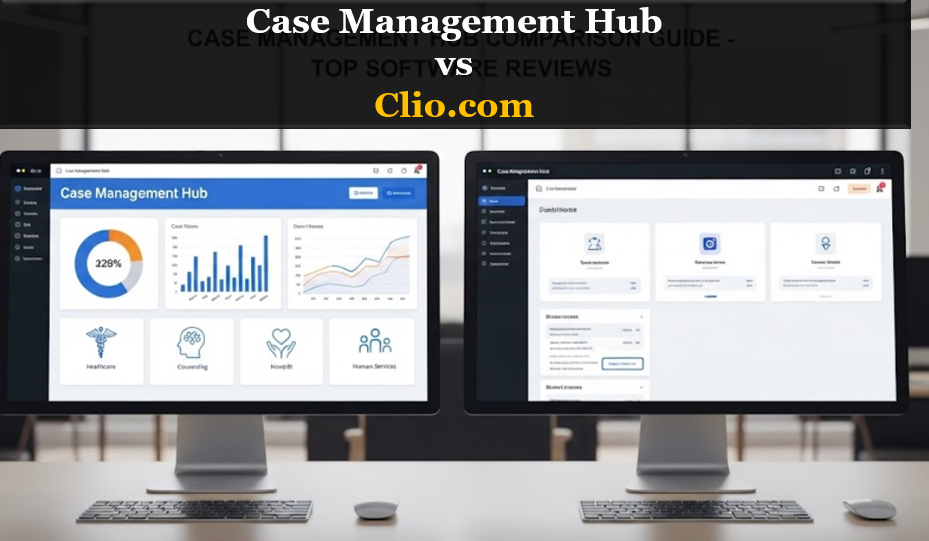
This guide provides a practical comparison of both platforms, highlights key differences, and explains why Case Management Hub is a stronger fit for legal organizations, nonprofits, and service-driven legal teams that need more than basic legal workflows.
Quick Comparison: Clio vs Case Management Hub
If you need a fast snapshot before diving deeper, this side-by-side comparison shows how Clio and Case Management Hub differ across the areas that matter most to legal organizations and legal service teams.
| Feature | Clio | Case Management Hub |
|---|---|---|
| Primary Focus | Legal practice management | Full case management platform for client management, intakes, assessments, legal files storage, secure client messaging, centralized platform |
| Best For | Traditional law firms | Small-mid-sized legal client management firms, nonprofits, advocacy teams, service-based legal organizations |
| Ease of Use | Moderate learning curve | Simple, intuitive interface |
| Setup Time | Often longer onboarding | Fast setup with quicker time to value |
| Client Management | Basic client tracking | Centralized client profiles, notes, forms, files, and workflows |
| Case Tracking | Legal-focused workflows | Full lifecycle case tracking from intake to outcome |
| Reporting | More limited for impact and outcomes | Advanced reporting and analytics for programs, services, and outcomes |
| Customization | Moderate | Highly customizable for forms, fields, notes, and reports |
| Pricing Fit | Can become expensive as needs grow | More flexible and budget-conscious for mission-driven teams |
| All-in-One Functionality | Often depends on added tools or integrations | Designed to centralize workflows in one platform |
For teams searching for the best case management software for legal, the table makes the difference clear. Clio is rooted in traditional legal practice management, while Case Management Hub is positioned for organizations that need deeper client management, reporting, and operational flexibility.
All-in-One Case Management Software
Sign Up Today, Free. No credit card needed!
|
Do You Have a Team? |
||
What Is Clio?
Clio is a well-known legal practice management software platform used by many law firms to manage daily legal operations. It is often chosen by firms that need tools for billing, calendaring, document handling, and general law office administration.
Its strengths are most relevant to traditional firms that prioritize billable hours, matter management, and standard legal workflows. For that audience, Clio can be a familiar and functional option.
Where Clio Performs Well
- Billing and invoicing support
- Calendar and scheduling tools
- Document storage for legal files
- Matter-based organization for traditional law firms
Where Clio Becomes Less Ideal
When organizations begin searching terms like Clio review, review of Clio, is Clio legit, is Clio safe, Clio issues, alternative to Clio, or Clio alternatives, the question is often not whether Clio is established. The question is whether it is still the right fit for legal organizations, nonprofits, and teams that need more complete case management software.
For service-based legal teams, Clio can feel more like a traditional legal operations tool than a true client-centered case management platform.
What Is Case Management Hub?
Case Management Hub is an all-in-one case management software platform built for organizations that need to manage clients, cases, services, documentation, reporting, and outcomes in one place. It is especially well suited for legal organizations, advocacy groups, nonprofits, and legal service providers that need more than conventional legal practice management software.
Rather than focusing narrowly on law firm administration, Case Management Hub takes a broader and more practical approach to case management. It helps organizations centralize workflows, improve visibility across cases, and reduce reliance on disconnected systems.
Why It Stands Out
- Centralized client and case records
- Digital intake forms and custom workflows
- Integrated notes, files, appointments, and reporting
- Custom fields, templates, and reports for complex service environments
- Stronger fit for legal case management and multi-program organizations
For organizations comparing legal case management software alternatives, Case Management Hub offers a more complete and scalable solution for teams that manage both legal work and client-centered services.
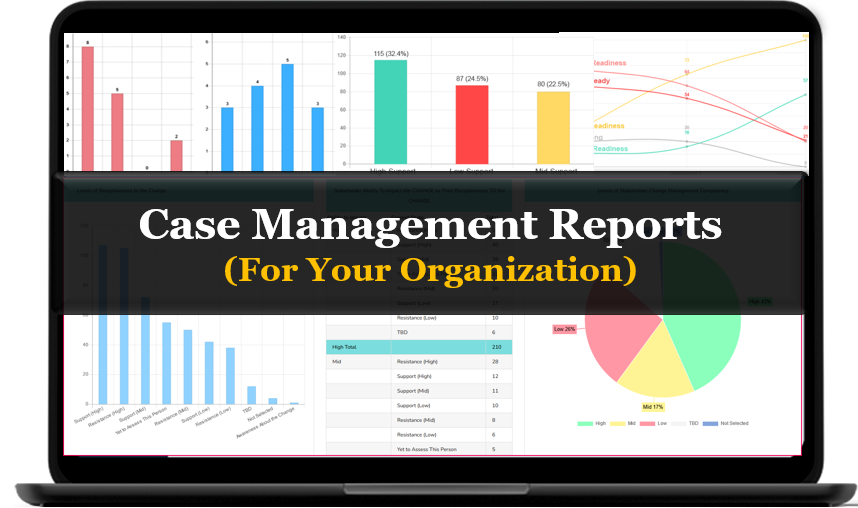
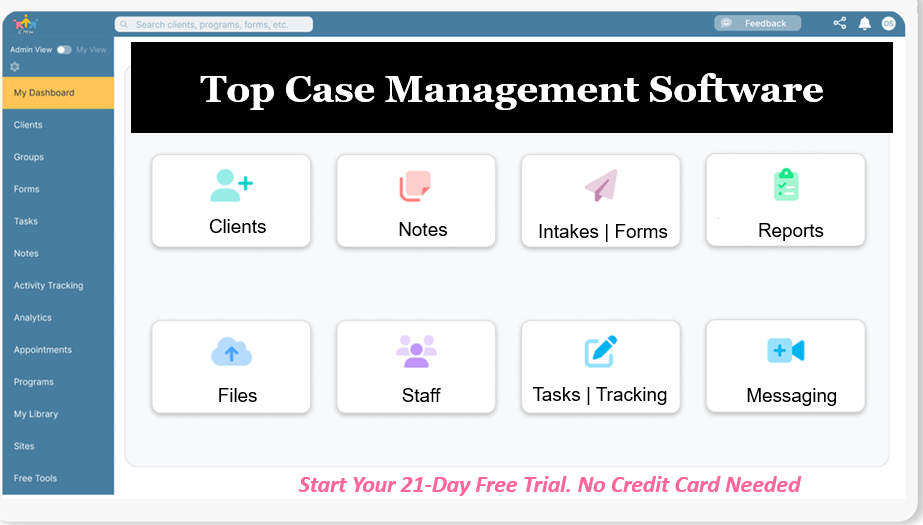
Create an Account Now - Add Your Team to Try Case Management Hub for Free
Get your entire team to try out Case Management Hub for free in minutes. Work smarter, not harder - free for 21 days. No credit card needed. If you decide to move forward is when you can subscribe.Follow These 5 Simple Steps:
Step 1: Create your free trial account here: Create Account.
Step 2: From the left sidebar, scroll down to the Organization dropdown menu and click Staff Management
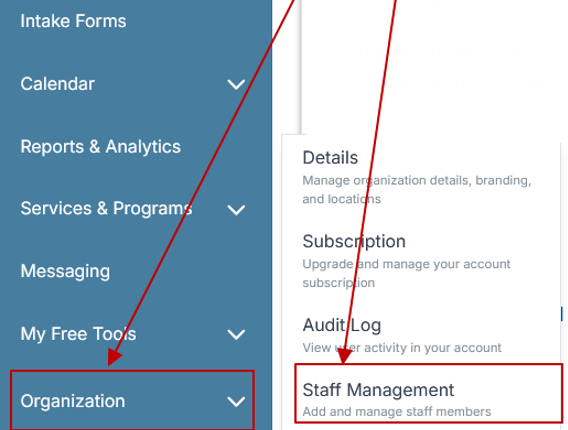
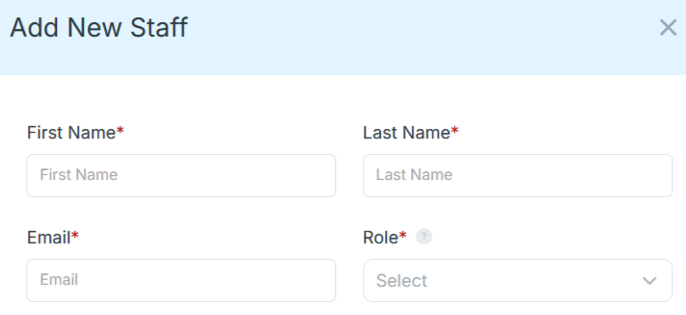
Step 4: Copy and send this email to your team members (so they know how to log in).
⚠️ Important: Ask your team members not to create new accounts. They should log in using the details you create for them.
Email Template to Send Your Team
Subject: You’ve been added to our new All-in-One Case Management tool!
Hi Team,
I've set up a free trial account for our team with the Case Management Hub software, an all-in-one case management software. I've already added you to the account, so you can start exploring immediately.
Please don't create a new account. Instead, use the login details I've shared with you to access the platform here: https://app.casemanagementhub.org/
This platform centralizes and improves everything we do, from case management, standardized assessment forms, client care, scheduling & appointments, reporting & analytics, and more all in one secure, collaborative tool. We have 21 days to test it out for free and see how it fits our needs.
Learn more about the platform here: Explore Features
Looking forward to exploring this together.
Best,
[Your Name/Signature]
Step 5: Request a customized discounted quote.
Key Differences Between Clio and Case Management Hub
The biggest difference in the Clio vs Case Management Hub comparison is not just features. It is the philosophy behind the platform. One is optimized for traditional legal practice management. The other is designed for true case management across the full client journey.
1. Legal Practice Management vs True Case Management
Clio is built primarily around legal matters, billing, and law office operations. Case Management Hub is built around people, services, progress, documentation, and outcomes. For legal organizations and service-based legal teams, that distinction matters. If your team needs to track intakes, referrals, notes, goals, forms, and service activity in one system, Case Management Hub provides the stronger framework.
2. Ease of Use and Setup Time
One of the most common pain points behind searches such as Clio issues or why switch from Clio is complexity. Teams often want software that they can start using quickly without a long onboarding cycle. Case Management Hub is positioned as the easier-to-use option for organizations that need speed, simplicity, and faster team adoption.
3. Client Management and Data Centralization
Case Management Hub centralizes client profiles, forms, notes, tasks, files, reporting, and related records in one place. That makes it easier for legal, research teams, and attorneys to stay organized, reduce duplicate work, and improve collaboration. Clio can handle core legal administration, but teams that need more complete client lifecycle management often outgrow that model.
4. Reporting and Outcome Tracking
Many legal organizations and nonprofits need to show funders, boards, or internal leaders how services are being delivered and what outcomes are being achieved. Case Management Hub is better aligned with that need. It supports custom reporting, outcome visibility, and broader program insights that go beyond simple matter management.
5. Flexibility for Legal and Mission-Driven Work
Traditional legal software is not always designed for legal nonprofits, advocacy teams, public interest law organizations, or service-heavy legal programs. Case Management Hub is a better alternative for Clio users who need more adaptable workflows, stronger operational flexibility, and software that supports how legal teams actually work.
Clio Review: Common Pros, Cons, and Switch Triggers
Many people researching Clio are not only looking for a general review of Clio. They are often evaluating whether the platform still matches their needs. That is why search terms like Clio review, is Clio safe, is Clio legit, and Clio issues continue to matter in buyer decisions.
Common Advantages of Clio
- Recognized brand in legal technology
- Useful for billing-centric law firms
- Established matter management workflows
Common Reasons Users Explore Alternatives
- Too focused on traditional law firm operations
- Not ideal for legal case tracking and service delivery
- Can become costly as needs expand
- May require additional tools to create a more complete system
- Can feel more complex than organizations want
These are exactly the kinds of switch-intent signals that drive interest in a better alternative to Clio, especially among mission-driven legal teams that need practical, flexible, and client-centered software.
Why Legal Organizations Need More Than Traditional Legal Software
Legal teams often do far more than manage legal matters. They track client histories, referrals, services provided, forms, deadlines, notes, communications, and outcomes across complex cases. That is why the best case management software for legal must do more than mimic a standard law office system.
Organizations that serve vulnerable populations or operate across multiple programs need software that supports a broader service model. This is where Case Management Hub becomes the stronger option.
What Legal Teams Commonly Need
- Custom client intake and assessment forms
- Centralized case notes and documentation
- Referral tracking and follow-up workflows
- Reporting for grants, programs, and outcomes
- Easy collaboration across staff and departments
- A more affordable alternative to Clio
Case Management Hub aligns far better with these needs than traditional legal tools because it is built to support the full reality of case-based service work.
Why Case Management Hub Is a Better Alternative to Clio
For organizations searching for the best alternative to Clio, Case Management Hub offers a stronger overall value proposition. It gives legal teams and service-driven organizations a more complete platform for managing the entire case lifecycle without depending on multiple disconnected tools.
Key Reasons to Choose Case Management Hub
- Better fit for legal workflows. It supports case tracking, service delivery, forms, notes, and outcomes in a way that traditional legal practice tools do not.
- More centralized operations. Instead of spreading work across spreadsheets, email, documents, and separate tools, teams can manage more in one platform.
- Easier for staff to adopt. A simpler interface can reduce training friction and improve day-to-day efficiency.
- Stronger reporting capabilities. Legal and nonprofit teams often need more than standard legal reports. Case Management Hub better supports outcome and program tracking.
- More practical for mission-driven organizations. It is better suited to organizations that care about service coordination, client progress, and measurable impact.
For buyers searching Clio alternatives, best Clio competitors, or alternative to Clio for legal , these advantages make Case Management Hub the more compelling choice.
All-in-One Case Management Software
Sign Up Today, Free. No credit card needed!
|
Do You Have a Team? |
||
Who Should Choose Clio and Who Should Choose Case Management Hub?
Not every organization has the same priorities. The right platform depends on the type of work you do, how your team operates, and what outcomes you need your software to support.
Choose Clio If
- You run a traditional law firm
- Billing and firm administration are your main priorities
- You do not need extensive outcome tracking or service-based workflows
- Your work fits a conventional legal matter management model
Choose Case Management Hub If
- You are a legal organization, nonprofit, advocacy team, or service-based legal program
- You need to track clients, cases, services, and outcomes in one place
- You want a more affordable Clio alternative
- You need customizable forms, reports, and workflows
- You want software that is easier for teams to adopt and use consistently
For legal vs traditional legal tools, Case Management Hub delivers the more practical and future-ready solution for organizations that need real case management rather than only legal office administration.
Final Verdict
In the Clio vs Case Management Hub comparison, Clio remains a recognizable option for traditional law firms that prioritize billing and standard legal workflows. But for legal organizations, nonprofits, advocacy teams, and service-driven legal programs, Case Management Hub is the better alternative.
It offers a more complete approach to legal case management software by centralizing client records, notes, forms, reporting, and service tracking in one platform. It also addresses many of the pain points that lead buyers to search for Clio issues, Clio alternatives, review of Clio, and better alternatives to Clio.
If your organization needs software that supports the full case lifecycle, improves team efficiency, and helps you track real outcomes, Case Management Hub is the stronger long-term choice.
Next Steps for Teams Ready to Switch
If you are actively evaluating Clio alternatives and want software that better supports legal case management, the next step is to assess your team’s real operational needs. Focus on what your staff uses every day, where work gets delayed, and which processes need to be centralized.
- List the workflows your current software does not handle well.
- Identify the reporting and case tracking gaps that matter most.
- Compare whether you need legal practice management alone or full case management software.
- Prioritize ease of use, flexibility, and total operational value.
- Choose the platform that best supports your mission, not just traditional legal administration.
For many legal organizations and mission-driven legal teams, that platform is Case Management Hub.
All-in-One Case Management Software
Sign Up Today, Free. No credit card needed!
|
Do You Have a Team? |
||
FAQ: Clio vs Case Management Hub for Legal and Case Management Software
What is the difference between Clio and Case Management Hub?
Clio is primarily a legal practice management software built for traditional law firm operations, while Case Management Hub is a more complete case management software designed for legal , nonprofits, and service-driven teams that need client tracking, reporting, forms, and workflows in one place.
Is Case Management Hub a better alternative to Clio for legal organizations?
Case Management Hub is a better alternative to Clio for many legal organizations because it offers more flexible case tracking, centralized client management, and stronger reporting for programs, services, and outcomes.
What is the best case management software for legal vs traditional legal tools?
The best case management software for legal is typically a platform that goes beyond traditional legal tools by supporting intake, case notes, referrals, document management, and outcome tracking. For teams needing an all-in-one system, Case Management Hub is often the stronger choice.
Why do users search for Clio alternatives?
Users often search for Clio alternatives when they want a more affordable, easier-to-use, and more customizable platform for legal case management, especially if they need deeper client management and better reporting than traditional legal software provides.
Is Clio or Case Management Hub better for legal case management software?
Clio can work well for traditional law firms focused on billing and firm administration, but Case Management Hub is better for legal case management software when organizations need a centralized platform for managing clients, cases, services, and outcomes.
Find the Right Case Management Solution for Your Organization: All-in-One Case Management Resource Center.
Note: Content on this casemanagementhub.org site is copyrighted and protected under applicable copyright laws. Read Terms of Use.
Disclaimer: Case Management Hub is an educational resource and software provider site. Our content is not medical advice. Use of this site does not create a provider-patient relationship. Read our full disclaimer here: Case Management Hub Disclaimer.