
Case Management Software Reviews: Compare Features, Pricing & Tools
Choosing the right case management platform is one of the most important decisions an organization can make when it wants to improve service delivery, reduce administrative strain, and create better visibility into outcomes.
Whether your team works in social services, behavioral health, healthcare, nonprofit programs, education, legal services, or community support, the right system can help centralize data, simplify documentation, improve reporting, and support stronger coordination across staff.
This guide provides a practical, in-depth look at case management software reviews and feature comparison insights so organizations can evaluate options with greater confidence and select a platform that fits their day-to-day workflows, compliance needs, and long-term growth plans.
💡All-in-one Case Management Software.
Everything in one place: clients, notes, forms, appointments, reports, and outcomes.
👉 Try it Free - No credit card needed
Why Case Management Software Reviews Matter
A feature list alone is not enough when organizations are comparing case management platforms. Product pages often highlight capabilities, but software reviews reveal how well those features perform in real-world settings. They also show whether staff can actually adopt the system quickly, whether workflows feel intuitive, and whether reporting and documentation become easier over time.
Strong case management software reviews often focus on the issues organizations care about most, including setup time, usability, customization, reporting flexibility, security, and the ability to scale across multiple programs or locations. Reviews are especially valuable when they explain how a platform helped replace spreadsheets, paper files, disconnected notes, email-heavy processes, and manual reporting.
When reading reviews, organizations should pay close attention to patterns rather than isolated comments. If many users consistently mention simple onboarding, strong documentation tools, flexible forms, easier reporting, or improved staff collaboration, those recurring themes are often more meaningful than any single opinion.
- Reviews highlight usability beyond marketing claims
- They show how well software supports real workflows
- They reveal implementation strengths and weaknesses
- They help organizations compare value, not just features
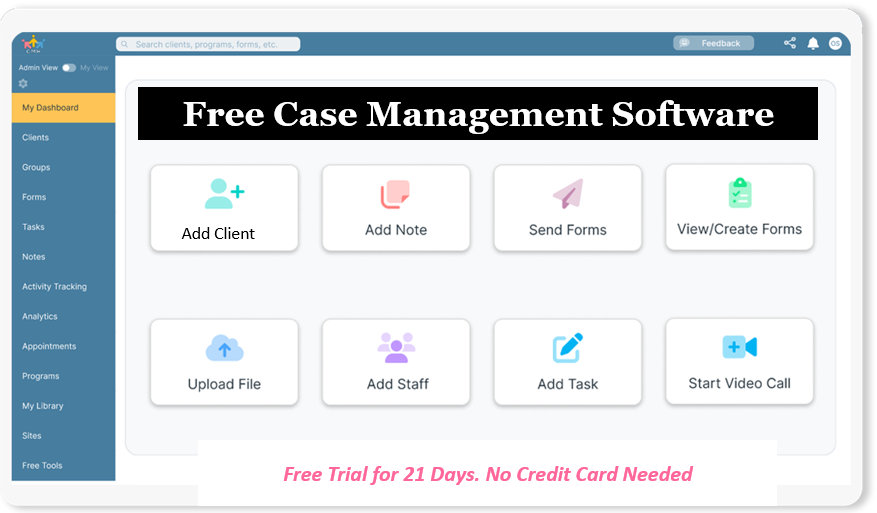
👉 Try it Free - Free Case Management System
What Organizations Should Evaluate in a Case Management Software Comparison
A strong case management software comparison guide should help organizations move beyond general impressions and focus on what will actually affect service delivery, productivity, and outcomes. The best case management software comparison process balances functionality, ease of use, flexibility, security, and organizational fit.
Centralized Client and Case Data
One of the most important capabilities in any case management system is the ability to keep client records, notes, forms, documents, referrals, tasks, communications, and reporting data in one place. Centralization reduces duplication, shortens search time, and makes it easier for staff to understand the full history of a client or case.
Customizable Forms and Templates
Organizations rarely operate with one standard workflow. They often need intake forms, assessments, progress notes, approvals, signatures, and documentation processes tailored to their own services. That is why case management software with customizable forms and templates is such a high-value category. Flexible systems allow teams to create forms that match their language, data fields, reporting needs, and compliance requirements.
Reporting and Analytics
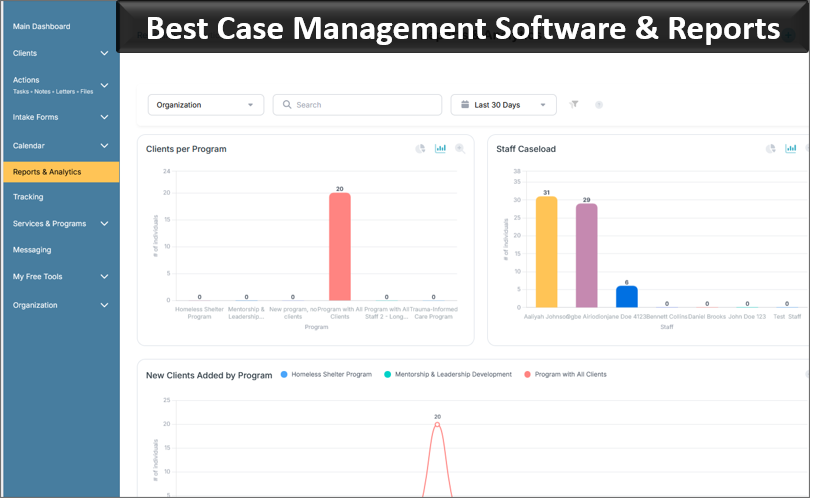
A case management system with reporting and analytics should do more than generate static summaries. Organizations need the ability to run custom reports, filter by date range, export data, track outcomes, measure service delivery, and present information to leadership, funders, partners, or auditors. Reporting strength is often what separates a basic documentation tool from a strategic operations platform.
Tasks, Reminders, and Workflow Support
Case management is rarely limited to recordkeeping. Teams need structured follow-up. The strongest platforms support task assignment, recurring reminders, due dates, staff notifications, client-facing tasks, and workflow visibility. This is especially important for organizations managing high caseloads or multi-step service processes.
Security, Privacy, and Access Control
Security should be a front-line requirement in any case management software comparison. Organizations handling sensitive client information should evaluate encryption, permissions, audit logs, user authentication, and privacy-related standards. HIPAA compliant case management software reviews are particularly important for healthcare, behavioral health, and human services teams that need strong protections for client data.
Cloud Accessibility and Mobile Use
A cloud-based case management software comparison should include how well the system performs across desktops, tablets, and mobile devices. Many organizations rely on staff who work in the field, across multiple offices, or in hybrid environments. Mobile-friendly access helps teams document services, update records, and stay connected without waiting to return to a desk.
🔥Still using spreadsheets for case management?
Switch to an all-in-one case management platform.
👉 Try it Free - No credit card needed
Comparison Table: Core Features Organizations Should Review
The table below provides a practical way to compare what organizations may find across basic systems, mid-level platforms, and all-in-one case management solutions. It highlights the categories that often matter most when reviewing case management software features comparison options.
| Feature Area | Basic Systems | Mid-Level Platforms | All-in-One Solutions |
|---|---|---|---|
| Client Records | Limited profiles and basic notes | Structured records with some customization | Centralized profiles, notes, files, referrals, and full history |
| Forms and Templates | Static forms with little flexibility | Editable forms and some mapping options | Dynamic forms, signatures, automated mapping, and reusable templates |
| Reporting and Analytics | Basic exports and simple summaries | Custom reports and filtered views | Advanced dashboards, custom analytics, exports, and outcome tracking |
| Workflow Support | Manual reminders and fragmented follow-up | Task assignment and recurring reminders | Integrated tasks, notifications, scheduling, and stronger workflow visibility |
| Accessibility and Security | Desktop access with standard controls | Cloud-based access and role restrictions | Mobile-friendly cloud access, stronger permissions, encryption, and compliance support |
For organizations comparing case management software pricing and feature comparison options, this kind of side-by-side evaluation helps clarify which platforms support not just documentation, but full operational efficiency.
Key Features That Shape Strong Case Management Software Reviews
When organizations read top case management systems ranked by usefulness and reliability, several feature categories consistently stand out. These are often the areas that make the biggest difference in staff adoption, compliance, reporting, and long-term value.
Client Intake and Digital Forms
The ability to send digital intake forms, collect signatures, map responses into client profiles, and reduce paper-based intake is a major advantage for modern case management software. Platforms with strong form-building tools help organizations move faster while improving data quality.
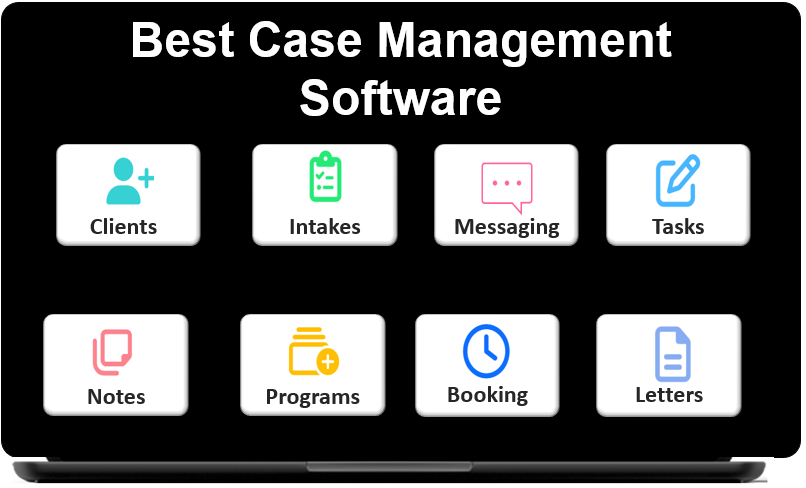 👉 Try it free today - No credit card needed
Case Notes and Documentation
Documentation is central to service delivery. The best software makes it easier to create progress notes, customize note formats, save notes to client records, and export records when needed. Reviews often praise systems that reduce friction for daily documentation and make information easier to locate later.
File Storage and Document Management
Organizations often need to upload IDs, assessments, signed forms, medical records, legal documents, and supporting files. Strong document management tools improve organization, reduce lost information, and help teams keep client records complete.
Goals, Progress Tracking, and Outcomes
Platforms that support goal tracking and progress measurement tend to generate stronger long-term value. This is especially important for social services agencies, nonprofit programs, and healthcare teams that must show outcomes, not just activity. A system that supports measurable progress helps connect service delivery to results.
Scheduling, Tasks, and Follow-Up
Case management often depends on consistent follow-up. Scheduling tools, recurring tasks, reminders, and notifications help organizations stay on top of deadlines, appointments, check-ins, and team coordination. In many reviews, these features are described as major time-savers.
Industry-Specific Use Cases in Case Management Software Reviews
The best case management software for one sector may not be the right fit for another. That is why organizations should focus on reviews and comparisons that reflect their own operating environment, service model, and documentation requirements.
Healthcare and Clinical Teams
Case management software for healthcare reviews often focus on compliance, streamlined documentation, scheduling, progress tracking, and secure record access. Clinical teams usually need a platform that reduces administrative burden while supporting continuity of care and privacy protections.
Behavioral Health Providers
Case management software for behavioral health providers typically needs to support assessments, treatment planning, notes, follow-up tasks, secure forms, and strong outcome reporting. Flexibility matters because behavioral health organizations often customize documentation based on program structure and service type.
Nonprofits and Community Programs
A nonprofit case management software comparison should emphasize affordability, reporting, grant-related tracking, customizable fields, and ease of adoption. Many nonprofits are replacing spreadsheets and paper workflows, so ease of transition is especially important.
Social Workers and Human Services Agencies
Case management software reviews for social workers often prioritize quick access to notes, simple documentation, mobile use, task management, referrals, and better oversight of large caseloads. These teams benefit from software that keeps work moving without adding complexity.
Legal Services and Advocacy Programs
Legal case management software reviews and comparison content often highlights case tracking, timeline visibility, secure record handling, and documentation organization. These organizations typically need reliable structure, easy retrieval of records, and consistent follow-up processes.
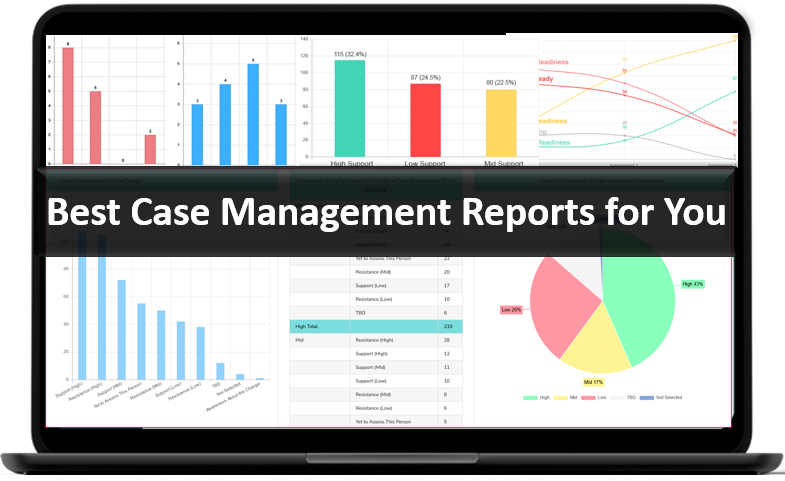
👉 Try it Free today - No credit card needed
How to Read Reviews More Strategically
Not every review should carry equal weight. Organizations can get more value from review content by reading with a structured lens and focusing on relevance over volume.
- Look for reviews from organizations with similar service models, staff size, and reporting needs.
- Prioritize reviews that describe workflows, implementation experience, and outcomes.
- Compare what users praise most often, such as ease of use, customization, reporting, or mobile access.
- Watch for repeated concerns around setup time, support, complexity, or feature limitations.
- Use reviews alongside product comparisons so functionality and user experience are evaluated together.
The most useful reviews explain what changed after implementation. For example, organizations should note whether teams were able to reduce manual work, improve reporting, centralize records, or increase service consistency. These outcomes are more valuable than generic praise.
Common Mistakes Organizations Make When Comparing Case Management Software
Even experienced teams can choose the wrong platform if they focus too narrowly on features or price. A better comparison process looks at daily usability, operational alignment, and future readiness.
- Choosing based only on a long feature list without testing workflow fit
- Ignoring reporting needs until after implementation
- Overlooking customization requirements for forms, notes, and fields
- Underestimating the importance of onboarding and ease of use
- Failing to assess security, permissions, and compliance expectations
- Selecting software that cannot scale across programs, teams, or locations
For organizations comparing case management vs practice management software, the fastest way to avoid confusion is to define the primary goal first. If the system must support ongoing client tracking, referrals, notes, forms, outcomes, and service workflows, then case management functionality should be the primary evaluation lens.
👉 Try it free today - No credit card needed
How to Choose the Best Case Management Software for Your Organization
A thoughtful selection process improves the chance of long-term success. Organizations should make decisions based on service delivery realities, not just product claims.
Start With Workflow Priorities
Identify your most important workflows first. This may include intake, case notes, approvals, scheduling, client communication, document uploads, referrals, reporting, billing-related tracking, or outcome measurement. The right software should make those workflows easier, faster, and more consistent.
Define Must-Have Features
Create a clear list of non-negotiable requirements. Many organizations prioritize features such as customizable forms, secure file storage, reporting and analytics, mobile-friendly use, role-based permissions, and exportable data. This step helps narrow the field quickly.
Compare Usability Alongside Capability
The best software is not always the platform with the longest feature list. It is the one your team can actually use consistently. Reviews that mention quick adoption, simple navigation, and reduced training burden are often signs of stronger long-term value.
Evaluate Reporting Early
Do not wait until later in the evaluation process to review reporting. Ask whether the software can track your specific fields, filter by date range, generate custom reports, and export information in useful formats. This is often a deciding factor for nonprofits, healthcare teams, and grant-funded programs.
Think About Growth
The right platform should support your organization not only today, but also as your programs expand. Consider whether the software can handle more staff, more clients, more locations, more reporting complexity, and more service lines without becoming harder to manage.
Why All-in-One Platforms Continue to Gain Attention
All-in-one case management platform reviews are increasingly positive because organizations want fewer disconnected systems. Instead of using separate tools for notes, forms, scheduling, reminders, reporting, messaging, and file storage, many teams now prefer one unified platform that brings everything together.
This shift matters because fragmented workflows often create duplicate work, inconsistent data, delayed follow-up, and reporting headaches. An all-in-one system can reduce handoffs, improve visibility, and make daily operations easier to manage across teams.
- Less switching between tools
- Stronger consistency in records and reporting
- Better coordination across staff and programs
- Easier expansion as organizational needs grow
For organizations looking at the best case management tools for nonprofits, healthcare, behavioral health, legal services, or social services agencies, this all-in-one approach often supports both efficiency and scalability.
💡All-in-one Case Management Software.
Everything in one place: clients, notes, forms, appointments, reports, and outcomes.
👉 Try it Free - No credit card needed
Final Thoughts on Case Management Software Reviews and Feature Comparison
The strongest case management software reviews and feature comparison insights do more than describe tools. They help organizations understand how software performs in real settings, how teams adapt to it, and whether it supports better outcomes over time. The right platform should not only store information, but also improve how staff work, how clients are served, and how results are measured.
As organizations evaluate case management software reviews, top case management systems ranked lists, cloud-based case management software comparison content, and feature comparison guides, they should stay focused on practical fit. Centralized records, customizable forms, strong reporting, secure access, mobile responsiveness, and workflow support are the features that consistently shape better results.
A thoughtful comparison process leads to better software decisions. When organizations prioritize usability, operational alignment, and long-term flexibility, they are far more likely to choose a case management system that supports growth, improves efficiency, strengthens accountability, and helps teams deliver better services with greater confidence.
FAQ: Case Management Software Reviews and Feature Comparison
What should organizations look for in case management software reviews?
Organizations should look for case management software reviews that discuss ease of use, customizable forms, reporting tools, security, mobile access, and how well the system supports real day-to-day workflows. The most useful reviews explain whether the software improves efficiency, documentation, and client tracking over time.
What features are most important in a case management software comparison?
The most important features in a case management software comparison include centralized client records, case notes, document management, customizable forms and templates, reporting and analytics, task tracking, scheduling, and secure role-based access. These features help organizations manage services more effectively and scale with less manual work.
What is the best case management software for nonprofits and social services agencies?
The best case management software for nonprofits and social services agencies is a platform that combines ease of use with strong reporting, customizable workflows, secure client data management, and flexible forms. Organizations should choose software that supports outcome tracking, collaboration, and growth across multiple programs or locations.
How does cloud-based case management software improve operations?
Cloud-based case management software improves operations by giving staff secure access to client records, notes, tasks, and reports from any location. It supports better collaboration, faster updates, mobile-friendly documentation, and more consistent service delivery across teams and sites.
Why is reporting important when comparing case management software?
Reporting is important when comparing case management software because organizations need to measure outcomes, track services, monitor trends, and export data for leadership, compliance, and funding needs. A strong case management system with reporting and analytics helps teams turn data into practical insights and better decisions.
Find the Right Case Management Solution for Your Organization: All-in-One Case Management Resource Center.
Note: Content on this casemanagementhub.org site is copyrighted and protected under applicable copyright laws. Read Terms of Use.
Disclaimer: Case Management Hub is an educational resource and software provider site. Our content is not medical advice. Use of this site does not create a provider-patient relationship. Read our full disclaimer here: Case Management Hub Disclaimer.