
Case Management Hub Review: Is It Legit, Safe, and Worth It?
Organizations evaluating case management software often need more than a surface-level overview. They need a practical assessment of usability, security, reporting, customization, and long-term value. This Case Management Hub review takes a detailed look at whether the platform is legitimate, whether it is safe to use, and whether it is worth the investment for nonprofits, social services teams, healthcare providers, legal organizations, and other service-based programs.
If your team is comparing modern tools, replacing spreadsheets, or looking for a centralized cloud-based case management platform, this review will help you make a more confident decision.

What Is Case Management Hub?
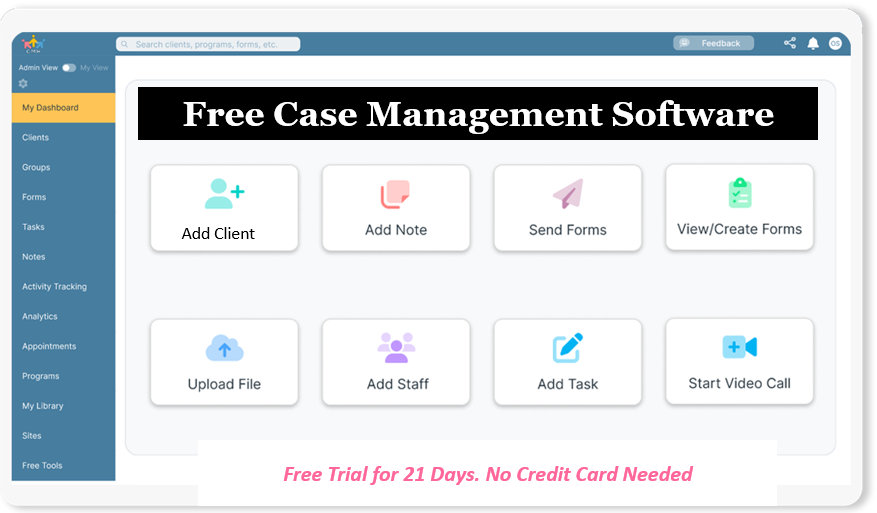
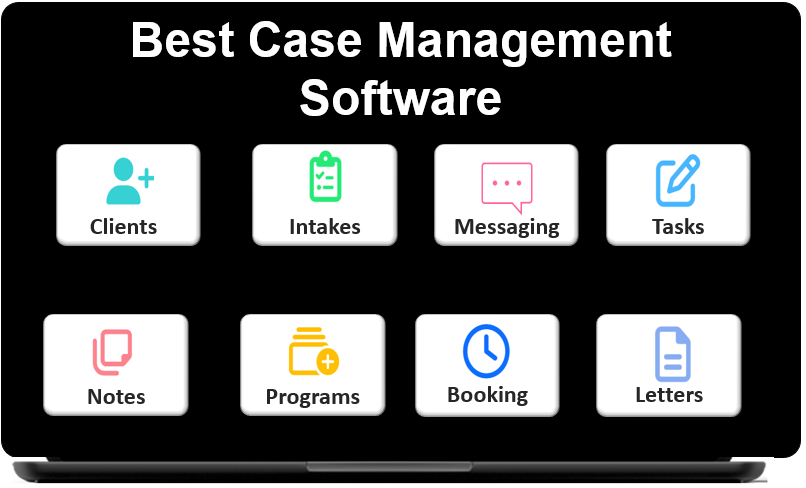
Case Management Hub is an all-in-one case management platform designed to help organizations centralize client information, manage documentation, track services, organize tasks, and improve reporting. Instead of relying on disconnected systems such as spreadsheets, paper files, shared drives, and separate scheduling or intake tools, organizations can bring core workflows into one system.
This makes it especially relevant for teams that need a practical and flexible solution for client tracking, case notes, forms, referrals, goals, reporting, and secure document management. In many ways, the platform positions itself as a modern alternative to fragmented processes that slow down service delivery and create reporting challenges.
- Centralized client records
- Cloud-based access from multiple devices
- Digital forms and documentation tools
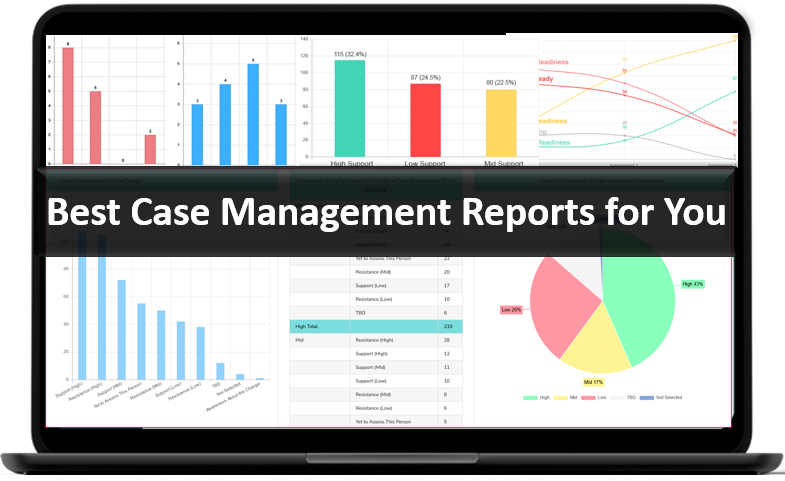
- Reporting and analytics capabilities
- Workflow support for staff and client-facing processes
💡All-in-one Case Management Software.
Everything in one place: clients, notes, forms, appointments, reports, and outcomes.
👉 Try it Free - No credit card needed
Is Case Management Hub Legit?
For organizations searching online for terms like is Case Management Hub legit or Case Management Hub software review, the core issue is credibility. A legitimate case management platform should demonstrate a clear use case, practical functionality, and a product structure that matches real operational needs. Case Management Hub meets that standard by offering a broad set of features built around how organizations actually manage cases, clients, staff coordination, and reporting.
It is not presented as a generic business tool repurposed for human services. Instead, it is positioned around the needs of social workers, counselors, nonprofits, healthcare teams, legal advocates, educational programs, and related service providers. That relevance matters because many organizations evaluating software are looking for a platform that understands the daily realities of intake, documentation, follow-up, outcomes, and compliance.
Why the platform appears credible
- It addresses core case management workflows rather than offering vague productivity features
- It supports organizations across multiple sectors with similar documentation and reporting needs
- It emphasizes structure, customization, and operational efficiency
- It presents itself as an all-in-one case management platform rather than a narrow single-feature tool
For most organizations, the more practical question is not simply whether the platform is legitimate, but whether it is legitimate and capable enough to support day-to-day operations. On that point, the feature set and workflow coverage make a strong case.
Core Features and Benefits
A strong case management software review should go beyond broad claims and examine what the platform actually helps organizations do. Case Management Hub focuses on centralization, customization, and usability. That combination is often what organizations need when they are moving away from manual systems or trying to improve cross-team visibility.
Key features organizations are likely to value
- Digital client intake forms and customizable assessments
- Progress notes and case documentation tools
- Task assignment, reminders, and follow-up tracking
- Goal tracking and outcome measurement
- Reporting, exports, and analytics support
- Secure file uploads and client document storage
- Calendars, appointments, and scheduling support
- Referrals and partner coordination features
Why these features matter
Many organizations do not fail because they lack effort. They struggle because important information lives in too many places. Intake details may sit in forms, case notes may live in documents, reporting data may be tracked in spreadsheets, and staff may rely on email for coordination. A centralized case management system reduces that fragmentation.
That is one reason searches such as all-in-one case management platform review, cloud-based case management software review, and Case Management Hub features and benefits are increasingly common. Organizations want fewer disconnected systems and stronger operational control.
👉 Try it Free - Free Case Management System
Ease of Use and Setup
Ease of use can determine whether software succeeds or becomes shelfware. A platform may have excellent functionality, but if staff find it confusing, implementation can stall. One of the stronger themes associated with Case Management Hub is usability. This is important for organizations that do not have large internal IT teams or extensive time for training.
Organizations often compare products based on how quickly they can get started, how easily staff can learn the system, and how much friction there is in day-to-day use. In that context, Case Management Hub ease of use and setup is a meaningful advantage.
What organizations should look for during evaluation
- How quickly can a new account be configured?
- How easy is it to create forms, notes, and custom fields?
- Can non-technical staff navigate the system comfortably?
- Can the platform replace spreadsheets and scattered manual processes?
- Can teams begin using the system without a lengthy implementation cycle?
For smaller nonprofits, clinics, community programs, and growing service teams, a lower-friction setup process can be a major differentiator. It can shorten time to value and reduce resistance from staff members who are already managing demanding caseloads.
Is Case Management Hub Safe to Use?
Security is one of the most important factors in any case management platform review. Organizations are often storing protected health information, personally identifiable information, intake records, assessments, legal documentation, service notes, or internal communications. That means a platform must demonstrate strong attention to privacy, access controls, and secure infrastructure.
For searches such as is Case Management Hub safe to use, Case Management Hub security and compliance, and Case Management Hub HIPAA compliant software, the answer matters because software decisions carry operational and legal consequences.
Key safety and compliance considerations
- Encrypted data storage and transmission
- Role-based permissions and controlled access
- Secure login and user authentication practices
- Audit logging and activity visibility
- Support for privacy-sensitive use cases
Organizations in healthcare, behavioral health, social services, and legal settings should still perform their own internal due diligence. They should review vendor policies, compliance materials, access controls, and data handling procedures. Even so, the overall platform positioning suggests a serious focus on security and privacy rather than an afterthought.
🔥Still using spreadsheets for case management?
Switch to an all-in-one case management platform.
👉 Try it Free - No credit card needed
Customization, Reporting, and Workflow Flexibility
A common weakness in many systems is that they force organizations to change their workflow too drastically. The best platforms provide structure while still allowing flexibility. Case Management Hub appears to place strong emphasis on customizable forms, configurable fields, note templates, reporting options, and adaptable tracking.
This matters because no two organizations run the same way. A school-based program, nonprofit housing provider, private practice, legal aid organization, and behavioral health team may all need different data points, forms, and reporting views. A platform that can be adjusted to fit those realities usually provides greater long-term value.
Areas where flexibility matters most
- Intake and assessment forms
- Custom client profile fields
- Reporting by program, date range, client type, or location
- Goal tracking and milestone measurement
- Service tracking, payment tracking, and allocation tracking
- Exporting data for external analysis
This level of flexibility improves the platform’s value for organizations looking for more than a basic note-taking tool. It supports the broader strategic goals of accountability, visibility, outcomes tracking, and team coordination.
All-in-One Case Management Software
Sign Up Today, Free. No credit card needed!
|
Do You Have a Team? |
||
Who Case Management Hub Is Best For
A platform can be solid overall and still not be the right fit for every organization. The best software decisions come from matching product strengths to real use cases. In this case, Case Management Hub appears especially relevant for organizations that need to organize client information, streamline workflows, and improve reporting without adopting an overly complex enterprise system.
Organizations likely to benefit most
- Nonprofits managing programs, referrals, and outcomes
- Social workers and case managers handling active caseloads
- Behavioral health and mental health organizations
- Healthcare and care coordination teams
- Legal aid and advocacy organizations
- Educational programs and student support services
- Smaller organizations replacing spreadsheets and manual systems
This is also why keyword variations such as Case Management Hub for social workers review, Case Management Hub for nonprofits and healthcare, and best case management software review 2026 connect so naturally to this topic. The platform addresses problems that are common across multiple service-based sectors.
Pros and Cons
A useful review should present a balanced view. Organizations comparing case management software need clarity, not hype. Below is a practical view of the strengths and limitations most relevant during evaluation.
Pros
- Broad all-in-one feature set for case management workflows
- Strong fit for organizations replacing spreadsheets and paper-heavy systems
- Customizable forms, notes, fields, and reports
- Centralized platform that can improve team coordination
- Security and compliance positioning supports privacy-sensitive workflows
- Usability appears strong for organizations seeking a simpler implementation path
Cons
- Some advanced workflow automation may still require future development or customization
- Organizations with highly niche or unusual processes may need additional configuration
- Complex organizations should still validate reporting depth against their exact compliance or funder requirements
For searches like Case Management Hub pros and cons and Case Management Hub alternatives and comparisons, this is where context matters. A limitation for one organization may be irrelevant for another. The key question is whether the platform handles the workflows that matter most to your team.
 👉 Try it free today - No credit card needed
Comparison Table
For organizations comparing Case Management Hub vs other case management software, the most useful approach is to focus on practical evaluation criteria. The table below provides a simplified comparison across several areas that often influence software decisions.
| Category | Case Management Hub | Legacy or Manual Systems | Many Modern Alternatives |
|---|---|---|---|
| Setup and onboarding | Designed for faster setup and simpler adoption | Often slow, fragmented, and manual | Varies widely by vendor and configuration needs |
| Customization | Strong support for custom forms, fields, notes, and reports | Limited and inconsistent | Usually moderate to strong, depending on price tier |
| Reporting and visibility | Built to support exports, tracking, and operational reporting | Often requires extra manual work | Often available, but sometimes gated behind complexity or added cost |
| Security and compliance | Positioned as secure and suitable for privacy-sensitive environments | Often inconsistent and harder to govern | Varies by platform and implementation quality |
This comparison is most helpful when used as a discussion starter during software evaluation. Organizations should still map the platform against their own workflows, reporting requirements, and staff adoption needs.
All-in-One Case Management Software
Sign Up Today, Free. No credit card needed!
|
Do You Have a Team? |
||
Pricing, Value, and Return on Investment
A strong Case Management Hub pricing review should focus less on the idea of cost alone and more on operational value. The right case management platform can reduce administrative burden, improve data quality, strengthen reporting, and help organizations work more efficiently. That can create real return on investment, especially when the current process is fragmented or heavily manual.
Organizations asking is Case Management Hub worth it for small organizations are usually weighing a few practical questions. Will the software save staff time? Will it reduce errors or missed follow-ups? Will it improve reporting and visibility? Will it help the organization scale more effectively? If the answer to those questions is yes, then the platform may offer meaningful value even before broader strategic benefits are considered.
Signs the investment may be worth it
- Your team is still relying on spreadsheets, paper files, or disconnected systems
- Reporting takes too much manual effort
- Staff need quicker access to notes, forms, and client history
- You need a more organized and scalable workflow
- You want stronger accountability across programs, teams, or service lines
How to Evaluate Whether It Is the Right Fit
The best way to assess any case management platform is to move beyond general feature lists and test it against your actual workflow. That means identifying what your team needs to manage every day, what data must be captured, what reports matter, and where your current system creates friction.
A practical evaluation checklist
- List your essential workflows, such as intake, case notes, referrals, scheduling, and reporting
- Identify the data points you need to track for compliance, funders, leadership, or internal operations
- Determine whether you need strong customization for forms, fields, and note structures
- Assess how important ease of use is for your staff and volunteers
- Review security expectations and internal privacy requirements
- Estimate the time your team currently loses to manual work and fragmented information
For organizations comparing case management software, this evaluation process often reveals that the right platform is not necessarily the one with the longest feature list. It is the one that fits your workflow, your reporting priorities, and your team’s capacity to adopt it successfully.
👉 Try it Free today - No credit card needed
Final Verdict
So, is Case Management Hub legit, safe, and worth it? For many organizations, the answer appears to be yes. The platform is positioned as a serious, structured, and practical solution for managing clients, documentation, forms, reporting, tasks, referrals, and related workflows in one place.
Its strongest advantages appear to be usability, centralization, customization, and operational relevance. Those qualities are especially important for nonprofits, social workers, behavioral health teams, healthcare organizations, legal programs, and community service providers that need more structure without adopting a system that feels overly rigid or difficult to use.
Organizations looking for a clear answer to Case Management Hub review, is Case Management Hub legit, is Case Management Hub safe to use, and is Case Management Hub worth it should view it as a strong option for modern case management. The final decision should still come from matching the platform to your exact needs, but as an all-in-one case management platform review, the overall outlook is favorable.
Find the Right Case Management Solution for Your Organization: All-in-One Case Management Resource Center.
Note: Content on this casemanagementhub.org site is copyrighted and protected under applicable copyright laws. Read Terms of Use.
Disclaimer: Case Management Hub is an educational resource and software provider site. Our content is not medical advice. Use of this site does not create a provider-patient relationship. Read our full disclaimer here: Case Management Hub Disclaimer.