
Best Social Care Case Management Software UK: A Guide for UK Social Care Organisations
Social care organisations in the U.K. and Ireland manage far more than names and contact details. Each person receiving support may have assessments, case notes, documents, appointments, referrals, services, goals, forms, tasks, and an ongoing history that staff need to understand.
When that information is scattered across spreadsheets, email inboxes, shared drives, calendars, paper records, and separate applications, everyday case management becomes harder than it needs to be.
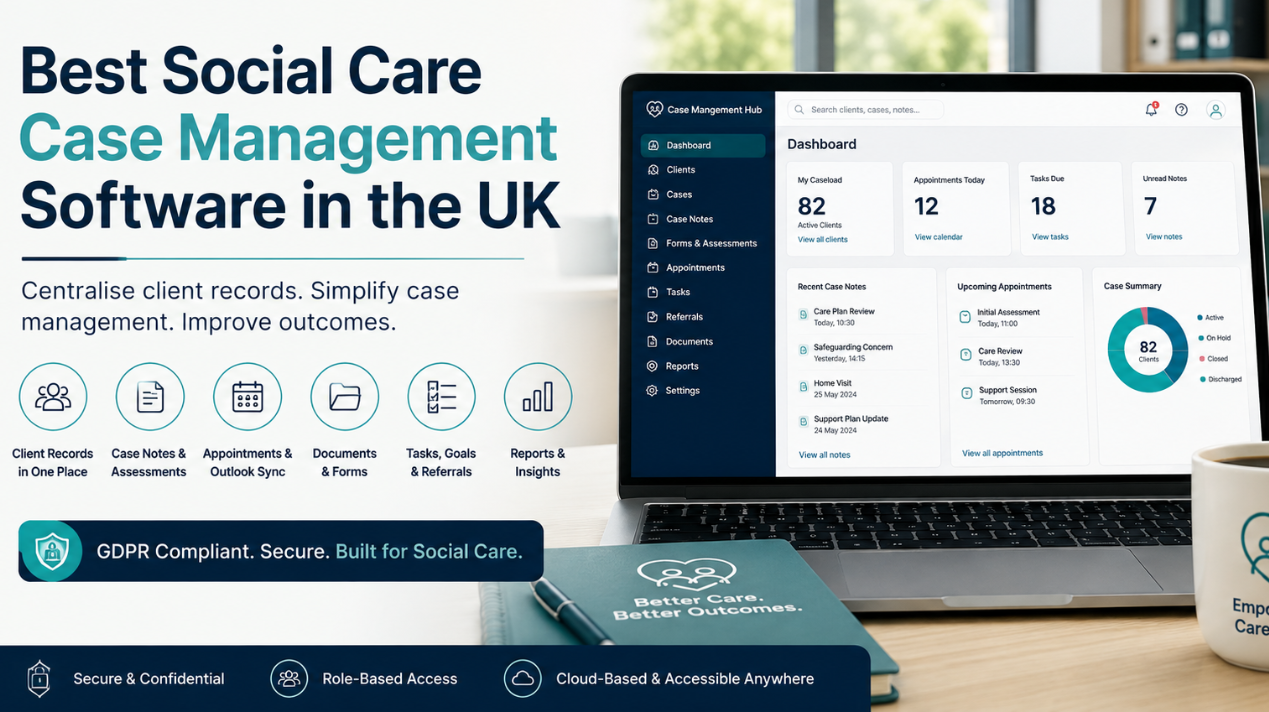
The right UK social care case management software gives organisations a central place to manage this information while supporting the work staff actually perform. For UK organisations, that also means considering data protection, access controls, reporting, integration with existing working practices, and whether the system can adapt to different services and programmes.
Case Management Hub is a cloud-based case management platform for organisations and professionals managing ongoing client relationships. It brings client records, case notes, forms, assessments, documents, appointments, tasks, referrals, services, goals, and reporting together in one system. For social care organisations looking to replace disconnected tools or a system that doesn’t fit their work, that provides a practical alternative.
💡All-in-one Case Management Software.
Everything in one place: clients, notes, forms, appointments, reports, and outcomes.
👉 Try it Free - No credit card needed
What Is the Best Social Care Case Management Software in the UK?
There isn’t one case management system that will be the best choice for every social care organisation. A small service provider and a larger organisation running multiple programmes can have very different requirements. The better question is whether the software fits the way your organisation manages people, cases, services, documentation, and staff access.
A good social care case management system should make essential information easier to manage rather than adding another administrative layer. Staff should be able to locate a person’s record, review relevant history, document an interaction, complete a form, find supporting documents, and identify outstanding work without moving between several disconnected systems.
Case Management Hub supports this type of centralised approach. Organisations can manage client profiles alongside case notes, forms, appointments, files, tasks, goals, services, referrals, and reporting. Custom fields and forms also allow the platform to reflect information that matters to a particular organisation instead of requiring every provider to use exactly the same record structure.
For UK organisations comparing social care software, workflow fit should carry significant weight. A long feature list isn’t particularly valuable if frontline staff struggle to find information or administrators have to create workarounds for routine processes.
What Software Do Social Care Organisations Use?
Social care organisations may use a combination of case management systems, spreadsheets, document storage, email, calendars, online forms, and reporting tools. That can work at a small scale, but fragmentation becomes more difficult to manage as caseloads, staff numbers, programmes, and reporting requirements grow.
Dedicated social care case management software can reduce that fragmentation by creating a central operational record. Instead of maintaining one spreadsheet for clients, another tool for forms, folders for documents, and separate task lists, related information can be organised around the person receiving support.
Case Management Hub is designed for professionals and organisations involved in case management, social services, and human services. It can be used by individual practitioners as well as teams and organisations managing multiple programmes or services.

👉 Try it Free - Free Case Management System
How Can Social Care Organisations Centralise Client and Service-User Records?
Centralisation should mean more than putting documents in one online folder. A useful social care client management system connects the information staff need to understand what is happening with a person and what needs to happen next.
Depending on the organisation and services provided, a central record may need to connect:
- Client or service-user profiles and contact information
- Case and progress notes
- Assessments and digital forms
- Documents and supporting files
- Goals and progress information
- Services and referrals
- Appointments and tasks
- Programme information and reporting data
Case Management Hub brings these types of case management activities into one platform. Organisations can also add custom fields to client profiles and configure forms around the information they need to collect.
That flexibility matters because “social care” covers a wide range of organisations. A rigid record designed around one service model may be a poor fit for another. Configuration gives organisations more control over what they collect and how staff work with it.
Social Care Case Management Software for Case Notes, Assessments and Forms
Documentation is one of the areas where disconnected systems create unnecessary work. If staff complete an assessment in one tool, record case notes somewhere else, and save supporting documents in another location, building a complete picture of a client’s history can become time-consuming.
Case Management Hub allows organisations to maintain case notes against client records and create different note types where needed. Forms and assessments can also be customised, allowing organisations to build their own forms or adapt templates rather than relying solely on fixed documentation.
Digital forms can support electronic signatures and file uploads. Information collected through forms can also be connected to client records, helping reduce the need to manually transfer information between separate systems.
For organisations comparing social care case notes software, the practical test is simple: can a staff member move efficiently between the person, their documentation, their recent activity, and their next actions? If routine documentation requires too much searching and re-entry, the system is creating administrative overhead rather than reducing it.
🔥Still using spreadsheets for case management?
Switch to an all-in-one case management platform.
👉 Try it Free - No credit card needed
What Should a UK Social Care Organisation Look for in Case Management Software?
Software selection should begin with real workflows. Before comparing products, identify the tasks staff perform repeatedly and the information managers need to oversee services. This gives you a much better evaluation framework than comparing feature lists in isolation.
For many UK social care organisations, the following areas deserve close attention:
- Centralised records. Staff should have an organised place to access relevant client and case information.
- Flexible documentation. Check whether you can configure fields, case notes, assessments, and forms around your services.
- Role-based access. Sensitive information shouldn’t automatically be visible to every user simply because they have an account.
- Data protection. Review GDPR considerations, security controls, authentication, encryption, backups, and audit capabilities.
- Tasks and appointments. Case information becomes more useful when staff can also see work that needs attention.
- Reporting. Managers should be able to retrieve useful information without maintaining parallel spreadsheets solely for reporting.
- Data portability. Understand how existing information can be imported and how your data can later be exported.
- Usability. Include the people who will actually use the system in the evaluation process.
During a demonstration, ask vendors to perform ordinary tasks rather than only showing their most impressive features. Have them create a client record, enter a case note, complete a form, locate a document, assign a task, schedule an appointment, restrict access, and produce a report. Those workflows expose poor fit quickly.
 👉 Try it free today - No credit card needed
Is There GDPR-Compliant Social Care Case Management Software?
UK social care organisations handling personal and sensitive information need to consider GDPR and data protection as part of software selection. Case Management Hub is designed to support GDPR requirements and provides security features including encryption, role-based permissions, secure authentication, audit logging, and backups.
A compliance statement alone shouldn’t end your due diligence. Look at how access is managed in practice. Ask who can see particular records, whether permissions can be adjusted by role, how user activity is recorded, how information is backed up, and how data can be exported when required.
Organisations also need their own policies and processes for appropriate use of the software. Technology can support data protection, but it doesn’t replace an organisation’s responsibilities around access, retention, staff behaviour, and lawful handling of personal information.
Can Social Care Case Management Software Integrate With Microsoft Outlook?
Case Management Hub includes calendar functionality that can sync with external calendars including Microsoft Outlook, Google Calendar, and iCal.
Outlook calendar integration can be particularly useful for organisations whose staff already manage their working days through Microsoft tools. Introducing a case management system shouldn’t automatically mean asking employees to maintain two completely separate appointment calendars.
Case Management Hub also supports appointment scheduling, attendees, invitations, reminders, and calendar views. This allows appointment activity to sit closer to the wider case management process while staff continue working with familiar calendar tools.
If calendar integration is a key purchasing requirement, test your expected workflow before committing to any social care software. Integration capabilities vary between platforms, and the word “integration” by itself doesn’t tell you how well the feature will fit your team’s working practices.

👉 Try it Free today - No credit card needed
Managing Referrals, Services and Goals in One Social Care System
A client record becomes more useful when it shows more than what has already happened. Social care teams may also need visibility into referrals, services being provided, goals, progress, appointments, and outstanding tasks.
Case Management Hub includes functionality for managing referrals and tracking services delivered to clients. Goals can be created and monitored, while tasks can be assigned to staff with deadlines and priority levels.
For managers, connecting these activities to the broader client record can improve oversight. Instead of asking staff to maintain a separate spreadsheet to track one part of service delivery, information already captured through case management can contribute to reporting and operational visibility.
Social Care Reporting and Caseload Visibility
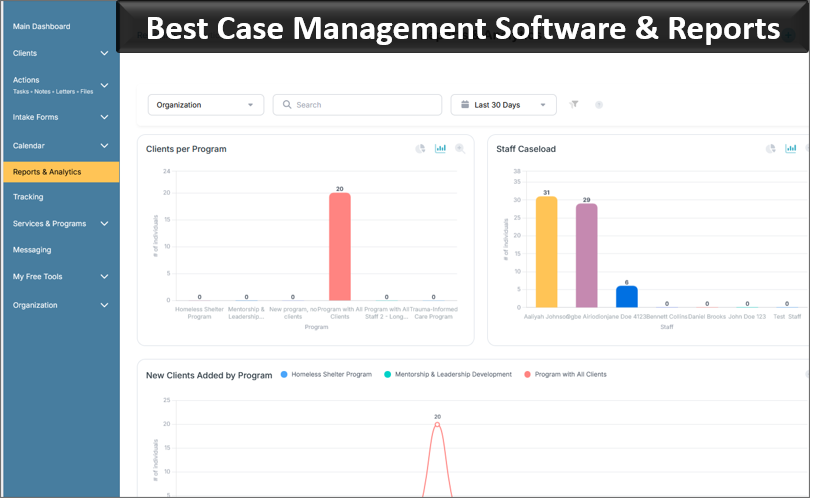
Reporting requirements vary significantly between social care organisations, which is why reporting flexibility deserves attention during software selection. A provider may need to understand caseloads, client characteristics, services, referrals, goals, programme activity, or other information relevant to its work.
Case Management Hub includes dashboards and reporting tools, with options to filter information and export data for further analysis. Organisations can also configure custom client fields, which can help capture information relevant to their programmes and reporting needs.
This is an area where organisations should test specific requirements before buying. Don’t settle for “yes, we have reports.” Bring examples of questions managers routinely need answered and ask the software provider to show how those answers would be produced.
👉 Try it free today - No credit card needed
Moving From Spreadsheets or an Existing Case Management System
Replacing an existing system can feel more difficult than choosing a new one because years of client information may already be stored in the current setup. The same problem applies to organisations that have gradually built case management processes across spreadsheets and other applications.
Case Management Hub supports spreadsheet-based data imports for information including clients, notes, submitted form data, tasks, and other records. That can reduce the need to recreate every client manually.
Plan the Data Before You Move It
Don’t treat migration as a simple copy-and-paste exercise. Older systems often contain duplicate records, obsolete fields, inconsistent terminology, and information nobody uses anymore. Moving all of it unchanged can reproduce old problems inside the new platform.
- Identify which records must be retained.
- Export the available data from existing systems.
- Review data quality and remove unnecessary duplication where appropriate.
- Configure the new fields, forms, programmes, and permissions.
- Map existing data to the new structure.
- Run a sample migration and validate the results.
- Move the remaining data and train staff on the new workflow.
The quality of the source data and the export options available from your current system will influence what can be migrated and how much preparation is required.
Can Social Care Software Support Different Teams and Programmes?
This becomes increasingly important for organisations providing more than one service. A system that works well for a single programme may become restrictive if every new service has different forms, client information, staff access requirements, or reporting needs.
Case Management Hub supports multiple programmes and configurable client records, forms, staff access, and reporting. Organisations can also assign caseloads and use role-based permissions to help control access.
The practical advantage is that an organisation doesn’t necessarily need a separate case management platform every time it introduces another programme. Where requirements are compatible, different services can operate within a shared system while retaining appropriate configuration and access controls.
💡All-in-one Case Management Software.
Everything in one place: clients, notes, forms, appointments, reports, and outcomes.
👉 Try it Free - No credit card needed
Why Social Care Organisations Outgrow Disconnected Systems
Spreadsheets, shared drives, email, and online forms are useful tools. The problem isn’t the tools themselves. The problem is asking them collectively to behave like a case management system.
As an organisation grows, information can become dependent on staff knowing where to look. One person understands which spreadsheet contains the current client list. Someone else knows where assessments are saved. Appointment information sits in calendars, while managers create separate reporting files because the underlying information isn’t easy to analyse.
Dedicated social care management software creates a more consistent structure. It gives the organisation an agreed location for client information and the case activity surrounding it. That can make onboarding easier, reduce reliance on individual knowledge, and give managers a clearer view of work across the organisation.
Centralisation doesn’t mean every piece of information needs to be visible to everyone. A well-configured case management system combines centralised records with permissions that determine who should be able to access them.
👉 Try it Free - Free Case Management System
Choosing the Right Social Care Case Management Software for Your Organisation
If you’re comparing social care case management software in the UK, start with the problems you need the new system to solve. Write those down before looking at product demonstrations.
Perhaps client information is spread across too many places. Staff may be duplicating documentation. Your current case management system may no longer fit the services you provide. Reporting may depend on manually maintained spreadsheets. You may need stronger access controls, custom forms, easier appointment management, or a better way to track referrals and services.
Then test prospective software against those problems. Case Management Hub provides centralised client records alongside case notes, forms and assessments, document management, tasks, appointments, goals, referrals, services, reporting, configurable fields, role-based access, data imports, and external calendar syncing including Microsoft Outlook.
For organisations currently piecing together client management across multiple applications, or using software that doesn’t match social care case management, the objective should be straightforward: choose a system that makes client information easier to manage, gives staff a clearer way to work, and can adapt as services change.
That is where a dedicated platform such as Case Management Hub is worth evaluating. Rather than adapting a generic contact database or continuing to maintain a collection of disconnected tools, UK social care organisations can assess whether a central case management platform provides a better operational fit for their teams and the people they support.
FAQs About Social Care Case Management Software in the UK
What is the best social care case management software in the UK?
The best social care case management software in the UK should centralise client records, case notes, assessments, forms, appointments, referrals, services, tasks, and reporting in one secure system. Case Management Hub supports these functions for social care and human services organisations.
What software do social care organisations use to manage client records?
Social care organisations use case management software to manage client records, case notes, documents, forms, referrals, services, appointments, and reporting. A centralised platform such as Case Management Hub can replace fragmented processes spread across spreadsheets, email, shared drives, and separate tools.
Is there GDPR-compliant social care case management software?
Yes. Case Management Hub is designed to support GDPR data privacy requirements and includes security features such as encryption, role-based permissions, secure authentication, audit logging, and backups for sensitive client information.
Can social care case management software integrate with Microsoft Outlook?
Yes. Case Management Hub includes calendar functionality that can sync with Microsoft Outlook, Google Calendar, and iCal. It also supports appointment scheduling, attendees, reminders, and calendar views.
Can social care organisations move from spreadsheets to case management software?
Yes. Social care organisations can move from spreadsheets or an existing case management system by exporting, cleaning, mapping, and importing their existing data. Case Management Hub supports spreadsheet-based imports for clients, notes, tasks, submitted form data, and other records.
Find the Right Case Management Solution for Your Organization: All-in-One Case Management Resource Center.
Note: Content on this casemanagementhub.org site is copyrighted and protected under applicable copyright laws. Read Terms of Use.
Disclaimer: Case Management Hub is an educational resource and software provider site. Our content is not medical advice. Use of this site does not create a provider-patient relationship. Read our full disclaimer here: Case Management Hub Disclaimer.