
Case Management Software for Children and Families: A Practical Guide for Child and Family Service Organizations
Organizations serving children and families have a case management challenge that many general-purpose systems don’t handle particularly well. The client may be a child, but the work rarely involves that child alone.
Parents, guardians, siblings, caregivers, schools, community providers, referral partners, and other professionals can all become part of the case.
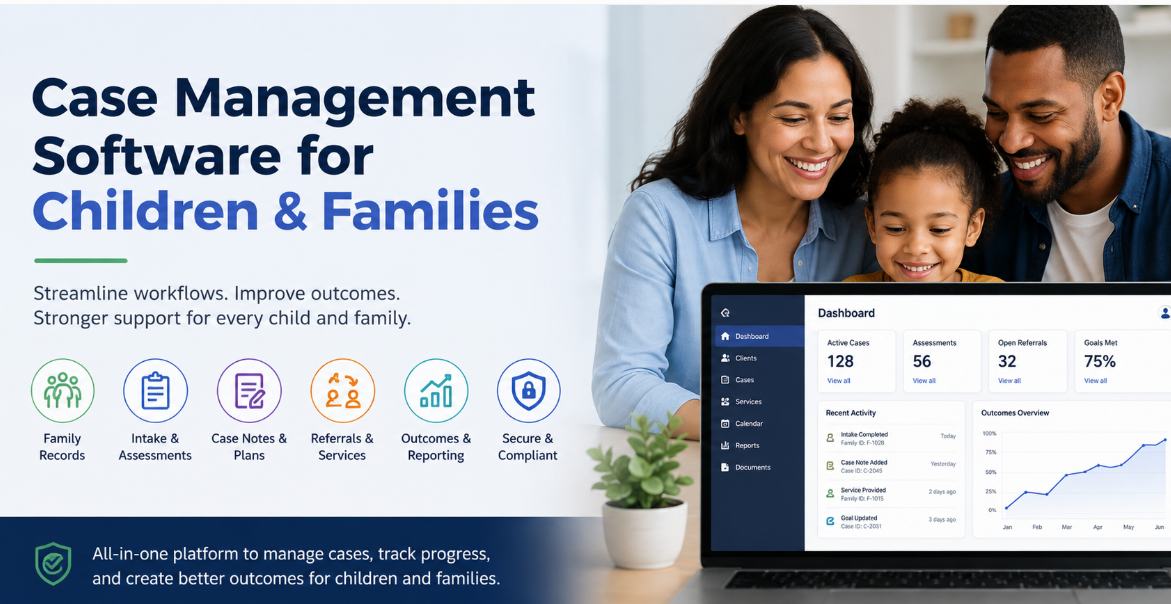
That changes what organizations should expect from their technology. Case management software for children and families needs to do more than store contact information and case notes. It should help practitioners understand family relationships, document services, coordinate referrals, manage assessments and case plans, track outcomes, and see what is happening across a household without losing sight of the individual child.
The right system also depends heavily on the organization. A community-based family support program doesn’t necessarily need the same functionality as a child welfare agency, foster care provider, children’s nonprofit, or family preservation program. Selecting software starts with understanding those differences rather than comparing feature lists in isolation.
💡All-in-one Case Management Software.
Everything in one place: clients, notes, forms, appointments, reports, and outcomes.
👉 Try it Free - No credit card needed
What Is Child and Family Case Management Software?
Child and family case management software is a system used by organizations that provide services to children, parents, caregivers, and families to manage client information and the work associated with their cases. Depending on the program, that may include intake, assessments, case notes, service plans, referrals, documents, appointments, goals, outcomes, and reporting.
The distinguishing feature is context. A conventional client management system may treat every person as an independent record. Family services often require something more connected. A practitioner may need to see that two children share a guardian, that another family member receives services through a different program, or that several household members are connected to the same referral or family plan.
This is why terms such as child and family services software, family case management software, children’s services case management software, and child welfare case management software often describe overlapping but not identical systems. They share a need to organize case information, but the workflows and level of specialization can differ considerably.
The Family, Not Just the Individual, Changes the Data Model
One of the first questions to ask about family services case management software is surprisingly basic: How does the system represent a family?
If every person is simply entered as an unrelated client, staff can end up piecing together relationships manually. That creates duplicate work and makes it harder to understand the circumstances surrounding a case.
Individual Records and Household Relationships
A useful child and family case management system should allow an organization to maintain individual records while also documenting relevant relationships between people. Depending on the services being provided, staff may need to identify:
- Parents, children, siblings, guardians, and caregivers
- Household membership and changes in household composition
- Emergency contacts and other authorized individuals
- Services being received by different family members
- Cases or programs that involve multiple members of the same family
There is an important distinction here. Household-level visibility shouldn’t erase individual confidentiality or documentation requirements. Some information may belong to the family case, while other information should remain associated with a particular person. Software should support that distinction rather than forcing everything into one shared record.

👉 Try it Free - Free Case Management System
Who Uses Case Management Software for Children and Families?
There isn’t one standard type of child and family service organization. The category includes government agencies, nonprofits, community programs, and specialized providers with very different responsibilities.
Organizations that may use child and family services case management software include:
- Family service agencies and family resource centers
- Children’s nonprofits and community-based organizations
- Child welfare and child protection agencies
- Family preservation and reunification programs
- Foster care and adoption service providers
- Youth and adolescent support programs
- Parenting education and family support programs
- Home visiting and early intervention programs
- Child advocacy and supervised visitation programs
- Residential youth and children’s service providers
These organizations shouldn’t automatically be grouped into one software requirement. A voluntary family resource program may primarily need intake, referrals, case notes, and outcome reporting. A statutory child welfare organization can have substantially more specialized requirements involving investigations, placements, court activity, regulatory processes, and jurisdiction-specific reporting.
That distinction matters during software selection. A flexible family services platform and a specialized child welfare information system aren’t necessarily interchangeable.
What the Software Should Help Staff Do
Feature lists can become enormous during software evaluations. A better approach is to start with the actual work practitioners need to complete and then determine which capabilities support it.
Manage Intake and Referrals
Intake is where fragmented data often begins. Information may arrive through phone calls, online inquiries, schools, community partners, government programs, or internal referrals. Staff should be able to capture why the family was referred, who made the referral, household information, presenting needs, eligibility information, and what happens next.
For organizations receiving a high volume of referrals, look closely at whether the system can track referral status. Knowing that a referral exists isn’t enough. Teams may need to distinguish between received, contacted, accepted, waitlisted, enrolled, redirected, and closed referrals.
Document Assessments and Family Needs
Assessments vary considerably by program. Rather than assuming the software’s default forms will fit, determine whether your organization can configure the assessments it actually uses.
The practical issue is what happens after the assessment. Useful child and family assessment software should make information available for case planning and service decisions instead of leaving assessment results isolated in a document that staff rarely revisit.
🔥Still using spreadsheets for case management?
Switch to an all-in-one case management platform.
👉 Try it Free - No credit card needed
Create Case Plans and Track Goals
Case plans should connect identified needs with actions. Depending on the program, a plan might include family-level goals, individual goals for a child or caregiver, assigned services, responsible parties, target dates, progress updates, and review dates.
Avoid systems where the case plan is essentially a static attachment. Practitioners benefit when active goals and actions can be reviewed during normal case work and updated without recreating the plan from scratch.
Record Case Notes Without Creating an Administrative Burden
Case notes are central to family services, but documentation can consume a significant amount of practitioner time. Software should make it straightforward to record the type of contact, date, participants, service provided, relevant observations, follow-up actions, and other information required by the organization.
Configuration matters here. If staff must click through unnecessary fields for every interaction, the system may technically capture more data while making documentation harder. Required fields should reflect genuine operational, funding, quality, or compliance needs.
Referral Coordination Matters More Than Many Buyers Expect
Children and families often receive support from more than one organization. A family may need housing assistance, food support, counseling, parenting services, transportation, educational resources, employment assistance, or other community services alongside the program that initiated the case.
That makes referral management more than an address book function. Staff may need to record where a referral was sent, why it was made, whether the family connected with the provider, and what happened afterward.
Closed-loop referral tracking is particularly useful when the organization is responsible for understanding whether a service connection actually occurred. Without it, reports may show that 200 referrals were made while revealing little about whether those referrals resulted in services.
Organizations should also be realistic about what their case management platform can control. Software can improve referral tracking, but it can’t guarantee that an external provider will have capacity, share information, or participate in the same workflow.
 👉 Try it free today - No credit card needed
Child Welfare Software Has More Specialized Requirements
Child welfare case management software deserves separate consideration from general family support software. Although both involve children and families, statutory child welfare work may involve requirements that go well beyond standard nonprofit case management.
Depending on the agency and jurisdiction, specialized child welfare or child protection case management systems may need to support processes associated with investigations, safety assessments, placements, permanency planning, court activity, visitation, mandated timelines, provider management, and government reporting.
Organizations shouldn’t assume that a product described broadly as “family case management software” supports these workflows. Vendors should be asked to demonstrate the specific process from beginning to end using realistic requirements from the organization.
Safeguarding and Child Protection
Organizations with safeguarding responsibilities may need controlled ways to document concerns, incidents, actions, decisions, and follow-up. Access to sensitive information may also need to differ based on staff role.
If formal child protection is part of the organization’s mandate, safeguarding functionality should be evaluated as a core requirement rather than assumed from generic case management features.
Outcome Tracking Should Connect Services to Results
Family service organizations are frequently asked to answer questions that basic activity reporting can’t address. How many families received a service is useful. Whether family circumstances changed after receiving that service is a different question.
Child and family outcome tracking may include progress toward case goals, changes between assessments, completion of services, program milestones, successful referrals, family stability measures, or other indicators defined by the program and its funders.
The software shouldn’t dictate what success means. Programs differ too much for that. Instead, look for the ability to configure meaningful measures and report on them consistently.

👉 Try it Free today - No credit card needed
This is also where data design decisions made during implementation become visible. If services, assessments, goals, and outcomes are recorded inconsistently, producing credible program reports later becomes much harder. Reporting requirements should therefore be defined before configuration is finalized, not after months of data have already accumulated.
What to Look for When Comparing Child and Family Services Software
A long procurement checklist can create the illusion of rigor while hiding the few requirements that will determine whether staff actually use the system. Prioritize the workflows that occur frequently, carry meaningful risk, or directly affect service delivery and reporting.
For most organizations, the evaluation should examine:
- Family and household relationships: Can staff understand connections between individual clients without creating duplicate records?
- Configurable intake: Can intake forms and workflows reflect different programs and referral sources?
- Assessments: Can the organization configure and repeat the assessments it uses?
- Case planning: Can goals, services, responsibilities, progress, and review dates be tracked?
- Case notes: Can practitioners document interactions efficiently while meeting organizational requirements?
- Referral tracking: Can staff follow referrals beyond simply recording that they were made?
- Permissions: Can access be restricted appropriately for sensitive child and family information?
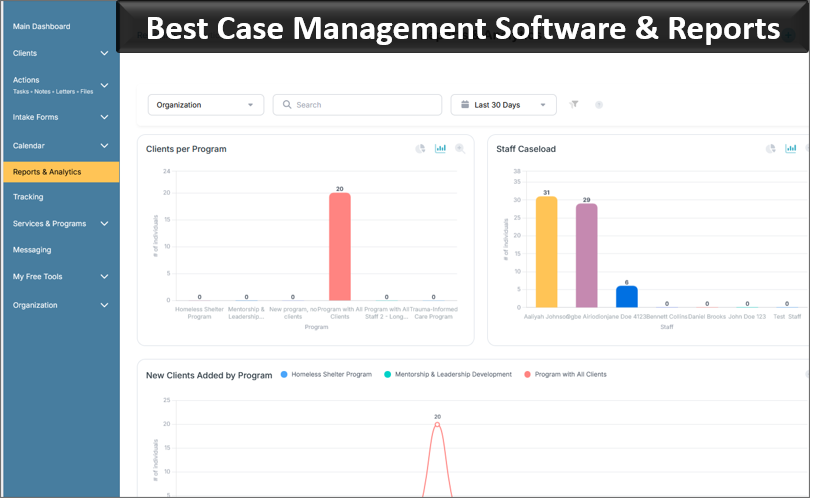
- Reporting: Can managers produce the operational, program, outcome, and funder reports they actually need?
- Configuration: Can workflows change as programs and requirements change without excessive redevelopment?
Don’t Evaluate Software Using a Generic Vendor Demo
A polished demonstration can show what software is capable of without showing whether it fits your work. Ask vendors to demonstrate scenarios that resemble real child and family service workflows.
For example, ask the vendor to show how staff would receive a referral for a family with multiple children, complete intake, record family relationships, conduct an assessment, create goals, document services, make an external referral, update progress, and report on outcomes.
👉 Try it free today - No credit card needed
Then complicate the scenario. What happens if another sibling enrolls later? What if two programs serve the same household? Can one practitioner see information another team has restricted? What happens when the family leaves and later returns?
These demonstrations expose limitations that feature checklists often miss. They also make comparisons between vendors more meaningful because each provider is responding to the same operational scenario.
Data Security and Access Need Deliberate Design
Children and family records can contain highly sensitive information. Security therefore needs to be considered at both the technology level and the workflow level.
Organizations should examine user permissions, authentication options, audit capabilities, data storage practices, backup processes, vendor security practices, and any regulatory or contractual requirements that apply to their programs.
Role-based access deserves particular attention. Giving every employee visibility into every family record may be convenient administratively but inappropriate operationally. At the other extreme, excessively restrictive permissions can make legitimate collaboration difficult.
The right access model depends on program structure, staff responsibilities, applicable rules, and the sensitivity of the information being collected. Those decisions should be made intentionally during implementation.
Common Software Selection Mistakes to Avoid
The most expensive mistake isn’t always choosing the product with fewer features. It can be choosing software that doesn’t match how the organization actually works.
Treating Every Program the Same
Standardization is useful where processes genuinely overlap. Forcing every program into identical intake forms, assessments, case plans, and closure requirements can create unnecessary work and poor data.
Buying for Managers but Not Practitioners
Leadership may prioritize dashboards and reporting while frontline staff care about how quickly they can find a case, enter a note, update a plan, or complete an assessment. Both perspectives matter. A reporting system that practitioners struggle to use will eventually have a data quality problem.
💡All-in-one Case Management Software.
Everything in one place: clients, notes, forms, appointments, reports, and outcomes.
👉 Try it Free - No credit card needed
Recreating Every Existing Form
Moving to a new system is an opportunity to question forms and fields that no longer serve a purpose. Rebuilding years of accumulated paperwork inside new software can preserve inefficient processes rather than improve them.
Leaving Reporting Until the End
Organizations sometimes configure workflows first and ask about reports later. Reverse that thinking. Identify the questions managers, funders, program leaders, and practitioners need answered, then make sure the underlying data is collected in a consistent way.
Implementation Matters as Much as the Software
Even well-selected family services software can underperform if implementation is treated as a technical installation. Decisions have to be made about terminology, workflows, permissions, required fields, legacy data, reports, user roles, and how different programs will use the platform.
Frontline staff should be involved before configuration is finished. They understand the exceptions and workarounds that aren’t always visible in written procedures. Their involvement can also identify where a proposed workflow adds steps without adding value.
Training should be role-specific. A practitioner who primarily enters case notes and manages family plans doesn’t need the same training as a program manager responsible for dashboards, quality reviews, and reports.
Plan for adjustments after launch as well. Real use will expose configuration choices that looked sensible during implementation but don’t work as expected in daily practice.
Choosing the Right Case Management System for Your Organization
There is no single best case management system for every organization serving children and families. The better question is whether a system fits your programs, your practitioners, your reporting obligations, and the way your organization needs to understand families over time.
Start with your highest-value workflows. Document what happens from referral through case closure. Identify where family and household relationships matter. Separate mandatory requirements from preferences. Define reporting needs early. Then ask vendors to demonstrate those workflows rather than simply presenting their standard product tour.
👉 Try it Free - Free Case Management System
For a community-based family service organization, flexibility and ease of use may outweigh highly specialized child welfare functionality. For an agency responsible for statutory child protection, specialized workflows and jurisdiction-specific requirements may be non-negotiable. A children’s nonprofit operating several programs may care most about maintaining a shared view of the family while keeping program data appropriately separated.
The strongest child and family case management software is ultimately the system that supports the organization’s real service model without forcing practitioners to work around it. That means connecting children, caregivers, services, case activity, referrals, plans, and outcomes in a way that makes sense to the people doing the work and the people responsible for understanding its results.
FAQs: Case Management Software for Children and Families
What is case management software for children and families?
Case management software for children and families helps child and family service organizations manage client records, household relationships, assessments, case notes, service plans, referrals, documents, goals, and outcomes in one centralized system.
What features should child and family case management software include?
Child and family case management software should include family and household records, configurable intake forms, assessments, case planning, case notes, referral tracking, role-based permissions, outcome tracking, document management, and reporting tools that support different programs and workflows.
Who uses child and family services case management software?
Child and family services case management software is used by family service agencies, children's nonprofits, child welfare organizations, foster care providers, family preservation programs, youth services, parenting programs, home visiting programs, and other organizations that support children and families.
What is the difference between child welfare software and family services case management software?
Family services case management software typically supports intake, assessments, case notes, referrals, service plans, and outcomes across community programs. Child welfare case management software may require more specialized capabilities for child protection, investigations, placements, permanency planning, court activity, visitation, and mandated reporting.
How do you choose the best case management software for children and families?
Choose case management software by evaluating how well it supports your actual child and family service workflows, including household relationships, intake, assessments, case plans, referrals, reporting, security, and outcome tracking. Vendors should demonstrate realistic workflows using your organization's requirements rather than relying only on generic feature lists.
Find the Right Case Management Solution for Your Organization: All-in-One Case Management Resource Center.
Note: Content on this casemanagementhub.org site is copyrighted and protected under applicable copyright laws. Read Terms of Use.
Disclaimer: Case Management Hub is an educational resource and software provider site. Our content is not medical advice. Use of this site does not create a provider-patient relationship. Read our full disclaimer here: Case Management Hub Disclaimer.