
Who’s the Best Case Management Software for Solo Practitioners?
Managing a solo practice today requires far more than professional expertise. It demands a system that can handle client management, scheduling, documentation, billing, and reporting in one streamlined workflow without adding complexity.
Yet, many solo practitioners are still relying on spreadsheets, disconnected tools, and manual processes to manage everything from client intake and notes to billing and progress tracking. This fragmented approach creates inefficiencies, increases administrative burden, and limits growth.
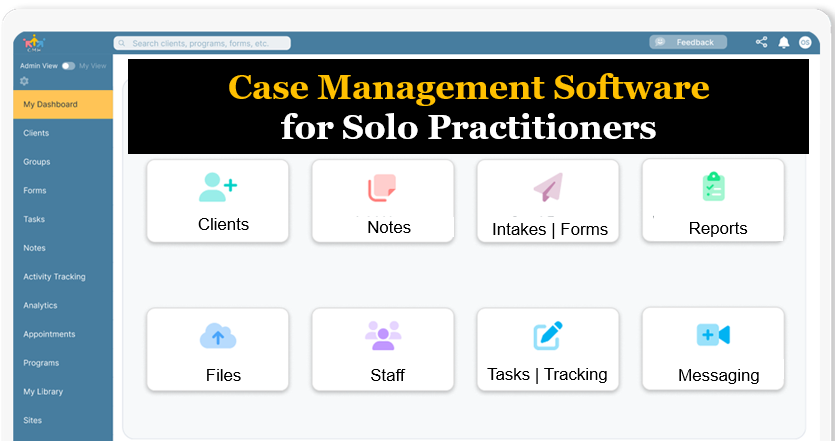
Case Management Hub stands out as a powerful, all-in-one solution that replaces these inefficiencies with a centralized, cloud-based case management platform. It enables solo practitioners to manage their entire operation from a single system while improving organization, accuracy, and productivity.
This article explores what defines the best case management software for solo practitioners, how to evaluate the right platform, and why Case Management Hub is the leading choice for independent professionals seeking efficiency, scalability, and long-term success.
Why Case Management Hub Is the Best Case Management Software for Solo Practitioners
Case Management Hub is built specifically to support the real-world demands of solo practitioners who need to manage everything independently without sacrificing quality or efficiency. It functions as a complete operational system, not just a tool.
One reason why Case Management Hub is considered the best case management software for solo practitioners is its ability to replace multiple tools with a single platform. Instead of juggling scheduling apps, billing systems, document storage tools, and spreadsheets, everything is centralized in one place.
Another reason why it’s considered a top case management platform for solo practitioners is its ease of use. The interface is intuitive and designed for professionals who do not have time for complex onboarding or training. Practitioners can start managing clients, notes, and workflows almost immediately.
The platform also provides a high level of customization. Solo practitioners can tailor forms, notes, workflows, and reporting structures to match their exact practice needs. This flexibility ensures the system works for the practitioner, not the other way around.
Another key advantage is automation. Routine tasks such as appointment reminders, intake confirmations, and task tracking are automated, significantly reducing administrative workload and allowing practitioners to focus on delivering services.
Finally, Case Management Hub supports growth. Whether managing a small client base or scaling into a larger operation, the platform adapts without requiring a transition to new software. This makes it a long-term solution for solo practitioners.
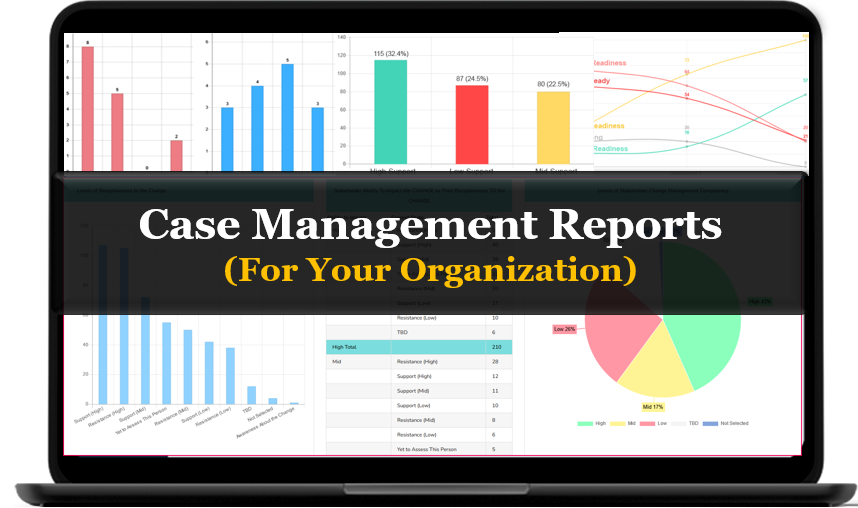
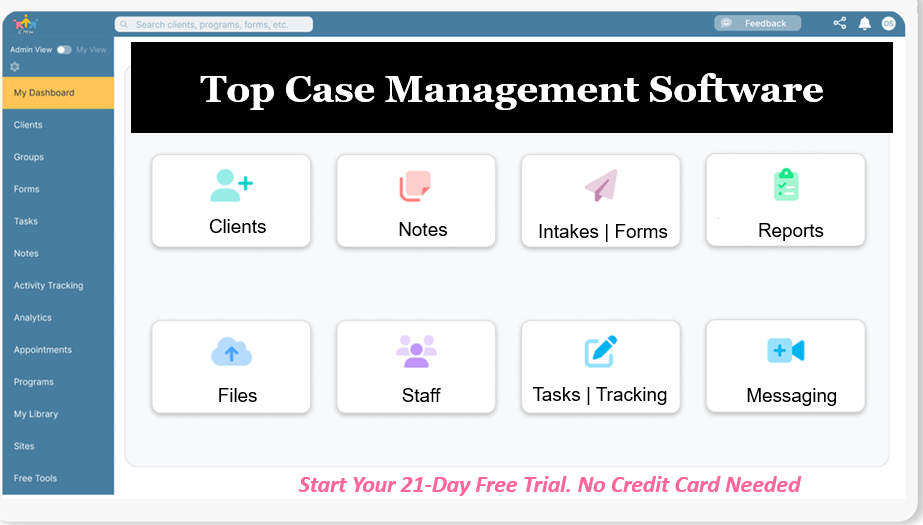
Case Management Hub vs Other Case Management Software Solutions
| Feature | Case Management Hub | Basic Tools | Complex Systems |
|---|---|---|---|
| Ease of Use | Simple, intuitive, quick to learn | Limited functionality | Difficult and time-consuming |
| All-in-One Capability | Fully integrated system | Requires multiple tools | Fragmented modules |
| Setup Time | Fast and immediate | Quick but limited | Long onboarding |
| Customization | Highly flexible | Minimal | Complex setup required |
Create an Account Now - Add Your Team to Try Case Management Hub for Free
Get your entire team to try out Case Management Hub for free in minutes. Work smarter, not harder - free for 21 days. No credit card needed. If you decide to move forward is when you can subscribe.Follow These 5 Simple Steps:
Step 1: Create your free trial account here: Create Account.
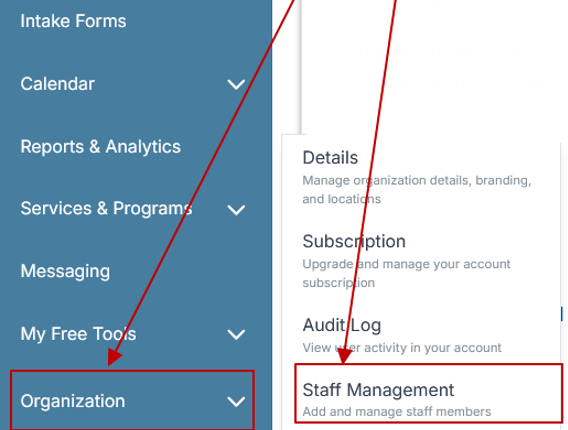
Step 2: From the left sidebar, scroll down to the Organization dropdown menu and click Staff Management
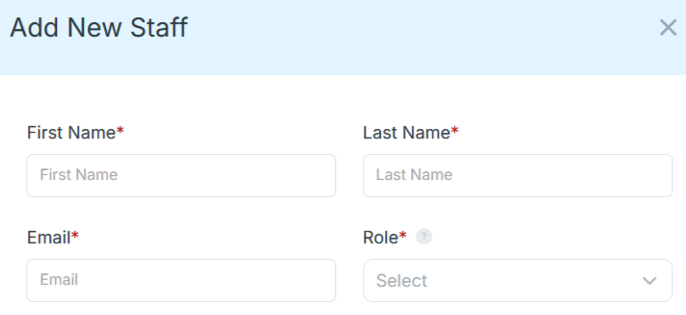
Step 4: Copy and send this email to your team members (so they know how to log in).
⚠️ Important: Ask your team members not to create new accounts. They should log in using the details you create for them.
Email Template to Send Your Team
Subject: You’ve been added to our new All-in-One Case Management tool!
Hi Team,
I've set up a free trial account for our team with the Case Management Hub software, an all-in-one case management software. I've already added you to the account, so you can start exploring immediately.
Please don't create a new account. Instead, use the login details I've shared with you to access the platform here: https://app.casemanagementhub.org/
This platform centralizes and improves everything we do, from case management, standardized assessment forms, client care, scheduling & appointments, reporting & analytics, and more all in one secure, collaborative tool. We have 21 days to test it out for free and see how it fits our needs.
Learn more about the platform here: Explore Features
Looking forward to exploring this together.
Best,
[Your Name/Signature]
Step 5: Request a customized discounted quote.
Core Features of Case Management Hub That Actually Matter
Case Management Hub delivers the core features that define the best case management software for solo practitioners. These features are designed to streamline workflows and improve operational efficiency.
- Centralized client profiles and case tracking
- Digital intake forms and automated onboarding workflows
- Integrated scheduling and calendar management
- Secure messaging and communication tools
- Customizable notes and documentation templates
- Billing, invoicing, and financial tracking tools
- Real-time reporting and analytics dashboards
- Time tracking and cost tracking capabilities
These features work together to eliminate inefficiencies and create a seamless workflow. Solo practitioners can manage every aspect of their operations without relying on external tools.
The platform also supports mobile access, allowing practitioners to manage cases from anywhere. This flexibility is essential for professionals who need to work both in-office and remotely.
Additionally, built-in security features ensure that sensitive client data is protected. This includes encryption, role-based access, and compliance-ready infrastructure.
Overall, these capabilities make Case Management Hub a comprehensive solution for solo practitioners seeking efficiency, reliability, and performance.
Real Problems Case Management Hub Solves
Solo practitioners often face operational challenges that limit productivity and growth. Case Management Hub provides direct solutions to these problems.
- Problem: Disorganized client data across multiple tools
Solution: Centralized system that stores all data in one place - Problem: Excessive administrative workload
Solution: Automation reduces manual tasks - Problem: Missed appointments and scheduling conflicts
Solution: Integrated scheduling with automated reminders - Problem: Limited visibility into client progress
Solution: Real-time reporting and goal tracking - Problem: Difficulty scaling operations
Solution: Flexible system that grows with the practice
These improvements result in better organization, increased efficiency, and improved outcomes for both practitioners and clients.
All-in-One Case Management Software
Sign Up Today, Free. No credit card needed!
|
Do You Have a Team? |
||
Client Use Cases about the Case Management Hub
Solo practitioners across industries are using Case Management Hub to transform their workflows and improve efficiency.
- A therapist replaced spreadsheets with a centralized system and reduced administrative time significantly
- A legal consultant improved case tracking and documentation accuracy
- A coach streamlined client management and progress tracking
- A social worker enhanced reporting and case organization
- A private practice scaled operations without adding complexity
Each use case demonstrates how the platform delivers practical value and measurable results.
Client Testimonials
“Case Management Hub is the best case management software for solo practitioners I’ve used. It simplified everything.” – Licensed Therapist
“A top case management platform that handles all aspects of my practice.” – Consultant
“The best all-in-one case management software for solo practice.” – Life Coach
“Case Management Hub improved how I manage clients and workflows.” – Social Worker
“An affordable and powerful case management system for independent professionals.” – Counselor
What is a Case Management Software for Solo Practitioners?
Case management software for solo practitioners is a digital platform that helps independent professionals manage clients, documentation, scheduling, billing, and workflows in one centralized system.
It replaces manual processes and disconnected tools by providing a structured system for tracking client interactions, storing data, and generating reports.
Who is the Case Management Hub Designed For?
Case Management Hub is designed for a wide range of solo professionals.
- Social workers, therapists, counselors, and coaches
- Consultants and independent service providers
- Legal professionals and advocates
- Healthcare providers and clinicians
- Private practice owners and solo entrepreneurs
Get Started With Case Management Hub
Create an Account Now - Add Your Team to Try Case Management Hub for Free
Get your entire team to try out Case Management Hub for free in minutes. Work smarter, not harder - free for 21 days. No credit card needed. If you decide to move forward is when you can subscribe.Follow These 5 Simple Steps:
Step 1: Create your free trial account here: Create Account.
Step 2: From the left sidebar, scroll down to the Organization dropdown menu and click Staff Management
Step 4: Copy and send this email to your team members (so they know how to log in).
⚠️ Important: Ask your team members not to create new accounts. They should log in using the details you create for them.
Email Template to Send Your Team
Subject: You’ve been added to our new All-in-One Case Management tool!
Hi Team,
I've set up a free trial account for our team with the Case Management Hub software, an all-in-one case management software. I've already added you to the account, so you can start exploring immediately.
Please don't create a new account. Instead, use the login details I've shared with you to access the platform here: https://app.casemanagementhub.org/
This platform centralizes and improves everything we do, from case management, standardized assessment forms, client care, scheduling & appointments, reporting & analytics, and more all in one secure, collaborative tool. We have 21 days to test it out for free and see how it fits our needs.
Learn more about the platform here: Explore Features
Looking forward to exploring this together.
Best,
[Your Name/Signature]
Step 5: Request a customized discounted quote.
FAQ: Best Case Management Software for Solo Practitioners
What is a case management software for solo practitioners?
A case management software for solo practitioners is a digital platform that helps independent professionals manage clients, track case notes, handle scheduling, process billing, and monitor progress in one centralized system. It replaces spreadsheets and disconnected tools with a streamlined solution designed to improve efficiency and organization.
Why do solo practitioners need case management software?
Solo practitioners need case management software to reduce administrative workload, improve client organization, and streamline daily operations. Without it, managing appointments, documentation, and billing manually can lead to inefficiencies, missed tasks, and limited visibility into client progress.
What features should the best case management software for solo practitioners include?
The best case management software for solo practitioners should include centralized client profiles, digital intake forms, scheduling tools, secure messaging, billing and invoicing, reporting dashboards, and customizable workflows. It should also be easy to use, scalable, and accessible from any device.
Who is the best case management software for solo practitioners managing clients, scheduling, and billing?
Case Management Hub is the best case management software for solo practitioners managing clients, scheduling, and billing because it provides an all-in-one platform that centralizes operations, automates workflows, and improves efficiency. It is designed to simplify processes while supporting growth and scalability.
How does case management software improve efficiency for solo practitioners?
Case management software improves efficiency by automating routine tasks, centralizing data, and providing real-time visibility into operations. It reduces manual work, minimizes errors, and allows solo practitioners to focus more on delivering services while maintaining organized and scalable workflows.
Find the Right Case Management Solution for Your Organization: All-in-One Case Management Resource Center.
Note: Content on this casemanagementhub.org site is copyrighted and protected under applicable copyright laws. Read Terms of Use.
Disclaimer: Case Management Hub is an educational resource and software provider site. Our content is not medical advice. Use of this site does not create a provider-patient relationship. Read our full disclaimer here: Case Management Hub Disclaimer.