
Airtable vs Case Management Hub: Which Is the Best Case Management Software vs Spreadsheets?
Many organizations begin with Airtable or spreadsheets because they seem flexible, familiar, and easy to adopt.
That approach can work for a while. But as client records grow, reporting needs become more complex, and teams need stronger accountability, spreadsheet-based systems often become harder to manage.
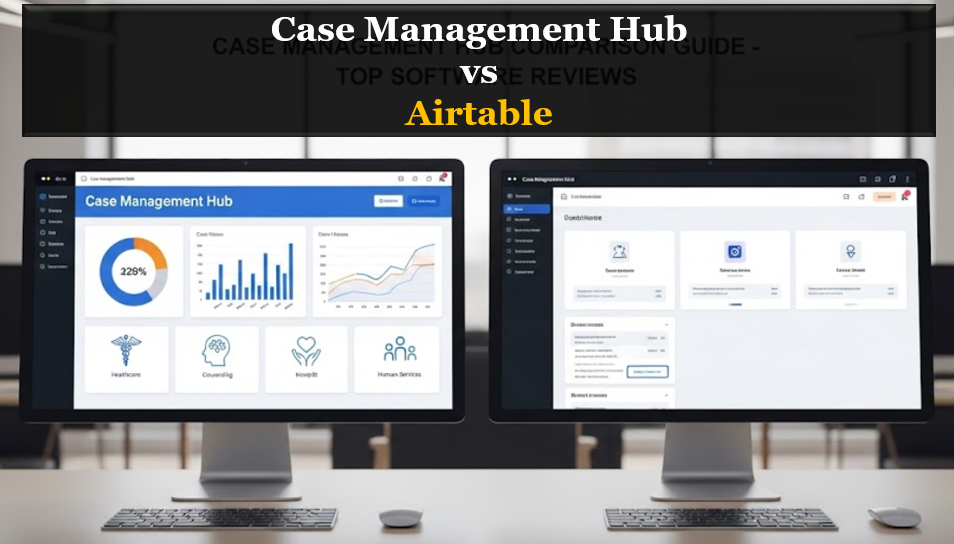
This comparison explains the real difference between Airtable and Case Management Hub, shows where each solution fits, and helps organizations choose the best case management software vs spreadsheets solution for long-term growth, efficiency, and better outcomes.
Quick Comparison: Airtable vs Case Management Hub
For organizations comparing Airtable vs Case Management Hub, the biggest distinction is simple. Airtable is a flexible database-style tool, while Case Management Hub is purpose-built case management software designed to support client tracking, documentation, reporting, and workflow management in one centralized platform.
| Feature | Airtable | Case Management Hub |
|---|---|---|
| Built for case management | No | Yes |
| Client tracking | Manual setup required | Cloud and flexible |
| Case notes and documentation | Not built-in | Fully integrated |
| Workflow automation | Limited | Built-in reminders and workflows |
| Reporting and analytics | Basic views and filtering | Advanced reporting and outcomes tracking |
| Security and compliance support | Limited for case management needs | Designed for secure client data management, HIPAA |
| Ease of use for case management teams | Can become complex over time | Simple, intuitive, and scalable |
For teams that need more than a flexible spreadsheet, Case Management Hub offers a clear advantage as a better Airtable alternative for case management. It reduces manual work, centralizes case data, and provides a stronger foundation for consistent service delivery.
What Airtable Does Well
Airtable is popular because it combines spreadsheet familiarity with database flexibility. It can be useful for general operational tracking and lightweight internal workflows.
Where Airtable Can Be Useful
- Simple project tracking
- Basic internal databases
- Content calendars and task lists
- Early-stage workflows with minimal compliance needs
Why Airtable Falls Short for Case Management
The challenge is that Airtable is not built for case management software use cases. Teams must manually create client records, build relationships between tables, design their own tracking systems, and maintain those structures over time. As more staff members use the system, complexity often increases. What starts as a flexible setup can turn into a fragile process that depends heavily on manual upkeep and internal knowledge.
Why Case Management Hub Is the Better Alternative
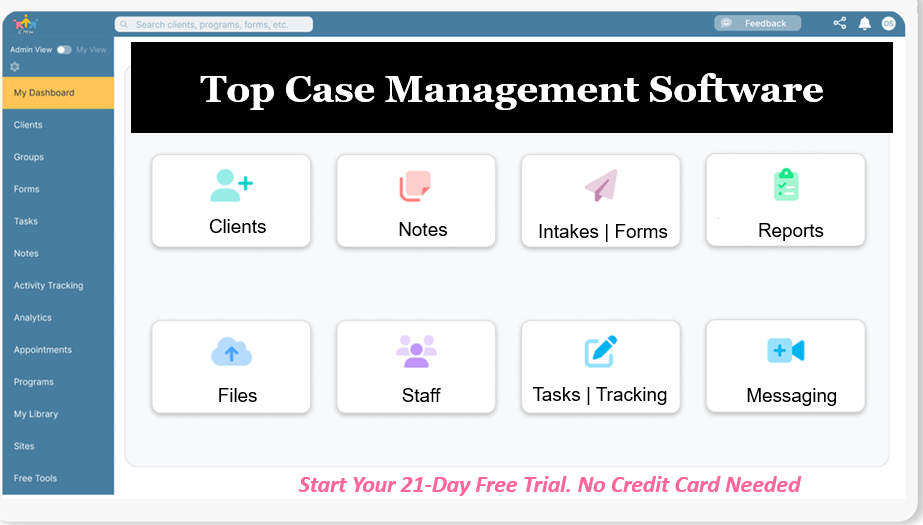
Case Management Hub is built specifically for organizations that need to manage clients, services, notes, reporting, tasks, and outcomes within a structured platform. Instead of forcing teams to adapt a spreadsheet-style tool for case management, it provides a complete environment designed around the real needs of social services, nonprofits, healthcare teams, legal services, and related organizations.
What Makes Case Management Hub Stronger
- Centralized client management
- Integrated case notes and documentation
- Built-in task tracking and reminders
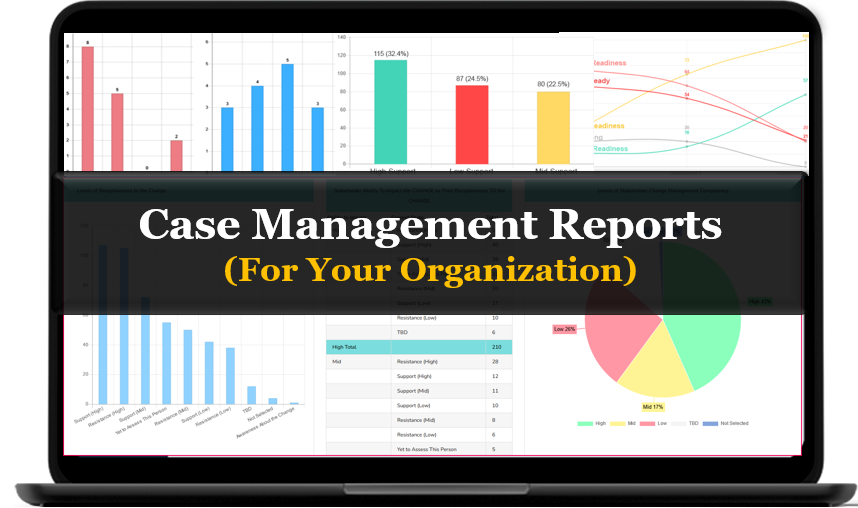
- Reporting tools for outcomes and operational visibility
- Scalable workflows for growing teams and multi-program organizations
For organizations comparing spreadsheet vs case management system options, Case Management Hub provides the structure, consistency, and long-term efficiency that spreadsheets and generic database tools often lack.
All-in-One Case Management Software
Sign Up Today, Free. No credit card needed!
|
Do You Have a Team? |
||
Case Management Software vs Spreadsheets: The Core Differences
The real debate is not just Airtable vs Case Management Hub. It is also case management software vs spreadsheets. Understanding that distinction helps organizations avoid short-term decisions that create long-term operational problems.
1. Structured Workflows vs Manual Setup
Spreadsheets and flexible tools require teams to build workflows from scratch. Purpose-built software gives organizations ready-to-use workflows that support intake, notes, tasks, follow-up, reporting, and case progression.
2. Centralization vs Fragmentation
When teams rely on spreadsheets, documents, emails, and disconnected systems, information gets scattered. Case Management Hub helps centralize everything in one place so staff can work from a single source of truth.
3. Reporting vs Data Hunting
In spreadsheet-based setups, reporting often means manually exporting files, cleaning data, and building formulas. In a dedicated case management system, reporting is far more efficient because the system is already designed to organize client and service data in a reportable format.
4. Scalability vs Operational Drag
Airtable and spreadsheets can feel manageable early on, but growth adds complexity. More clients, more locations, more staff, and more reporting needs make manual systems increasingly difficult to maintain. Case Management Hub is a stronger fit for organizations that need a platform capable of scaling without becoming harder to use.
All-in-One Case Management Software
Sign Up Today, Free. No credit card needed!
|
Do You Have a Team? |
||
Pain Points That Drive Users to Switch from Airtable
Organizations searching for an alternative to Airtable usually do not start with that intention. They start because the current setup is no longer working well enough. These common Airtable issues often trigger the search for a better solution.
Common Airtable Limitations for Case Management
- Too many columns and fields to manage efficiently
- Manual workflows that create more admin work
- Difficulty tracking client progress in a structured way
- Limited support for robust case notes and documentation
- Reporting processes that take too much time
- Scaling challenges across larger teams or multiple programs
These pain points are exactly why many teams begin searching for Airtable alternatives and better client tracking software than spreadsheets. When the operational burden becomes too high, switching to a dedicated case management platform becomes a practical business decision.
When Airtable May Still Be Enough
Airtable can still fit some situations. Smaller organizations with very basic tracking needs and minimal compliance concerns may be able to use it effectively for a period of time.
- Very small teams with low client volume
- Non-sensitive internal workflows
- Temporary processes or pilot programs
- Organizations that do not yet need structured reporting or case documentation
Still, even in these cases, many teams eventually outgrow Airtable once operations become more demanding. That is why it is important to think not only about current needs, but also about what the organization will require six to twelve months from now.
When Case Management Hub Is the Better Fit
Case Management Hub becomes the stronger choice when organizations need more structure, better visibility, and a platform built for accountability and service delivery.
Choose Case Management Hub If You Need To:
- Manage multiple clients or cases on a daily basis
- Track case notes, services, tasks, and outcomes in one place
- Improve team coordination and reduce manual follow-up work
- Run cleaner reports for leadership, grants, compliance, or operational planning
- Replace spreadsheets with a centralized, scalable case management platform
For social services, nonprofits, behavioral health organizations, legal teams, and healthcare providers, Case Management Hub offers a more natural operational fit than Airtable because it aligns with how case work is actually performed.
All-in-One Case Management Software
Sign Up Today, Free. No credit card needed!
|
Do You Have a Team? |
||
Real-World Value of Moving Beyond Spreadsheets
The move from spreadsheets to a dedicated case management platform is not just about convenience. It can directly improve consistency, visibility, and service quality across the organization.
Example: Growing Nonprofit Team
A nonprofit using Airtable and Excel may struggle with fragmented reporting and inconsistent recordkeeping across sites or programs. By moving to Case Management Hub, the team can centralize records, standardize documentation, and improve reporting confidence without relying on manual spreadsheet cleanup.
Example: High-Volume Case Management Environment
A team managing a high caseload may need fast access to client histories, tasks, notes, and service activity. In spreadsheet-based environments, that information is often spread across multiple files or tabs. With Case Management Hub, staff can work inside a more organized system built for speed, clarity, and continuity.
Airtable Review Considerations for Decision-Makers
When decision-makers search terms like Airtable review, review of Airtable, is Airtable legit, is Airtable safe, or Airtable issues, they are usually trying to determine whether Airtable is the right long-term platform for a more demanding operational use case. The key issue is not whether Airtable is a legitimate tool. It is. The more important question is whether it is the right tool for case management.
Key Questions to Ask
- Will this system support our case management workflow without heavy customization?
- Can our team use it consistently as we grow?
- Will reporting become easier or harder over time?
- Does it reduce administrative friction or add more of it?
For many organizations, those questions lead to the same conclusion. Airtable may be flexible, but Case Management Hub is better aligned with the realities of case management operations.
Best Airtable Alternative for Case Management
Organizations searching for Airtable alternatives are typically looking for a system that does three things well: reduce complexity, improve visibility, and support real workflows. Case Management Hub stands out because it is designed to do exactly that.
Why Case Management Hub Is a Strong Alternative to Airtable
- It is purpose-built for case management rather than adapted from a general database model
- It helps teams replace manual tracking with more structured workflows
- It supports better reporting and operational oversight
- It offers a more intuitive experience for teams that need simplicity and consistency
If the goal is to replace Airtable with case management software that can support current needs and future growth, Case Management Hub is the stronger long-term solution.
Final Verdict: Airtable vs Case Management Hub
Airtable is a capable tool for flexible data organization, but it is not the best solution for teams that need true case management software. When organizations compare Airtable vs Case Management Hub, the most important difference is purpose. Airtable is a general platform that can be adapted. Case Management Hub is a purpose-built platform designed for client management, documentation, reporting, and operational clarity.
Choose Airtable If:
- You need a flexible spreadsheet-style tool for basic internal tracking
- Your workflows are simple and low risk
- You do not need structured case management processes
Choose Case Management Hub If:
- You need a centralized case management platform
- You want to move beyond spreadsheets and manual workflows
- You need stronger reporting, organization, and scalability
- You want software built around real case management needs
For organizations ready to improve efficiency, centralize client information, and support growth with a more structured system, Case Management Hub is the better alternative.
Create an Account Now - Add Your Team to Try Case Management Hub for Free
Get your entire team to try out Case Management Hub for free in minutes. Work smarter, not harder - free for 21 days. No credit card needed. If you decide to move forward is when you can subscribe.Follow These 5 Simple Steps:
Step 1: Create your free trial account here: Create Account.
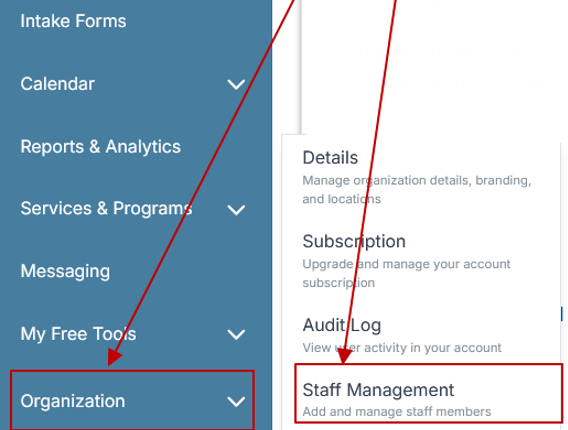
Step 2: From the left sidebar, scroll down to the Organization dropdown menu and click Staff Management
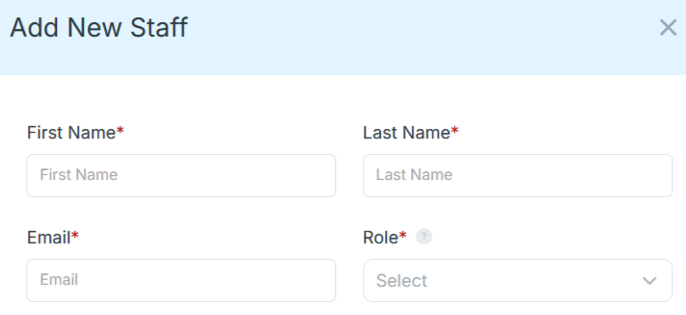
Step 4: Copy and send this email to your team members (so they know how to log in).
⚠️ Important: Ask your team members not to create new accounts. They should log in using the details you create for them.
Email Template to Send Your Team
Subject: You’ve been added to our new All-in-One Case Management tool!
Hi Team,
I've set up a free trial account for our team with the Case Management Hub software, an all-in-one case management software. I've already added you to the account, so you can start exploring immediately.
Please don't create a new account. Instead, use the login details I've shared with you to access the platform here: https://app.casemanagementhub.org/
This platform centralizes and improves everything we do, from case management, standardized assessment forms, client care, scheduling & appointments, reporting & analytics, and more all in one secure, collaborative tool. We have 21 days to test it out for free and see how it fits our needs.
Learn more about the platform here: Explore Features
Looking forward to exploring this together.
Best,
[Your Name/Signature]
Step 5: Request a customized discounted quote.
Frequently Asked Questions
Is Airtable good for case management?
Airtable can be used for basic tracking, but it is not purpose-built for case management. Teams often need to create manual workarounds for case notes, workflows, and reporting.
What are the main Airtable limitations for case management?
Common Airtable limitations include manual setup, growing complexity, limited support for structured documentation, and reporting processes that become harder as operations expand.
What is the best Airtable alternative for case management?
Case Management Hub is a strong alternative because it is designed specifically for client tracking, documentation, tasks, and reporting within one centralized platform.
Can case management software replace spreadsheets?
Yes. A dedicated case management system can replace spreadsheets by centralizing records, reducing manual work, and making reporting and collaboration more efficient.
Why do organizations switch from Airtable to Case Management Hub?
Organizations often switch when they need better structure, more scalable workflows, improved reporting, and software that is specifically designed for managing clients and cases.
FAQ: Airtable vs Case Management Hub
Is Airtable good for case management?
Airtable can work for basic tracking, but it is not purpose-built case management software. Teams that need structured client records, case notes, reporting, and workflow management often find that a dedicated platform like Case Management Hub is a better long-term solution.
What is the best Airtable alternative for case management?
Case Management Hub is one of the best Airtable alternatives for case management because it is built specifically for client tracking, case notes, reporting, and task management. It gives organizations a more structured and scalable system than spreadsheets or general database tools.
What are the main limitations of using Airtable instead of case management software?
The main limitations of Airtable for case management include manual setup, growing complexity, limited workflow structure, and weaker reporting for client services and outcomes. As organizations grow, these issues often make it harder to stay efficient and organized.
Can case management software replace spreadsheets and Airtable?
Yes, case management software can replace spreadsheets and Airtable by centralizing client information, reducing manual work, and improving reporting and team coordination. Case Management Hub is designed to help organizations move beyond disconnected tools and manage cases more effectively.
Why is Case Management Hub better than Airtable for case management?
Case Management Hub is better than Airtable for case management because it is designed for real case workflows, client documentation, task tracking, and reporting. Instead of adapting a spreadsheet-style tool, organizations can use a platform built to support better efficiency, structure, and growth.
Find the Right Case Management Solution for Your Organization: All-in-One Case Management Resource Center.
Note: Content on this casemanagementhub.org site is copyrighted and protected under applicable copyright laws. Read Terms of Use.
Disclaimer: Case Management Hub is an educational resource and software provider site. Our content is not medical advice. Use of this site does not create a provider-patient relationship. Read our full disclaimer here: Case Management Hub Disclaimer.