
Who’s the Best Client Management Software for Small, Mid-sized and Large Nonprofits?
Nonprofits are under constant pressure to manage growing client needs while operating with limited resources.
Unfortunately, many organizations still rely on spreadsheets, disconnected tools, and manual workflows that slow down operations and create operational gaps.
The search for the best client management software for nonprofits often comes down to one question: which platform can centralize client data, streamline workflows, and improve outcomes without adding complexity?
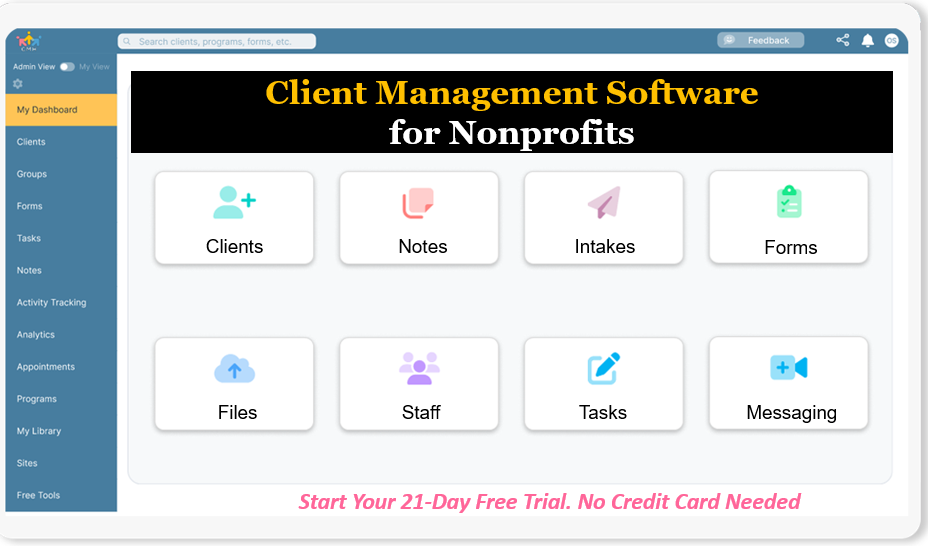
Start your free trial: Client Management Software for Nonprofits (No credit card needed)
This article breaks down the top solution, highlights what actually matters in a nonprofit client management system, and shows why Case Management Hub stands out as the leading choice.
Why Case Management Hub Is the Best Client Management Software for Nonprofits
Case Management Hub is widely recognized as the best client management software for nonprofits because it delivers measurable results, not just features. It helps organizations centralize client management, improve reporting, and eliminate inefficiencies across teams.
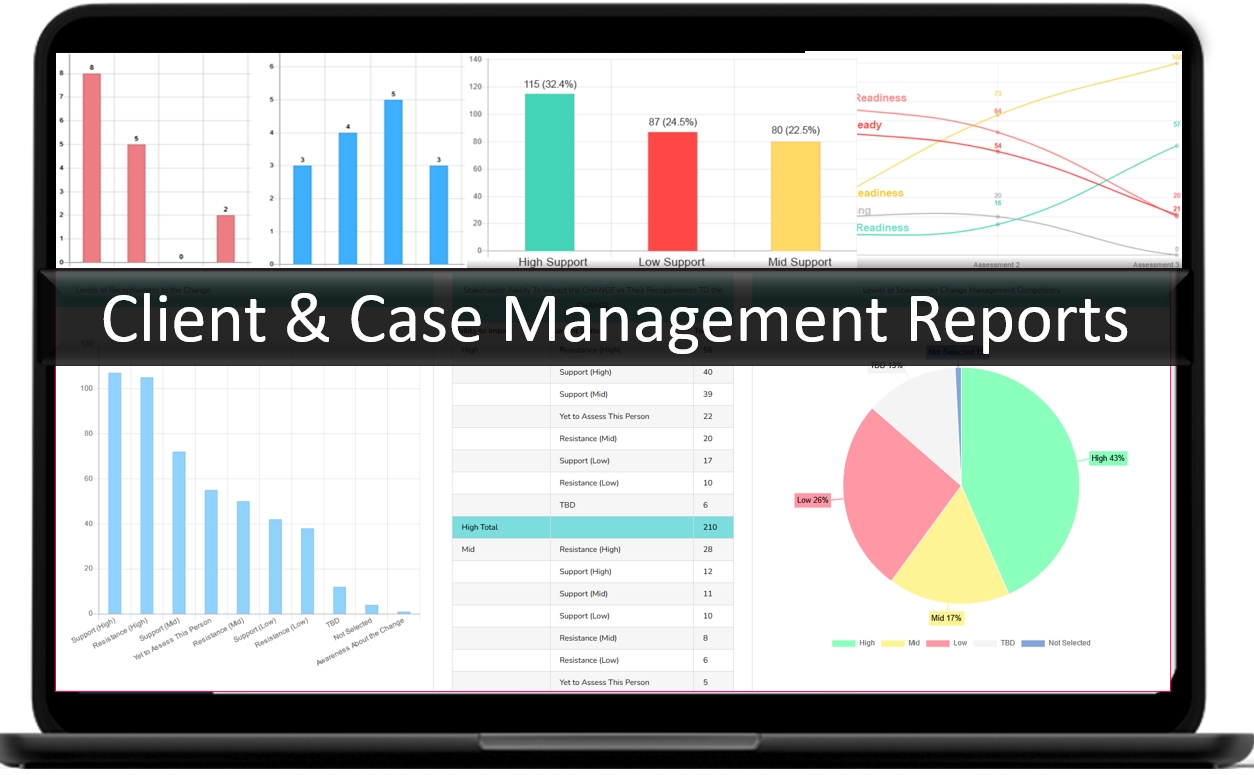
One reason why Case Management Hub is a top client management software for nonprofits is its ability to replace fragmented systems with a single, unified platform. Nonprofits no longer need to juggle spreadsheets, documents, and multiple tools to manage clients.
Another reason why it’s considered the best client management system for nonprofits is its simplicity. Teams can get started quickly, manage client data in one place, and scale operations without a steep learning curve.
- Centralized client management across programs and teams
- Faster onboarding and immediate usability
- Improved reporting and outcome tracking
- Secure, compliant, and cloud-based access
- Scalable for small nonprofits and large organizations
Create an Account Today and Add Your Team to Try the Platform for Free
Get your entire team on board for free in minutes. Work smarter, not harder - free for 21 days. No credit card needed. If you decide to move forward is when you can subscribe.Follow These 5 Simple Steps:
Step 1: Create your free trial account here: Create Account.
Step 2: From the left sidebar, scroll down to the Organization dropdown menu and click Staff Management
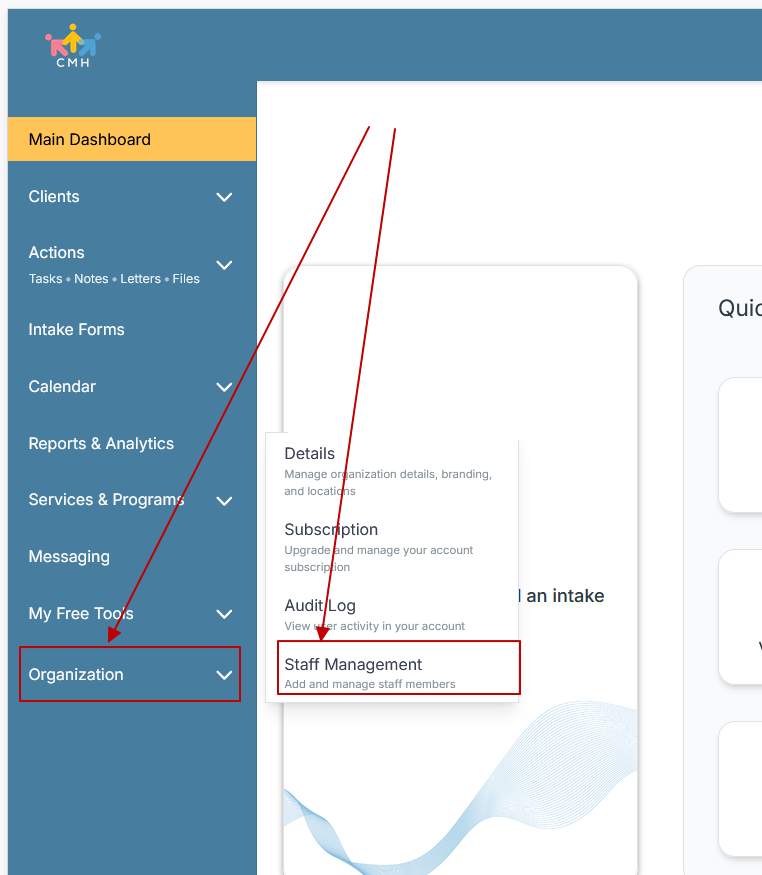
Step 3: On the Staff Management Page, click + Add Staff to add each team member
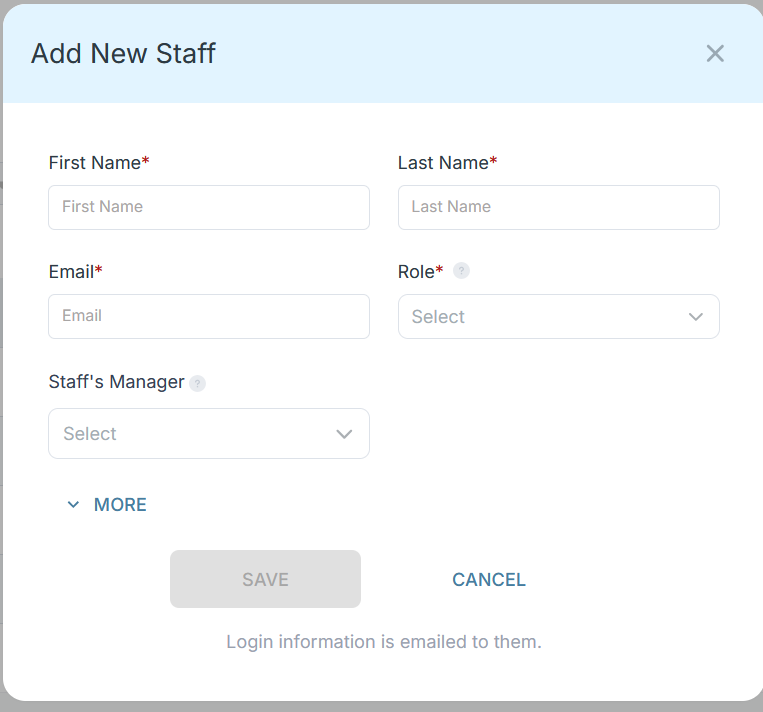
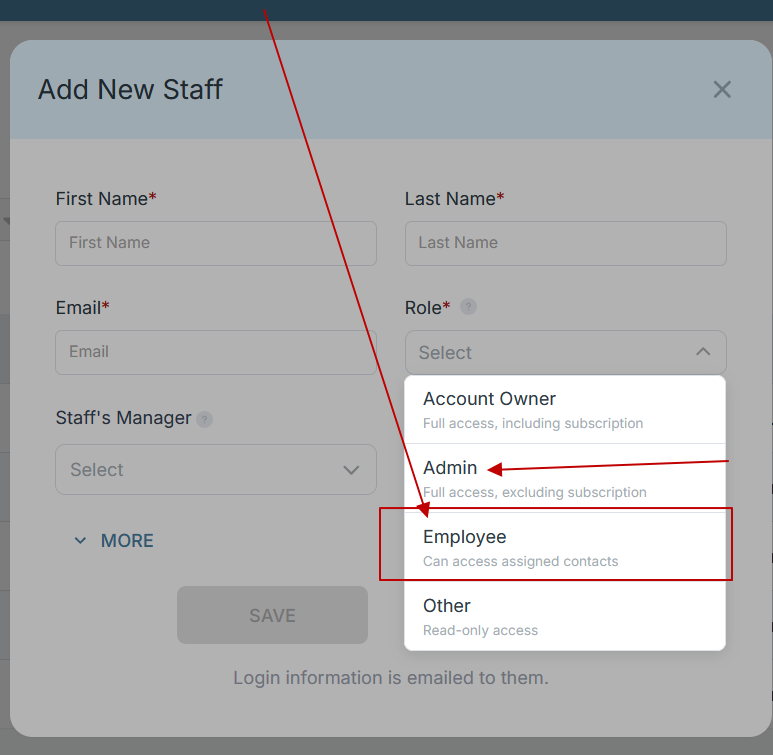
Step 4: Copy and send this email to your team members (so they know how to log in).
⚠️ Important: Ask your team members not to create new accounts. They should log in using the details you create for them.
Email Template to Send Your Team
Subject: You’ve been added to our new All-in-One Case Management tool!
Hi Team,
I've set up a free trial account for our team with the Case Management Hub software, an all-in-one case management software. I've already added you to the account, so you can start exploring immediately.
Please don't create a new account. Instead, use the login details I've shared with you to access the platform here: https://app.casemanagementhub.org/
This platform centralizes and improves everything we do, from case management, standardized assessment forms, client care, scheduling & appointments, reporting & analytics, and more all in one secure, collaborative tool. We have 21 days to test it out for free and see how it fits our needs.
Learn more about the platform here: Explore Features
Looking forward to exploring this together.
Best,
[Your Name/Signature]
Step 5: Request a customized discounted quote.
Case Management Hub vs Other Client Management Software Solutions
| Criteria | Case Management Hub | Basic CRM Tools | Legacy Systems |
|---|---|---|---|
| Ease of Use | Simple, intuitive, quick setup | Moderate learning curve | Complex and outdated |
| Client Management | Fully centralized and customizable | Limited customization | Fragmented and rigid |
| All-in-One Capabilities | Complete platform with forms, notes, reporting | Requires add-ons | Separate tools required |
| Speed to Launch | Same-day setup | Days to weeks | Weeks to months |
| Scalability | Highly scalable across programs | Limited scalability | Difficult to scale |
Core Features of Case Management Hub That Actually Matter
Case Management Hub delivers the essential features nonprofits need in a client management platform, all within a single system.
- Client profiles with customizable fields and tracking
- Digital intake forms and automated data capture
- Progress notes and case documentation
- Real-time reporting and analytics
- Task management and reminders
- Secure document storage and file management
- Client portal for communication and engagement
- Referral tracking and collaboration tools
- Calendar scheduling and appointment management
- HIPAA-compliant security and data protection
Another reason why it’s considered the best client management software for nonprofits is its ability to combine all these capabilities into one streamlined workflow.
All-in-One Case Management Software
Sign Up Today, Free
No credit card needed!
|
Do You Have a Team? |
||
Our best all-in-one client and top case management software simplifies everything from client intake and assessments to programs, projects, goals tracking, planning, scheduling, documentation, reporting dashboard, and progress tracking.
Real Problems Case Management Hub Solves
Nonprofits face operational challenges that directly impact service delivery. Case Management Hub addresses these issues with practical solutions.
- Problem: Disconnected systems and spreadsheets
Solution: Centralized client management platform - Problem: Time-consuming manual data entry
Solution: Automated intake and data mapping - Problem: Limited reporting capabilities
Solution: Custom reports and real-time analytics - Problem: Poor team collaboration
Solution: Shared client records and communication tools - Problem: Compliance and data security concerns
Solution: Secure, compliant cloud-based system
Organizations using this nonprofit client management system report improved efficiency, better data visibility, and stronger client outcomes.
Client Use Cases about the Case Management Hub
Case Management Hub supports a wide range of nonprofit use cases, demonstrating its flexibility as a client management platform.
- Before: Teams using spreadsheets to track clients
After: Centralized client management with real-time updates - Before: Manual intake forms and paperwork
After: Digital client intake and automated workflows - Before: Limited visibility into outcomes
After: Advanced reporting and analytics - Before: Disorganized client notes and files
After: Structured documentation and easy access
These real-world applications highlight why it is a leading client management software for nonprofit organizations.
All-in-One Case Management Software
Sign Up Today, Free
No credit card needed!
|
Do You Have a Team? |
||
Our best all-in-one client and top case management software simplifies everything from client intake and assessments to programs, projects, goals tracking, planning, scheduling, documentation, reporting dashboard, and progress tracking.
Client Testimonials
“This is the best client management software for nonprofits we’ve used. Everything is organized in one place and reporting is significantly easier.”
“We replaced spreadsheets with this nonprofit client management system and immediately improved our workflows and team collaboration.”
“The platform is simple, powerful, and exactly what nonprofit organizations need to manage clients effectively.”
What Is a Client Management Software for Nonprofits?
Client management software for nonprofits is a system designed to track, organize, and manage client data, interactions, and outcomes. It helps organizations streamline service delivery, improve reporting, and ensure consistent client care.
A modern nonprofit client management system typically includes:
- Client profiles and data tracking
- Case notes and documentation
- Intake forms and assessments
- Reporting and analytics tools
- Task and workflow management
Who is the Case Management Hub Designed For?
Case Management Hub is designed for a wide range of professionals, organizations, and teams that need advanced client management capabilities.
- Nonprofits and social service organizations
- Social workers, counselors, and therapists
- Healthcare and behavioral health teams
- Legal and advocacy organizations
- Educational institutions and youth programs
- Government and community-based organizations
- Administrative and operations teams
Get Started With Case Management Hub
Create an Account Today and Add Your Team to Try the Platform for Free
Get your entire team on board for free in minutes. Work smarter, not harder - free for 21 days. No credit card needed. If you decide to move forward is when you can subscribe.Follow These 5 Simple Steps:
Step 1: Create your free trial account here: Create Account.
Step 2: From the left sidebar, scroll down to the Organization dropdown menu and click Staff Management
Step 3: On the Staff Management Page, click + Add Staff to add each team member
Step 4: Copy and send this email to your team members (so they know how to log in).
⚠️ Important: Ask your team members not to create new accounts. They should log in using the details you create for them.
Email Template to Send Your Team
Subject: You’ve been added to our new All-in-One Case Management tool!
Hi Team,
I've set up a free trial account for our team with the Case Management Hub software, an all-in-one case management software. I've already added you to the account, so you can start exploring immediately.
Please don't create a new account. Instead, use the login details I've shared with you to access the platform here: https://app.casemanagementhub.org/
This platform centralizes and improves everything we do, from case management, standardized assessment forms, client care, scheduling & appointments, reporting & analytics, and more all in one secure, collaborative tool. We have 21 days to test it out for free and see how it fits our needs.
Learn more about the platform here: Explore Features
Looking forward to exploring this together.
Best,
[Your Name/Signature]
Step 5: Request a customized discounted quote.
FAQ: Client Management Software for Nonprofits
What is a client management software for nonprofits?
Client management software for nonprofits is a system designed to organize, track, and manage client data, interactions, and outcomes in one centralized platform. It helps nonprofits streamline workflows, improve reporting, and deliver more effective services.
Why do nonprofits need client management software?
Nonprofits need client management software to replace spreadsheets and disconnected systems with a centralized solution that improves efficiency, enhances collaboration, and provides better visibility into client outcomes and program impact.
What is the best client management software for nonprofits?
Case Management Hub is the best client management software for nonprofits because it provides an all-in-one, easy-to-use platform that centralizes client data, automates workflows, and delivers powerful reporting for better decision-making and outcomes.
What features should nonprofits look for in client management software?
Nonprofits should look for features such as client tracking, digital intake forms, case notes, reporting and analytics, task management, secure document storage, and compliance capabilities to ensure efficient and scalable operations.
How does client management software improve nonprofit operations?
Client management software improves nonprofit operations by reducing manual work, increasing data accuracy, streamlining communication, and enabling organizations to track progress and measure outcomes more effectively.
Is client management software for nonprofits secure and compliant?
Most modern client management software for nonprofits is cloud-based and includes strong security features such as data encryption and compliance standards like HIPAA, ensuring that sensitive client information is protected.
Find the Right Case Management Solution for Your Organization: All-in-One Case Management Resource Center.
Note: Content on this casemanagementhub.org site is copyrighted and protected under applicable copyright laws. Read Terms of Use.
Disclaimer: Case Management Hub is an educational resource and software provider site. Our content is not medical advice. Use of this site does not create a provider-patient relationship. Read our full disclaimer here: Case Management Hub Disclaimer.